Top 7 AI Cooking Assistants for Home Cooks
• Updated
AI cooking assistants are changing how people plan meals, shop for groceries, and cook at home. These apps simplify meal planning, reduce food waste, and save time by offering personalized recipes, smart grocery lists, and even guided cooking features. Whether you're a beginner or a seasoned cook, there's an app tailored to your needs.
Key Takeaways:
- Honeydew Recipe Manager: Best for families, offering AI meal plans, Instacart integration, and recipe organization ($4.17/month for premium).
- Whisk: Ideal for recipe collectors with grocery list automation and collaboration tools (freemium).
- SideChef: Great for beginners with step-by-step instructions, cooking timers, and smart appliance integration (freemium).
- Yummly: Perfect for health-conscious users with dietary filters and nutrition tracking ($4.99/month for premium).
- Mealime: Designed for efficient, healthy meal planning with waste reduction ($5.99/month for Pro).
- Tasty App: Focused on visual learning with video recipes and simple grocery lists (free with optional purchases).
- Cookpad: Community-driven platform for sharing and discovering recipes (free).
Quick Comparison:
| App | Best For | Grocery Integration | Meal Planning Depth | Pricing |
|---|---|---|---|---|
| Honeydew Recipe Manager | Families, automated meal plans | Instacart integration | Advanced weekly planners | Free/$4.17/month |
| Whisk | Recipe collectors | U.S. retailer integration | Intermediate | Freemium |
| SideChef | Beginners, guided cooking | Smart shopping lists | Intermediate to advanced | Freemium |
| Yummly | Health-focused users | Retailer integration | Intermediate | Free/$4.99/month |
| Mealime | Singles, couples | Optimized lists | Advanced | Free/$5.99/month |
| Tasty App | Visual learners | Manual grocery lists | Basic | Free/in-app purchases |
| Cookpad | Social foodies | Manual grocery lists | Basic | Free |
These tools cater to different needs, from automating meal prep to making cooking more interactive. Find the one that fits your lifestyle and start simplifying your kitchen routine today.
BakeBot: The Ultimate AI Kitchen Assistant by BakeSpace.com | As Seen on KTLA's Rich on Tech

1. Honeydew Recipe Manager
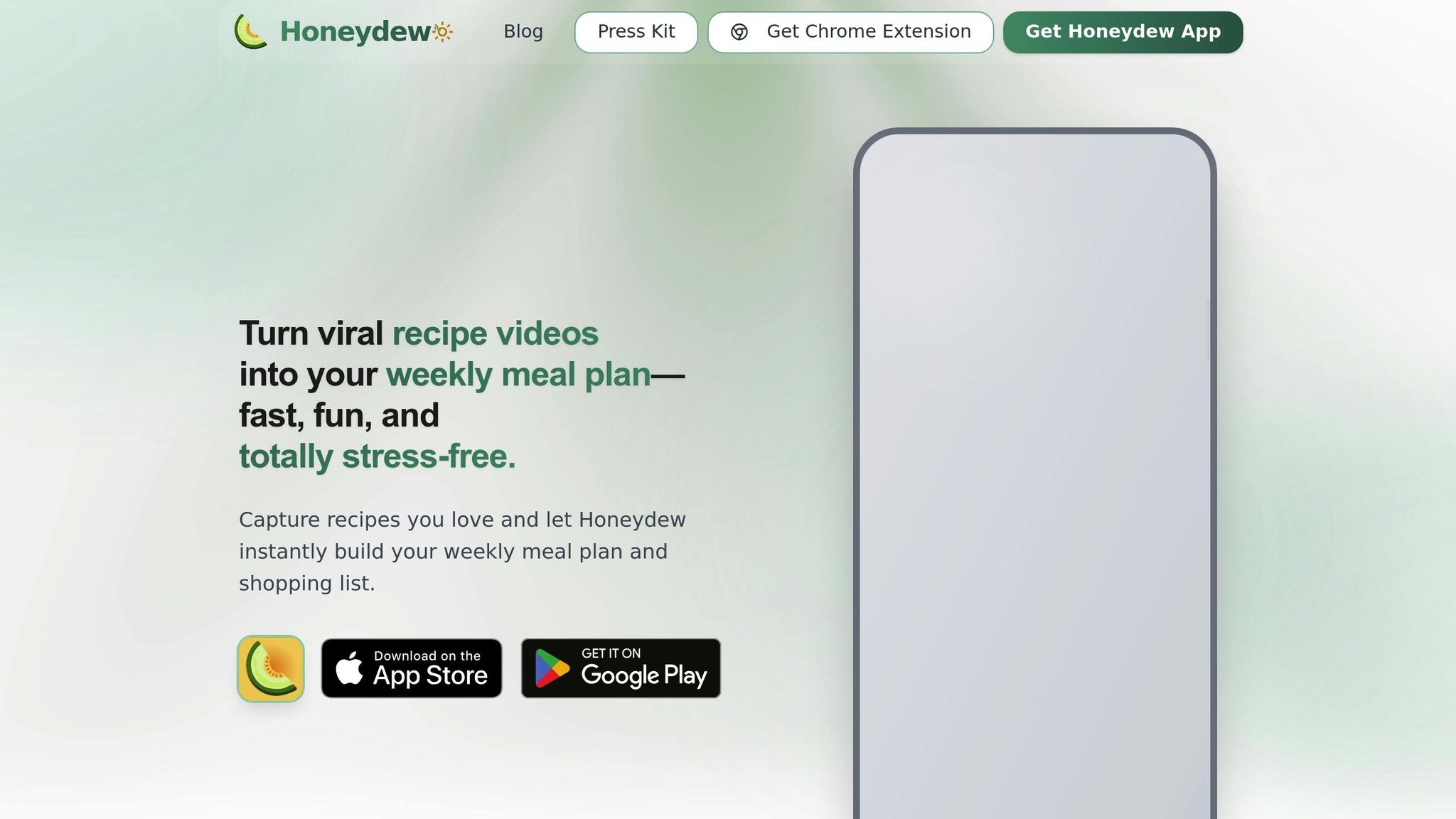
Honeydew Recipe Manager is an AI-powered cooking assistant that simplifies everything from finding recipes to getting groceries delivered. It combines meal planning, recipe organization, and grocery shopping into a single app, making it a game-changer for home cooks who often ask, "What’s for dinner?"
AI-Powered Meal Planning Capabilities
Honeydew uses artificial intelligence to create personalized meal plans that align with your dietary preferences, cooking habits, and nutritional goals. Instead of spending hours browsing recipes and piecing together a weekly menu, the app analyzes your past choices to suggest meals tailored to your household’s tastes. This feature can save a lot of time each week.
The app’s drag-and-drop calendar lets you easily adjust your weekly menu, swap out meals, and view your entire plan at a glance. This visual tool makes meal planning straightforward - no need for spreadsheets or complicated tools.
As you interact with the app by rating recipes, skipping suggestions, or tweaking your plans, the AI gets smarter. Over time, it learns your preferences and fine-tunes its recommendations. It can even suggest recipes based on ingredients you already have, helping you cut down on food waste and unnecessary grocery spending.
For those keeping an eye on nutrition, Honeydew offers meal suggestions that meet specific calorie counts, macronutrient goals, or dietary restrictions like gluten-free or low-sodium diets. Each recipe includes detailed nutritional information, so you can easily track proteins, carbs, fats, and calories across your weekly meals.
Grocery List Creation and Integration
Honeydew turns your meal plans into organized grocery lists, grouping ingredients by store section - like produce, dairy, or pantry items. This setup makes both in-store shopping and online ordering faster and smoother. The app calculates exact quantities and even suggests alternatives if certain items are pricey or hard to find.
"The smart grocery lists save me hundreds of dollars a month. I love how it suggests recipes based on what I already have!" - James L.
With its one-click integration to Instacart, you can send your grocery list directly to Instacart and have your ingredients delivered with just a few taps. This seamless connection means you can plan meals on Sunday and have everything you need by Monday evening.
The app also helps reduce food waste by ensuring you only buy what you need for your planned meals. With 270,000 recipes saved each month across the platform, users report that precise shopping lists and coordinated meal plans have cut down on unused ingredients and impulse buys.
Next, Honeydew simplifies recipe collection and organization, making it easy to build your digital cookbook.
Recipe Import and Storage Features
Honeydew makes capturing recipes from any source effortless. You can import recipes by pasting a URL, sharing a link from your browser, or - if you subscribe to Honeydew Plus - uploading photos, screenshots, or social media posts. The app’s AI extracts ingredients, instructions, and cooking details, transforming them into neatly organized recipes ready for use.
This feature is especially handy for those who discover recipes on Instagram, TikTok, or Pinterest but struggle to keep them organized. Instead of bookmarking pages or saving screenshots across various apps, Honeydew consolidates everything into one digital cookbook. Viral recipe content becomes actionable meal plans, complete with shopping lists.
"Being able to import recipes from anywhere has built my cookbook faster than I ever imagined." - Priya K.
Your saved recipes are stored in a personal collection, where you can categorize and access them easily whenever you need inspiration. The free plan allows up to 10 recipe imports, while Honeydew Plus offers unlimited storage - perfect for serious home cooks building an extensive recipe library.
"As a chef, I appreciate the recipe import feature. It's made organizing my personal recipes so much easier." - Maria R.
Collaborative or Family-Friendly Tools
Honeydew also offers collaborative meal planning features, ideal for families, roommates, or couples who need to coordinate schedules and dietary preferences. With Honeydew Plus, you can share meal plans, grocery lists, and recipe collections with up to six family members. This keeps everyone on the same page about what’s for dinner and what needs to be bought.
For households with varying dietary needs, this feature is especially helpful. Everyone can contribute to meal plans or adjust the shared calendar, preventing duplicate purchases and ensuring smooth coordination.
The collaborative tools are part of Honeydew Plus, which costs $4.17 per month. This premium plan includes unlimited recipe storage, advanced AI meal planning, smart ingredient substitutions, recipe translation, an ad-free experience, priority support, and all sharing features. The free version provides essential tools like smart recipe import (up to 10 recipes), basic meal planning, grocery lists, and a calorie calculator - enough to get started before deciding on a subscription.
2. Whisk
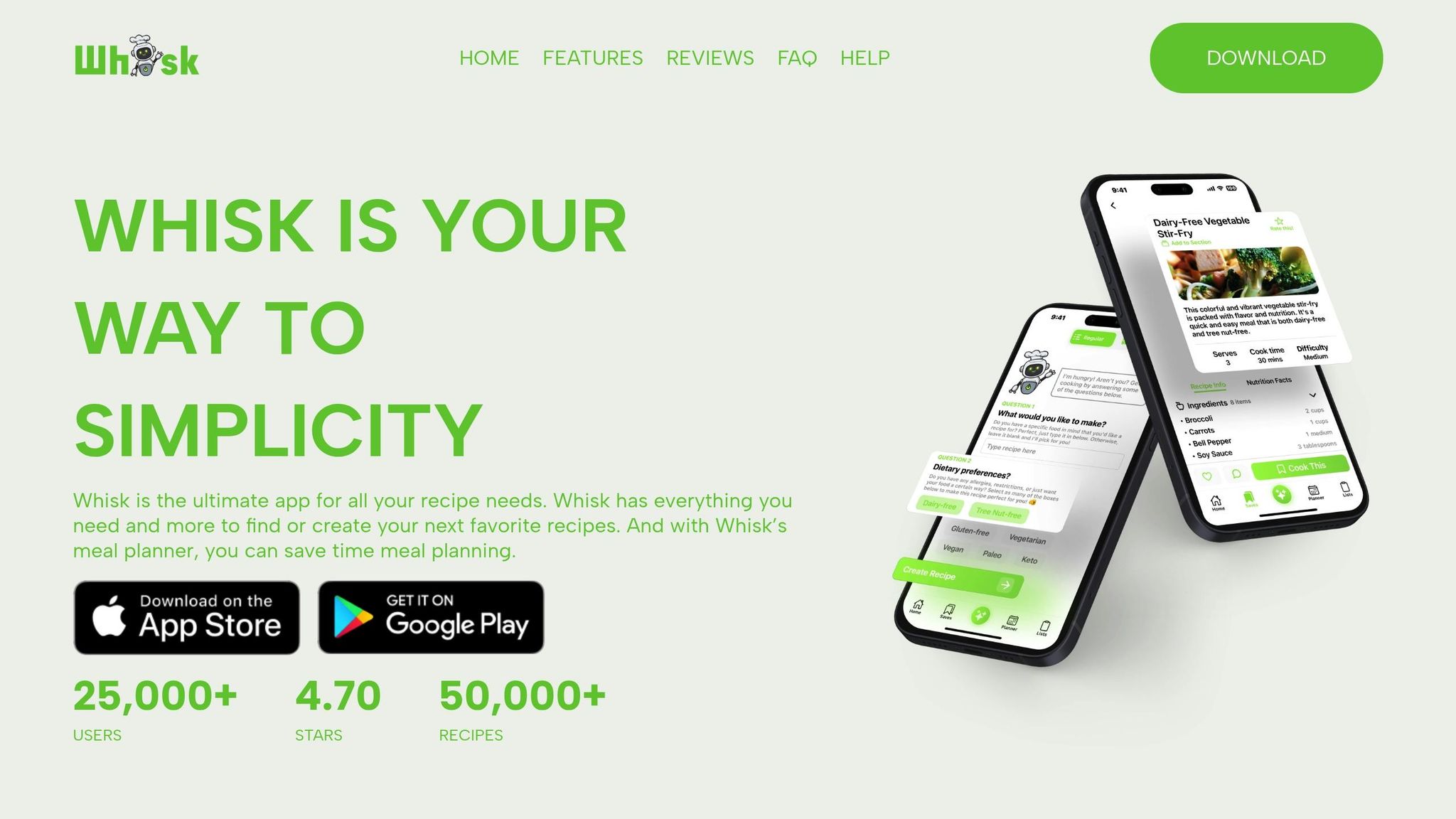
Whisk is a smart platform designed to simplify recipe discovery, meal planning, and grocery shopping. It takes your saved recipes and turns them into actionable meal plans, seamlessly connecting with major U.S. grocery retailers for easy pickup or delivery.
What makes Whisk stand out is its ability to consolidate similar ingredients dynamically and its real-time collaboration features.
Let’s dive into how Whisk enhances grocery list automation and collaborative meal planning.
Grocery List Creation and Integration
When you choose recipes for your weekly meals, Whisk automatically generates a well-organized grocery list. It categorizes items and merges duplicates - like combining multiple entries for "onions" - to help you avoid overbuying and reduce waste. Plus, its direct integration with top U.S. grocery retailers makes it simple to transition from planning your meals to ordering your groceries online.
Collaborative and Family-Friendly Tools
Whisk is perfect for families, couples, or roommates who share meal planning responsibilities. Its collaborative features let multiple users update and edit shared meal plans in real time. This makes it easy to coordinate, avoid duplicate purchases, and ensure everyone’s preferences are considered. Changes made by any user are instantly visible, keeping everyone on the same page.
Whisk operates on a freemium model. The free version includes essential features like saving recipes, creating grocery lists, and basic sharing options. Upgrading to the premium version unlocks extras like unlimited recipe imports, advanced filtering tools, integrated grocery delivery, and priority customer support. For help, users can access in-app support, tutorial videos, and a detailed knowledge base.
3. SideChef
SideChef stands out as a cooking assistant that goes beyond the basics, offering guided cooking with features designed to simplify your time in the kitchen. It’s not just about listing recipes - it’s about being your partner in the process. With clear, step-by-step instructions and visual aids, it helps you stay on track, whether you're exploring a new dish or just getting comfortable in the kitchen.
AI-Powered Meal Planning
SideChef's RecipeGen AI takes meal planning to a whole new level. Snap a photo of your ingredients, and it transforms them into a detailed recipe complete with step-by-step instructions and a shopping list for anything you’re missing. Its Multi-Recipe Cooking feature ensures all your dishes are ready at the same time, while the Zero-Waste Optimizer suggests creative ways to use up what’s already in your pantry. Plus, it organizes your favorite recipes into an interactive digital cookbook for easy access.
Import and Store Recipes with Ease
SideChef acts as your personal, ever-growing cookbook. You can import recipes directly into the app, skipping the tedious process of manual entry. Once saved, recipes are automatically converted into a standardized, searchable format, making it effortless to keep your collection organized and ready for whenever you need inspiration.
Grocery List Made Simple
Once you’ve picked a recipe, SideChef creates a shopping list for any missing ingredients. This seamless transition from recipe to shopping saves time and ensures you’re fully prepared before you start cooking. The app doesn’t stop there - it also enhances your cooking experience by connecting with smart kitchen devices.
Smart Kitchen Integration
With its AutoCook feature, SideChef takes guided cooking a step further by syncing with smart ovens. It monitors your food as it cooks, sending alerts when it’s perfectly done, so you don’t have to guess. Paired with gentle notifications and a mix of visual and written instructions, this integration helps you avoid common mistakes and achieve consistent results every time.
4. Yummly
Yummly has grown from a simple recipe search engine into a feature-packed cooking platform that uses AI to learn your tastes and recommend recipes tailored to your preferences. With tens of millions of users worldwide, it’s one of the most popular food and drink apps in the US. What sets Yummly apart is how it feels less like a generic cookbook and more like a personal kitchen assistant that gets smarter with every interaction.
The app refines its recommendations based on your activity - whether you save, like, or dismiss a recipe. Over time, this means fewer irrelevant suggestions and more recipes that genuinely match your cooking style and preferences.
AI-Powered Meal Planning Capabilities
Yummly’s AI doesn’t just recommend recipes - it adapts to your unique needs, including dietary restrictions, cooking habits, and time constraints. You can apply filters for allergies or diets like vegetarian, vegan, keto, and gluten-free, making it a great fit for households with varying dietary needs.
As you use the app, its suggestions become increasingly accurate. After a few weeks of consistent use, you’ll notice that it feels more in tune with your preferences.
Planning weeknight meals becomes a breeze with filters for cook time, skill level, and available ingredients. This makes it easy to plan multiple meals in one go without wading through irrelevant options. Plus, the app’s visual layout, which resembles a social media feed, keeps meal planning both efficient and engaging. The adaptive system simplifies the process, saving you time and effort.
Grocery List Creation and Integration
Once you’ve picked your recipes for the week, Yummly automatically creates a shopping list that consolidates all the ingredients you’ll need. This eliminates the hassle of manually jotting down items or switching between apps. Designed with US grocery shopping habits in mind, it works seamlessly whether you’re heading to the store or using delivery services like Instacart.
Recipe Import and Storage Features
Yummly isn’t just about browsing recipes - it also helps you build your own collection. The app converts saved recipes into a standardized, searchable format, making it easy to organize and find your favorites. For families with different tastes, tagging recipes with labels like "kid-friendly" or "spicy" can simplify meal planning. Robust filters let you quickly locate that one-pot pasta you saved months ago or pull up a list of under-30-minute meals for busy nights.
Yummly offers both free and premium subscription options. The free version provides access to basic features like recipe browsing, saving, and meal planning, which are more than enough for most casual cooks. For those looking for more, the premium subscription includes advanced AI personalization, unlimited recipe imports, detailed nutrition tracking, chef-led video classes, and ad-free browsing.
The app also integrates with certain smart kitchen devices, allowing you to send cooking instructions directly from Yummly recipes. These preconfigured programs automatically adjust temperature and timing, taking the guesswork out of more technical cooking tasks. While Yummly focuses heavily on recipe discovery and personalization, this smart device integration adds an extra layer of convenience.
Yummly consistently earns high marks from users, with an average rating of around 4.5 out of 5 stars from hundreds of thousands of reviews. Users often highlight its personalized recommendations, visually appealing recipe presentations, and handy shopping list tools. However, some note occasional irrelevant suggestions, external links with intrusive ads, and the fact that certain advanced features are locked behind a subscription.
For US users, Yummly presents recipes using familiar measurements like cups, tablespoons, and degrees Fahrenheit, making it easy to follow along. Quick filters for under-30-minute meals and one-pot dishes cater to the needs of busy households, helping to streamline meal prep and cleanup during hectic weeknights.
5. Mealime
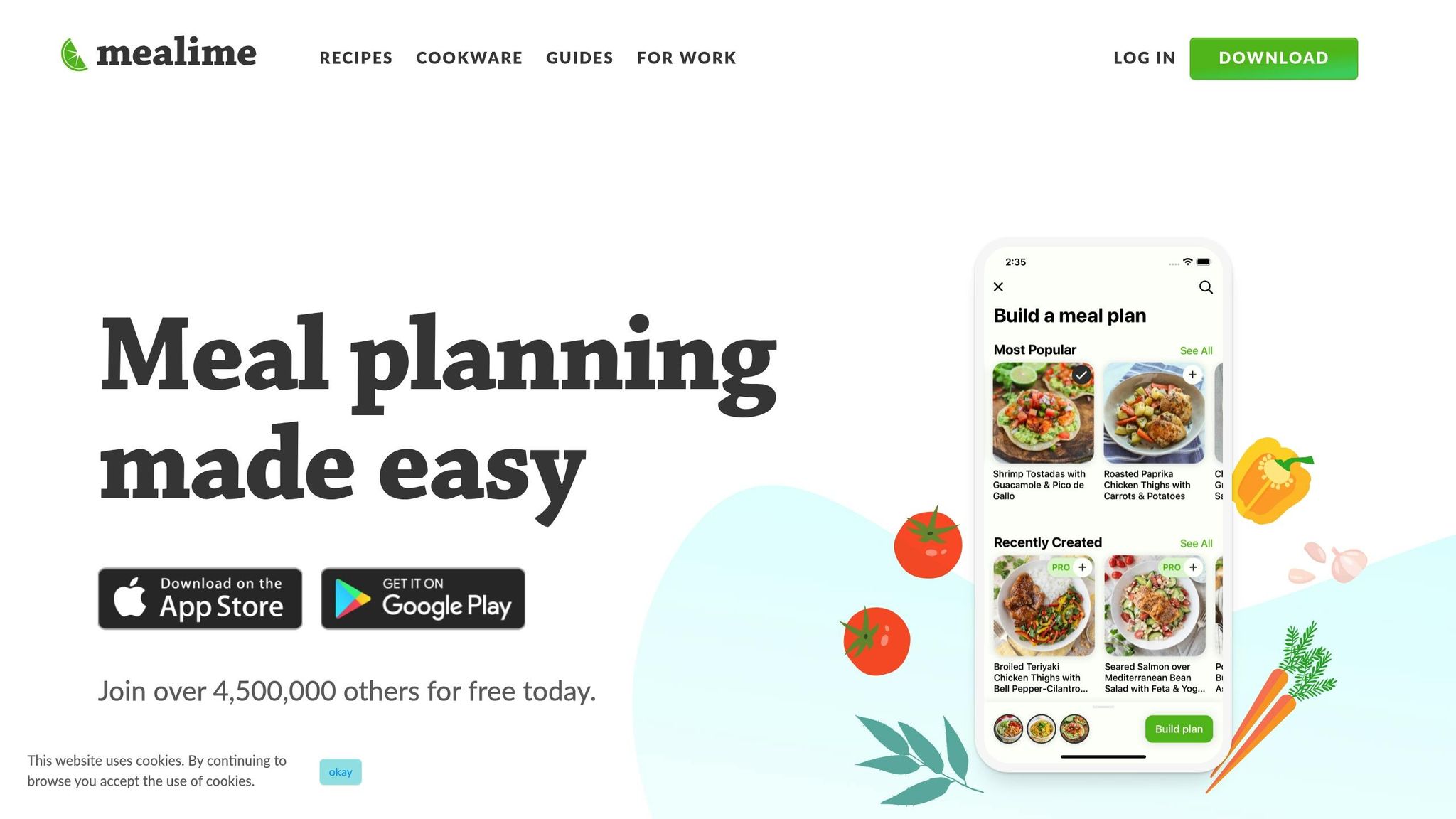
Mealime is designed to simplify meal planning and shopping for busy individuals and families. For anyone who wants to enjoy healthy, home-cooked meals without spending hours planning, this app takes care of everything - from choosing recipes to organizing grocery lists.
It tackles the age-old question, "What's for dinner?" with recipes that are quick to prepare, typically taking around 30 minutes. The recipes use straightforward ingredients and techniques, so you don’t need to be a professional chef to whip up something delicious. This makes it a great tool for working professionals and parents juggling packed schedules.
Smart Meal Planning with AI
Mealime uses AI to create weekly meal plans tailored to your specific needs. Whether you have dietary restrictions, ingredient preferences, or limited time, the app adjusts its recommendations to suit your lifestyle. You can choose from filters like vegetarian, vegan, gluten-free, keto, paleo, or allergen-specific options, and the app will only suggest recipes that fit.
The customization options go beyond just diet types. You can exclude ingredients you dislike, prioritize certain cuisines, or set time limits for meal prep on busy nights. For instance, if you prefer Asian dishes or need 20-minute dinners on weeknights, the app adapts accordingly. This level of personalization ensures that the meal plans feel like they’re made just for you.
One standout feature is how Mealime minimizes ingredient waste. The app suggests recipes that share common ingredients, so you’re not left with half a bag of spinach or an unused onion at the end of the week. This not only reduces waste but also helps lower grocery costs.
Mealime also adjusts portion sizes to match your household. Whether you’re cooking for two or four people, the app ensures you have just the right amount - avoiding excessive leftovers or running out of food.
Grocery Lists Made Simple
Once you’ve selected your meals for the week, Mealime generates a grocery list that’s organized by store sections to make shopping efficient. You can check off items as you shop, skip what you already have, or adjust quantities as needed. Whether you’re shopping in person or ordering online, the list is designed to save you time and effort.
The app uses familiar U.S. measurements like cups, tablespoons, ounces, and pounds, making it easy to follow recipes without extra conversions. Recipe instructions are also tailored for American kitchens, assuming standard equipment and commonly available ingredients.
By tying each grocery item to a specific recipe, Mealime helps cut down on unnecessary purchases, which often lead to wasted food and overspending. This streamlined approach to shopping complements the app’s efficient recipe storage, making it easy to revisit your favorite meals.
Recipe Storage and Cooking Features
Mealime lets you save your favorite recipes and organize them into custom collections by meal type, cuisine, or dietary category. Each recipe includes detailed nutritional information, which is helpful if you’re tracking calories or macronutrients for health goals. You can also rate and review recipes, allowing the app to refine its recommendations based on what you enjoy cooking and eating.
The app’s storage system makes meal planning even easier. Instead of starting from scratch every week, you can quickly access that stir-fry you loved last month or browse your saved 30-minute recipes for a busy weeknight.
Cooking with Mealime is straightforward, thanks to step-by-step instructions and built-in timers. The cooking mode is optimized for use on your phone or tablet, with large text and minimal screen interaction - perfect when your hands are messy. On compatible devices, you can even use voice commands to navigate through the recipe without touching your screen.
Family-Friendly and Collaborative Tools
Mealime also caters to households with multiple members. Everyone can view and contribute to meal plans, making dinner planning a shared task. It’s especially helpful for families with different dietary preferences or restrictions, like vegetarians and meat-eaters living under the same roof.
You can share meal plans and coordinate grocery shopping, so everyone knows what’s for dinner and can pitch in. This reduces the burden on one person and ensures the whole household is on the same page.
Mealime operates on a freemium model. The free version includes essential features like personalized meal planning, basic dietary filters, and automatic grocery lists. For those who want more, the premium subscription, Mealime Pro, costs around $10-$15 per month. Pro unlocks advanced features such as expanded recipe options, deeper customization, nutritional tracking with macro breakdowns, and additional diet filters.
The app is highly rated, with user reviews consistently giving it over 4.5 out of 5 stars on major app stores. Users appreciate how it simplifies meal planning, reduces food waste, and saves time. While the free tier is sufficient for most, some users mention that niche diets may require the Pro version for more variety.
For anyone who finds meal planning and grocery shopping more stressful than cooking itself, Mealime offers a practical solution. Its focus on quick, easy recipes and efficient planning makes it an excellent choice for busy weeknights when convenience is key.
6. Tasty App

Tasty, BuzzFeed's cooking app, takes the vibrant, visual style of its social media cooking videos and transforms it into a practical kitchen tool. It's designed for home cooks in the U.S. who want simple, reliable recipes without needing professional culinary skills. With its focus on approachable, beginner-friendly cooking, Tasty brings a fresh perspective to food preparation, making it a favorite for busy households.
What makes Tasty stand out is its visual learning approach. Instead of reading through long recipe instructions, you can watch short, step-by-step videos that show exactly how each dish comes together. The "hands-and-pans" filming style - where you see ingredients being prepared and cooked from an overhead view - makes following along easy, even for those new to cooking or trying out new techniques. This video-first format has helped Tasty become one of the most-downloaded food apps in the U.S., turning its massive social media following into a practical resource for home kitchens.
The app's recipe library covers everything from quick weeknight meals to festive desserts and snacks. By pulling inspiration from trending dishes and seasonal themes, Tasty stays relevant to U.S. holidays and events - offering recipes for Super Bowl snacks, Thanksgiving sides, or summer BBQ ideas. This keeps your meal options fresh, so you're not stuck in a rut with the same recipes every week.
Recipe Import and Storage Features
Tasty doesn't just provide recipes - it helps you stay organized. You can save and sort your favorite recipes into custom collections, building a personalized digital recipe box. Whether you want to group recipes for "easy weeknight dinners", "kid-approved meals", or "30-minute options", the app makes it simple to keep everything in one place without needing printed recipe cards or scattered bookmarks.
The app uses familiar U.S. measurements like cups, tablespoons, and pounds, along with Fahrenheit for temperatures, making it straightforward for American cooks. Plus, the recipes are built around ingredients commonly found in U.S. grocery stores, so you won't need to hunt down specialty items. Once saved, your recipes are always accessible, making it easy to revisit favorites like that skillet pasta you loved or your go-to sheet-pan chicken. The video thumbnails also make it easier to recognize dishes at a glance compared to text-only recipes.
Grocery List Creation and Integration
Planning your shopping is a breeze with Tasty's grocery list feature. Once you've picked your recipes, the app generates a consolidated shopping list that organizes ingredients by grocery store sections. This helps streamline your trip, whether you're shopping in person or using curbside pickup services.
While the app doesn't directly integrate with grocery delivery services, the list is easy to copy into third-party apps or use as a reference. By tying ingredients to specific recipes, Tasty helps you avoid buying unnecessary items, cutting down on food waste and saving money.
Collaborative or Family-Friendly Tools
Tasty's step-by-step videos are perfect for turning cooking into a family activity. The clear instructions and discrete steps allow everyone to pitch in - kids can handle basic tasks like mixing or adding toppings, while adults take on more complex ones like using the stove or oven. This collaborative approach makes cooking less of a solo chore and more of a shared experience.
The app also makes it easy to share recipes with family or roommates via text or messaging apps, simplifying meal coordination. For teens or young adults learning to cook, Tasty's approachable style and short videos reduce intimidation, helping them build confidence in the kitchen. Letting them choose a recipe each week can also teach them valuable cooking skills while lightening the workload for the main cook in the household.
AI-Powered Meal Planning Capabilities
Tasty uses smart features to tailor recipe recommendations to your preferences, skill level, and available time. The more you save and favorite recipes, the better the app becomes at suggesting dishes you'll actually want to make. You can filter recipes by tags like vegetarian, vegan, gluten-conscious, or high-protein, making it easy to find meals that fit your needs without scanning every ingredient list.
For busy weeknights, you can quickly filter for "30-minute dinners" and save a few options to choose from. On weekends or holidays, you can explore seasonal collections - like game-day snacks or holiday sides - and batch-cook multiple recipes using the app's videos as a visual checklist. If you're meal planning for the week, you can pick five to seven recipes, adjust portions for your household, and map them onto a calendar app. This flexible approach gives you structure without requiring a dedicated meal-planning tool.
To make the most of Tasty's recommendations, favorite recipes you love and remove ones that didn't work out. Starting with simple dishes that use pantry staples can help minimize waste and save money. Grouping recipes with overlapping ingredients, like rice, chicken, or bell peppers, can also make your shopping more efficient.
Tasty's strength lies in its well-tested recipes and engaging videos, which make it ideal for beginners looking for reliable results. Its large U.S. audience and strong social media presence ensure a steady stream of new ideas, so you'll always have options for weeknight dinners, special occasions, or seasonal celebrations. By combining visual learning with practical tools, Tasty makes cooking approachable and enjoyable for American households.
7. Cookpad
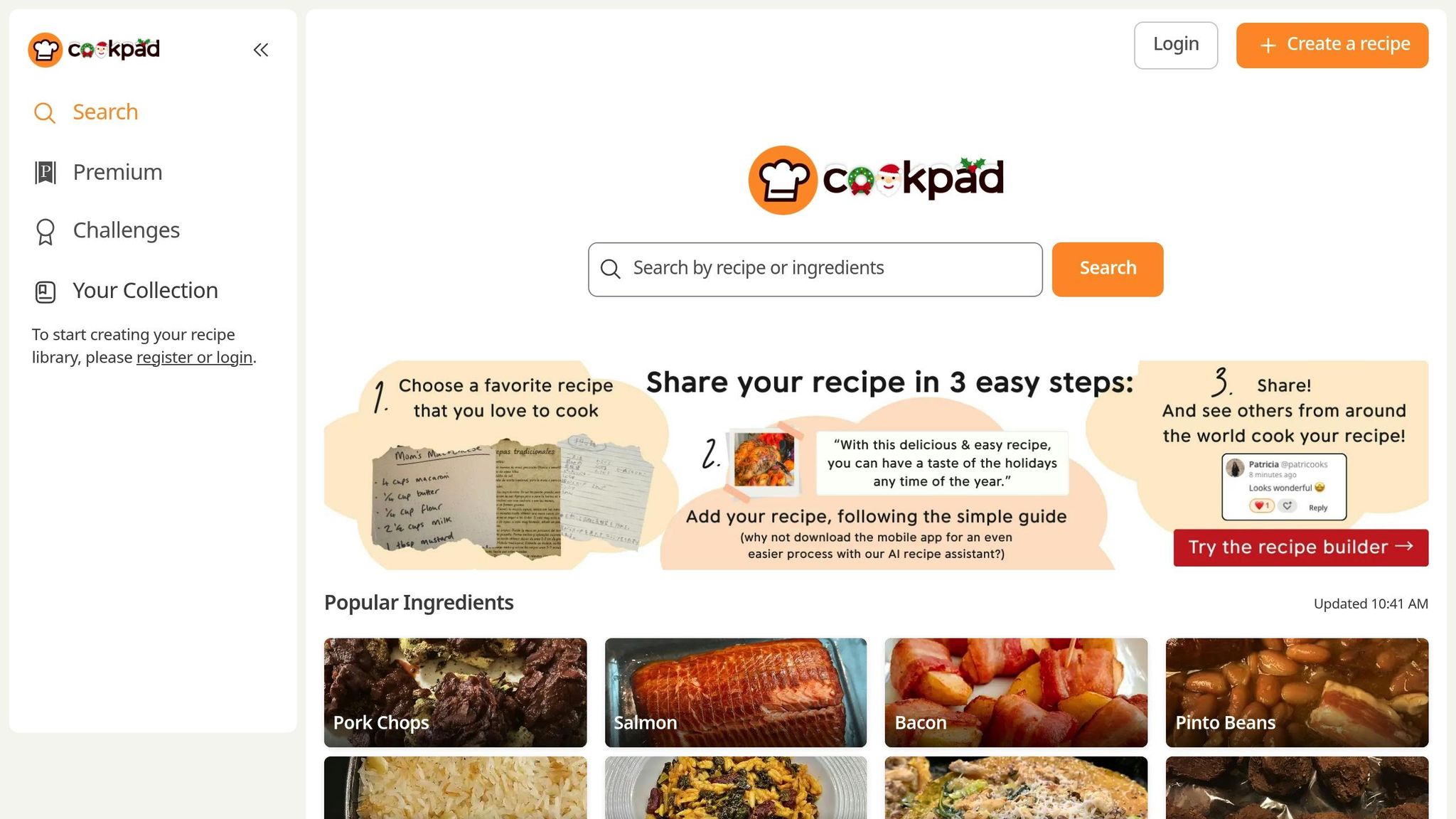
Cookpad is a recipe-sharing platform powered by its community of home cooks. With over 100 million users worldwide each month, it’s a mobile-friendly tool where you can search for recipes by ingredients or dish type. Every recipe is tried and tested in real kitchens, complete with photos and user notes that offer practical advice.
What sets Cookpad apart is its focus on community-driven content. Recipes come with tips from home cooks, like how to adjust spices or swap ingredients, making them approachable and adaptable to your needs. The platform even learns from your cooking habits, suggesting recipes that match your preferences. Let’s dive into how Cookpad’s features make cooking, meal planning, and recipe storage a breeze.
Recipe Import and Storage Features
Cookpad makes it easy to save and organize your favorite recipes. You can create custom collections like "Weeknight Dinners" or "30-Minute Meals", building a digital cookbook that’s accessible across all your devices. Recipes use familiar U.S. measurements - cups, tablespoons, ounces, and pounds - as well as Fahrenheit for temperatures, making it especially user-friendly for American cooks.
When saving a recipe, you can add personal notes about portion sizes, spice levels, or ingredient swaps, which is helpful for future planning. However, there’s no option to automatically import recipes from external websites, so you’ll need to enter them manually.
Grocery List Creation and Integration
Cookpad shines when it comes to ingredient-based browsing, allowing you to plan meals around what’s already in your fridge. For example, you can search for recipes using "leftover rotisserie chicken" or "zucchini", helping to reduce food waste. Each recipe includes an ingredient list you can use as a checklist while shopping or cooking.
For grocery planning, you can jot down ingredients from selected recipes and manually add them to your favorite grocery app or retailer cart. While this gives you control over brand choices and deals, Cookpad doesn’t offer direct integration with services like Instacart. If you prefer a more automated approach, pairing Cookpad with a planning tool like Honeydew Recipe Manager can help complete your system.
Collaborative or Family-Friendly Tools
Cookpad’s community-driven design makes it a great fit for family cooking. Families can share an account to save and post recipes, while photo-rich, step-by-step instructions make it easy for cooks of all ages to follow. Recipes contributed by everyday home cooks often include practical tips for adapting meals to fit busy schedules or picky eaters.
The platform also encourages local connections, allowing you to follow other home cooks in your area and see what they’re making. This feature turns meal planning into a shared, engaging activity that brings people together.
AI-Powered Meal Planning Capabilities
While Cookpad emphasizes community contributions over automation, it still helps streamline meal planning. By liking and saving recipes, you can guide the platform to suggest options that suit your tastes. This makes it easier to create an informal weekly rotation, whether you’re searching for quick weeknight dinners or seasonal recipes for special occasions.
With millions of recipes covering various cooking styles and dietary needs, Cookpad offers endless inspiration. However, it doesn’t provide fully automated meal plans, grocery lists, or nutrition tracking. For those features, combining Cookpad with a dedicated planning tool can create a more complete workflow.
To get the most out of Cookpad, save and like recipes you’ve tried so the platform can better tailor its recommendations. Organize recipes with shared ingredients - like chicken, rice, or peppers - to simplify shopping, and add notes on what worked to build a handy reference for future meals.
Feature Comparison
Looking for the perfect AI cooking assistant to match your cooking habits and household needs? Here’s a side-by-side comparison of seven top-rated options, highlighting their key features and what makes them stand out.
| App | Platform | Type of AI Help | Meal Planning Depth | Grocery Integration | Nutrition & Dietary Support | Guided Cooking | Pricing (USD) | Best For |
|---|---|---|---|---|---|---|---|---|
| Honeydew Recipe Manager | iOS, Android, Web | AI meal planning, grocery lists, recipe suggestions | Advanced (weekly plans, drag-and-drop calendar, smart lists) | Instacart integration | Tracks macros and offers smart substitutions for dietary needs | Detailed recipes with substitutions | Free (up to 10 recipes); Plus $4.17/month (unlimited recipes, advanced AI, household sharing) | Busy families seeking automated meal plans and streamlined shopping |
| Whisk | iOS, Android, Web | Smart recommendations and recipe clipping from the web | Intermediate (recipe collections, manual planner) | Grocery lists with U.S. retailer integrations | Basic diet tags and filters | Guided steps using saved recipes | Free with optional in-app purchases | Organized cooks who clip recipes and want flexible planning |
| SideChef | iOS, Android | AI recipes from ingredients and guided cooking | Intermediate to Advanced (weekly planners, auto-generated lists) | Smart shopping lists with some retailer links | Dietary filters and basic nutrition info | Step-by-step photos/videos, smart timers, appliance integration | Free with optional premium features | Visual learners and beginner cooks using smart appliances |
| Yummly | iOS, Android, Web | Personalized suggestions based on saved favorites | Intermediate (custom feeds, manual planning) | Auto-generated lists with retailer links | Strong filters (macros, allergens, keto, gluten-free) | Guided recipes with photos; optional smart oven integration | Free; optional premium (~$4.99/month) | Health-focused users filtering by nutrition and diet type |
| Mealime | iOS, Android | Recommendations tailored to dietary profiles | Advanced (tailored weekly plans, auto grocery lists) | Optimized grocery lists (no direct delivery links) | Robust filters, portion control, and macro-friendly plans | Simple step-by-step instructions | Free; Pro ~$5.99/month (more options, advanced filters) | Singles or couples planning efficient, healthy meals |
| Tasty App | iOS, Android | Basic personalization (suggests recipes based on activity) | Basic (save favorites, manual lists) | Shoppable ingredient lists | Limited nutrition info | Video-style recipes with photos | Free with optional in-app purchases | Beginner cooks who enjoy quick, visual recipes |
| Cookpad | iOS, Android, Web | Suggestions based on saved likes and recipes | Basic (favorites and manual collections) | Manual ingredient lists (no retailer integration) | Minimal nutrition support | Community-driven recipes with photos and tips | Free | Social cooks who love sharing and discovering home-style recipes |
Key Takeaways
Meal Planning and Grocery Integration
Honeydew Recipe Manager and Mealime shine in automated meal planning, creating weekly menus and grocery lists with minimal effort. Honeydew integrates with Instacart for one-click grocery ordering, while Mealime generates optimized lists without direct delivery links. Whisk, SideChef, and Yummly offer smart shopping lists connected to U.S. retailers, though they often require manual item transfers. Tasty App provides shoppable ingredient lists, while Cookpad leaves grocery shopping entirely manual.
Nutrition and Dietary Support
For dietary needs, Yummly and Mealime stand out with detailed filters for macros, allergens, and specialized diets like keto or gluten-free. Honeydew Recipe Manager also supports nutrition tracking and offers smart ingredient substitutions for dietary restrictions. SideChef and Whisk provide basic dietary tags, while Tasty App and Cookpad offer minimal nutritional features.
Guided Cooking and Smart Features
SideChef offers a highly visual cooking experience with photos, videos, and smart timers, making it ideal for beginners. It also connects with smart ovens and cooktops to adjust cooking settings in real time. Yummly provides optional smart oven integration, while Honeydew Recipe Manager and Mealime focus on clear, step-by-step instructions.
Pricing Models
Most apps use a freemium model. Honeydew Recipe Manager’s free tier allows up to 10 recipe imports, with a Plus plan at $4.17/month for unlimited recipes, advanced AI, and household sharing. Yummly and Mealime offer premium options at $4.99–$5.99/month, adding extended meal plans and advanced filters. Others, like Tasty App and Cookpad, remain free with optional in-app purchases.
Best Fit for Your Lifestyle
- Families: Honeydew Recipe Manager simplifies meal planning with AI-generated weekly menus and Instacart integration.
- Health enthusiasts: Mealime and Yummly offer macro tracking and robust dietary filters.
- Beginner cooks: SideChef’s visual guides and smart appliance features are invaluable.
- Social foodies: Cookpad fosters a community-driven experience with recipe sharing and tips.
Device Compatibility
All apps work on iOS and Android, while Honeydew Recipe Manager, Whisk, Yummly, and Cookpad also have web versions for planning on a laptop and cooking from your phone. Tasty App and SideChef are mobile-only.
Whether you’re tackling decision fatigue, reducing food waste, or saving time, these AI cooking assistants offer solutions tailored to different needs. From automated planning to recipe discovery, there’s an option for everyone.
Conclusion
AI cooking assistants have transformed meal prep into an easier, more enjoyable experience. These tools take care of the time-consuming parts - like finding recipes, planning meals, creating grocery lists, and guiding you through each step in the kitchen - so you can focus on what really matters: cooking and enjoying meals with your loved ones. No more endless recipe searches or extra trips to the store - AI handles all that for you.
One of their standout features is how they adapt to your needs. Whether you're managing specific dietary restrictions, trying to make the most of what’s already in your pantry, or just looking for quick and easy dinner ideas for a packed schedule, AI assistants learn your preferences and suggest recipes that match your tastes. This level of personalization makes it easy to find the right tool for your lifestyle.
For families balancing work, school, and activities, tools like Honeydew Recipe Manager offer automated weekly meal plans and grocery integration. Beginners can rely on platforms like SideChef, which include step-by-step photo and video instructions plus built-in timers to simplify even the trickiest recipes. If health is your focus, apps like Yummly and Mealime provide detailed nutrition tracking and balanced meal plans. Meanwhile, community-driven platforms like Cookpad offer inspiration and a space to share family-favorite recipes.
Choosing the best assistant depends on your needs and cooking style, and many apps offer free trials so you can explore their features without commitment. Start by setting up your profile with your dietary preferences and favorite meals. From there, the app will generate personalized meal plans and organized grocery lists. Try a few recipes, tweak the settings, and watch as the assistant becomes better at predicting what you’ll love to cook.
FAQs
How can AI cooking assistants help cut down on food waste and save money on groceries?
AI cooking assistants, such as Honeydew, simplify the process of cutting down on food waste and saving money. They do this by generating precise grocery lists based on your recipes, ensuring you purchase only what’s necessary. Plus, they can recommend ingredient swaps to make use of items you already have in your kitchen, helping to minimize waste.
These tools also come with handy features like meal planning and automated grocery organization. These not only prevent overbuying but also help you stay within your budget and make your shopping trips more efficient.
What should I look for in an AI cooking assistant if I have specific dietary needs?
When picking an AI cooking assistant, focus on tools that provide personalized meal plans and recipes that match your dietary preferences - whether you need gluten-free, vegan, or low-sodium options. Features like nutrition tracking can help ensure your meals align with your health goals, and ingredient substitution suggestions make it easier to adapt recipes to your specific needs.
It's also a bonus if the tool simplifies grocery shopping by creating customized grocery lists or even connecting with delivery services. These features can take the hassle out of meal planning, saving you time while ensuring your meals are both tasty and fit seamlessly into your lifestyle.
How can AI cooking assistants make meal preparation easier for beginners or those with smart kitchen devices?
AI cooking assistants, such as Honeydew Recipe Manager, take the hassle out of meal prep. With features like AI-generated grocery lists, seamless recipe imports, and user-friendly meal planning tools, they’re perfect for anyone looking to save time and avoid the stress of figuring out daily meals.
If you’re working with smart kitchen appliances, these tools can make your experience even smoother. By simplifying the planning process and ensuring every ingredient is on hand, AI transforms cooking into a more efficient and enjoyable activity.