Top 7 AI Tools for Interactive Cooking
• Updated
AI tools are transforming how we cook, offering recipe personalization, hands-free guidance, and real-time adjustments. Whether you're meal planning, baking with precision, or figuring out what to cook with pantry staples, these tools simplify the process and save time. Here's a quick rundown of the seven best options:
- Honeydew Recipe Manager: Organizes recipes, meal plans, and grocery lists with U.S.-friendly measurements and Instacart integration.
- PopAi Cooking Video Maker: Converts recipes into polished cooking videos with customizable templates and voiceovers.
- SideChef Virtual Kitchen Assistant: Guides users with step-by-step instructions, voice commands, and smart appliance connectivity.
- BakeMaster AI for Bakers: Focused on baking precision, offering timers, substitutions, and real-time feedback.
- DishGen Recipe Generator: Creates recipes based on ingredients, dietary preferences, and cooking history.
- CookAIfood Visual Ingredient Helper: Generates recipes by scanning your ingredients and answering cooking questions.
- SuperCook Pantry-Based Cooking: Suggests recipes using what you already have to reduce waste.
These tools cater to different needs, from meal prep and baking to content creation and waste reduction. Below is a comparison to help you choose the right one.
I Tried Cooking with a FREE AI Tool - Did It Actually Work?
Quick Comparison
| Tool | Focus Area | Key Features | U.S. Measurements | Grocery Integration |
|---|---|---|---|---|
| Honeydew | Meal planning & grocery lists | Recipe storage, meal plans, Instacart integration, nutrition tracking | Yes | Yes (Instacart) |
| PopAi | Recipe videos | AI-generated cooking videos, text-to-speech, customizable templates | Yes | No |
| SideChef | Step-by-step guidance | Voice commands, smart appliance support, shopping lists | Yes | Yes |
| BakeMaster AI | Baking precision | Timers, substitutions, real-time feedback | Yes | Yes (Instacart) |
| DishGen | Recipe creation | Ingredient-based recipes, dietary customization | Yes | Limited (ingredient lists) |
| CookAIfood | Ingredient scanning | Photo-based ingredient recognition, substitution suggestions | Yes | Limited |
| SuperCook | Pantry-based recipes | Voice commands, waste-reducing recipes | Yes | No |
Each tool serves a specific purpose, making cooking more efficient and enjoyable. Whether you're a beginner or an experienced cook, these AI tools can streamline your kitchen experience.
1. Honeydew Recipe Manager

Honeydew Recipe Manager brings together recipe storage, AI-powered meal planning, and grocery list automation in one app, making it a go-to tool for home cooks across the U.S. It’s designed to simplify the daily grind of meal prep, from planning to shopping to cooking.
U.S.-Friendly Measurements and Grocery Integration
The app is tailored for American kitchens, using familiar units like cups, tablespoons, ounces, pounds, and °F - just like the cookbooks and food blogs you’re used to. It reads recipes and ingredients while keeping these units intact, so there’s no need to fuss with conversions.
Honeydew also makes grocery shopping a breeze. It pulls all the ingredients from your weekly meal plan into one organized shopping list, sorted by store sections to save you time. And if you prefer online shopping, its Instacart integration lets you send your list for delivery with just one tap.
"The smart grocery lists save me hundreds of dollars a month", says Mark T.
Smart Recipe Adjustments
One standout feature is Honeydew’s AI, which can adjust recipes effortlessly. Whether you’re scaling up for a dinner party or swapping ingredients to accommodate allergies or pantry limitations, the app recalculates everything for you. No mental math. No digging through conversion charts.
This adaptability is a lifesaver for busy households. One night you might be cooking for two, and the next you’re doubling the recipe for guests. Honeydew keeps up with your changing plans and makes it all seamless.
Packed with Features
Honeydew does more than just store recipes. It crafts weekly meal plans tailored to your preferences and dietary needs, tracks nutritional details like calories and macros per serving, and supports up to six household members for collaborative planning. You can even import recipes directly from TikTok, Instagram, and YouTube Shorts. Together, these tools tackle the dreaded "what’s for dinner?" question while keeping everyone on the same page for shopping and cooking.
The app offers a free version with essentials like AI-powered recipe imports (up to 10 recipes), basic meal planning, and grocery list generation. For $4.17 per month, the Honeydew Plus plan unlocks unlimited recipe storage, advanced meal planning, household sharing for up to six people, social media imports, smart ingredient swaps, recipe translation, and an ad-free experience. With a 4.8-star rating and compatibility across mobile devices, Honeydew is as handy on your laptop as it is on your phone while you cook.
2. PopAi Cooking Video Maker
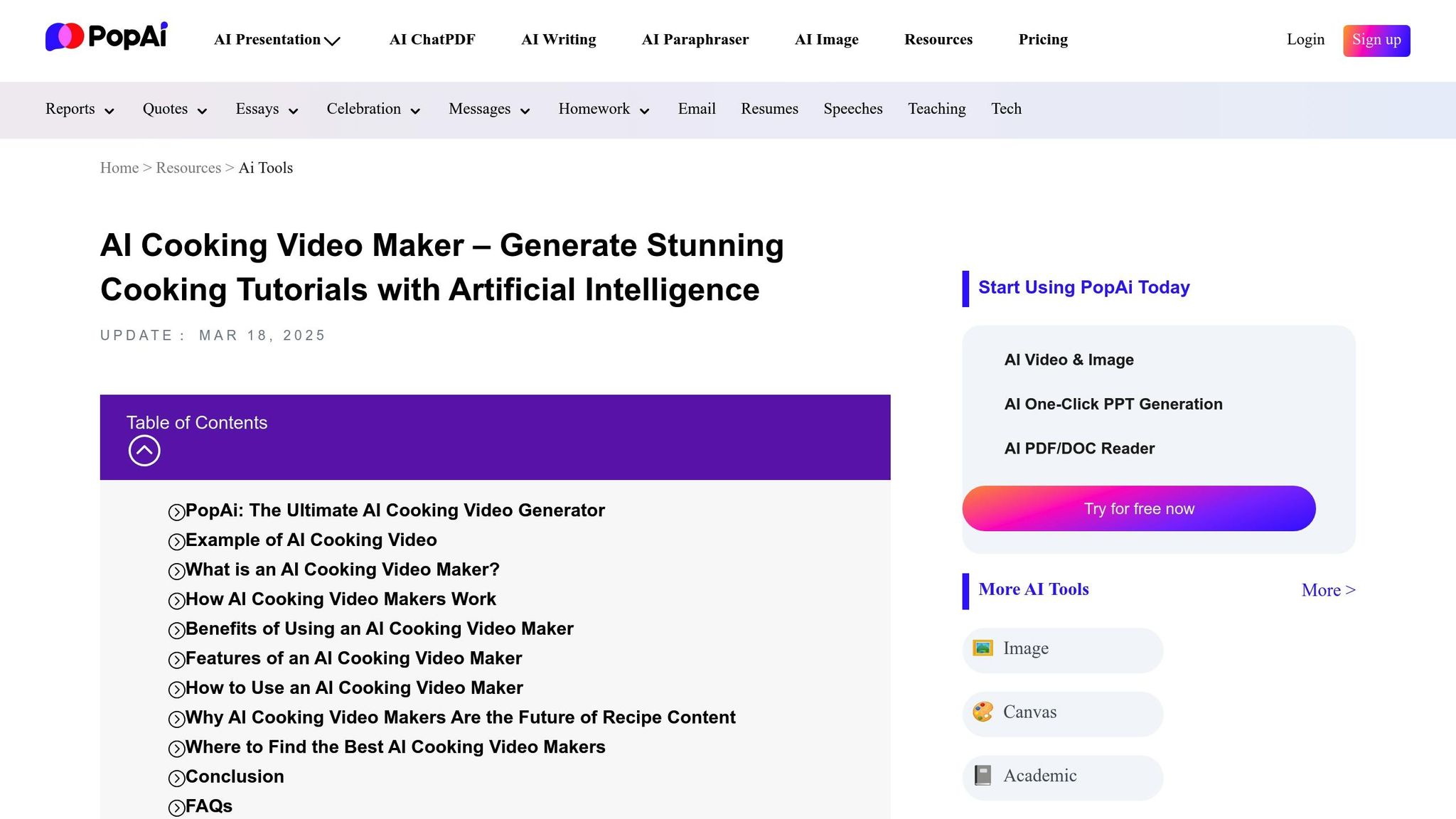
PopAi Cooking Video Maker is a platform powered by AI that turns written recipes into polished cooking videos. It’s a handy tool for U.S.-based food bloggers, TikTok creators, Instagram chefs, and small restaurant brands looking to create recipe content quickly. Even home cooks can use it to craft step-by-step visual guides for family recipes or share simple tutorials on social media. This efficient process sets the stage for the interactive features highlighted below.
Interactive Tutorial Capabilities
PopAi simplifies the process of creating cooking tutorials by breaking recipes into clear, step-by-step instructions. Each step is paired with relevant images or video clips, making it easy for viewers to follow along. The platform also includes a text-to-speech feature that provides natural-sounding voiceovers, allowing users to cook without needing to glance at the screen constantly. Customizable text overlays emphasize details like cooking times, temperatures, and essential steps, which is especially helpful for beginners. Plus, creators can make real-time edits - adjusting clips, tweaking timing, or modifying captions - so they can quickly fine-tune their videos based on feedback or testing.
The workflow is simple: creators input a recipe, either by typing or pasting it in, along with any narrative instructions. PopAi’s AI processes the ingredients and steps, assembling a draft video complete with visuals, transitions, text overlays, and a synthetic voiceover. Once satisfied, the creator can export the video and upload it directly to their platform of choice. This process, which traditionally takes hours, can now be completed in just minutes.
Support for U.S. Measurements
PopAi supports recipes written with U.S. customary units like cups, ounces, pounds, and Fahrenheit. These measurements are displayed in the video’s on-screen instructions and overlays, ensuring they’re familiar and accessible to American audiences.
While PopAi doesn’t integrate directly with grocery or delivery services, creators can include detailed ingredient lists in video descriptions or link to recipe pages that support one-click shopping through services like Instacart. Alternatively, pairing PopAi videos with a separate meal-planning app can help streamline the shopping experience for viewers.
Ease of Adapting Recipes
PopAi’s text-based approach makes it easy to adjust recipes. Creators can quickly modify serving sizes, swap ingredients, or tweak recipes to meet dietary needs. For example, a creator might produce a detailed, long-form video for YouTube while also creating a shorter, simplified version for TikTok by condensing steps or focusing on a “5-ingredient hack.”
Value-Added Features
PopAi includes tools to help creators establish a consistent visual style. Customizable templates, backgrounds, fonts, and color schemes allow for branding, while the built-in music library lets creators match the tone of their videos - whether upbeat tracks for quick meals or calming audio for more detailed tutorials. The platform also optimizes videos for popular formats, such as vertical 9:16 for TikTok and Instagram Reels or horizontal 16:9 for YouTube, making it easier to publish across platforms.
By automating tasks like clip selection, transitions, captions, and voiceovers, PopAi drastically reduces the time and effort required to produce cooking videos. Traditional setups often involve cameras, lighting, editing software, and hours of work, but PopAi streamlines the process, making it feasible for small businesses to maintain a steady content schedule. For instance:
- A weeknight dinner blogger could batch-create a “5 Dinners in 30 Minutes” series, exporting vertical TikTok videos with bold overlays like “Ready in 25 minutes” or “Serves 4.”
- A local bakery might create step-by-step tutorials for recipes like cinnamon rolls or cupcakes, highlighting key details like proofing times and baking temperatures to educate customers and promote classes.
- A meal-prep coach could produce weekly walkthroughs demonstrating portioning, labeling, and storage tips, helping clients who prefer visual instructions over written guides.
Important Considerations for Creators
While PopAi automates much of the process, creators should double-check AI-generated overlays for accuracy, particularly cooking times and temperatures, to ensure they align with U.S. food safety standards, like USDA guidelines for poultry or ground meat. Test-cooking new recipes is also a good idea to confirm that pacing, timing, and doneness cues work well for home kitchens with standard appliances.
For creators targeting U.S. audiences, it’s worth adapting terminology (e.g., using “broil” instead of “grill” or “cilantro” instead of “coriander”) and considering ingredient availability. Adding on-screen notes for regional substitutions can also make tutorials more accessible and relatable for viewers.
3. SideChef Virtual Kitchen Assistant

SideChef is a cooking platform designed to guide users through recipes with detailed, step-by-step instructions, complete with photos and videos. This visual approach helps beginners feel confident about techniques - like sautéing onions just right or checking dough consistency - while also catering to busy professionals and families who appreciate structured guidance. These core features lay the groundwork for SideChef's more advanced interactive tools.
Interactive Tutorial Features
SideChef simplifies cooking by breaking recipes into clear, illustrated steps. It includes timers for key tasks, like preheating the oven, and offers voice-guided navigation for hands-free convenience.
What’s more, SideChef connects with smart kitchen appliances. For instance, if you're making a sheet-pan chicken dish, the app can automatically set a connected smart oven to preheat to 400°F and start a 25-minute timer - taking the guesswork out of timing and temperature settings.
U.S. Measurements and Grocery Integration
SideChef uses standard American measurements - like cups, teaspoons, tablespoons, ounces, and pounds - and temperatures in Fahrenheit, making it easy for U.S. home cooks to follow along. Plus, it’s integrated with major U.S. grocery retailers and delivery services. This means you can add ingredients directly to an online shopping cart, compile lists across multiple recipes, and order everything you need in just a few clicks.
Flexible Recipe Adjustments
The platform also makes it simple to tweak recipes. You can adjust portion sizes, apply dietary filters, or find ingredient substitutions, helping you customize meals to your preferences and reduce food waste.
Extra Features That Stand Out
SideChef goes beyond just recipes. It includes meal-planning tools with detailed nutrition information, such as calorie counts and macronutrient breakdowns. One standout feature is RecipeGen AI, which can transform a photo of a dish into a step-by-step recipe complete with a shopping list - perfect for recreating meals you’ve enjoyed at restaurants.
In short, SideChef is more than a recipe app - it’s a hands-on kitchen assistant. With its interactive, multimedia instructions, it empowers everyone from beginners to busy families to cook with confidence.
4. BakeMaster AI for Bakers
BakeMaster AI is crafted specifically for bakers who demand precision and accuracy. Unlike general cooking apps that cover a broad range of cuisines and techniques, this platform zeroes in on the science of baking - an area where even the tiniest misstep in measurement or timing can lead to a disappointing outcome. With its specialized features, BakeMaster AI transforms the baking experience into something both educational and foolproof.
Interactive Tutorial Capabilities
BakeMaster AI offers hands-free voice guidance, allowing you to navigate through recipes with simple commands like "next" or "repeat." It also automatically adjusts timers for crucial stages such as proofing and baking, so you can stay focused on the process without worrying about missing a step.
The app goes further with step-by-step visual tutorials, featuring close-up videos that demonstrate essential techniques like kneading dough until smooth, folding croissant layers, or piping intricate cupcake designs. What sets it apart is its real-time adaptability. During the baking process, the app prompts you to evaluate dough texture, cake color, or bread crust and suggests adjustments - such as extending proofing time, lowering oven temperature, or tweaking moisture levels. This dynamic feedback mimics the intuitive decisions of an experienced baker, ensuring every batch is as close to perfect as possible.
Support for U.S. Measurements and Grocery Integration
For American bakers, BakeMaster AI prioritizes imperial measurements and Fahrenheit temperatures, making it easy to follow along with recipes. While the app internally uses gram-based baker's percentages for accuracy, it displays user-friendly equivalents like "1 cup packed brown sugar (7 oz by weight)" to eliminate common measuring errors.
To simplify shopping, the platform generates detailed grocery lists that integrate with Instacart. It cross-references your saved pantry items, adding only what’s missing, and even includes optional budget estimates in U.S. dollars (e.g., "Approx. $9 for ingredients"). Whether you’re prepping for holiday treats or a bake sale, this feature ensures you have everything you need without overspending.
Ease of Adapting Recipes
Scaling recipes is a breeze with BakeMaster AI. Whether you’re adjusting for more servings or switching pan sizes, the app recalculates ingredient amounts, baking times, and fill levels. For example, it might advise, "Fill pans to 2/3 full; reduce bake time by 5–7 minutes" to maintain consistent results.
For delicate recipes like macarons or angel food cake, the app flags potential issues with scaling and may recommend preparing smaller batches instead of doubling or tripling. It also includes a substitution database tailored for U.S. kitchens. Out of buttermilk? The app suggests adding vinegar or lemon juice to regular milk. Need an egg substitute? It provides precise ratios for using flax or chia seeds. When substitutions are made, BakeMaster AI explains how they’ll affect the final product, such as noting that a cake might be "denser and less airy." For ingredients that are difficult to replace, the app may recommend alternative recipes to ensure success.
Value-Added Features
BakeMaster AI doesn’t just help you bake - it helps you bake smarter. It provides detailed nutritional breakdowns per serving, including calories, carbs, sugar, fat, and protein. You can even set dietary preferences, like low-sugar options for kids or high-protein adjustments, with the app suggesting safe modifications like alternative sweeteners or whole grains.
The app also generates new recipes by blending classic baking ratios with creative techniques. Each AI-generated recipe comes with a confidence score, showing how closely it aligns with proven methods. Feedback from users - such as ratings, texture notes, and photos - feeds into the system, refining recipes over time. Collections labeled "AI-Created, Baker-Approved" highlight recipes that have been tested and perfected by the community.
For big events like Thanksgiving or bake sales, BakeMaster AI includes project planners that create detailed timelines. If your pie needs to be ready by 7:00 PM, the app calculates backward, scheduling proofing, chilling, and cooling times. It even optimizes oven usage when juggling multiple recipes, suggests items to bake ahead and freeze, and highlights prep steps you can tackle the night before. Custom checklists ensure you have all the tools - like pans, cooling racks, and stand mixer attachments - before you start.
BakeMaster AI excels by focusing on the details that matter most in baking, from precision measurements to real-time feedback. By explaining the "why" behind each step, it not only helps you avoid mistakes but also builds your confidence and skills as a baker.
5. DishGen Recipe Generator
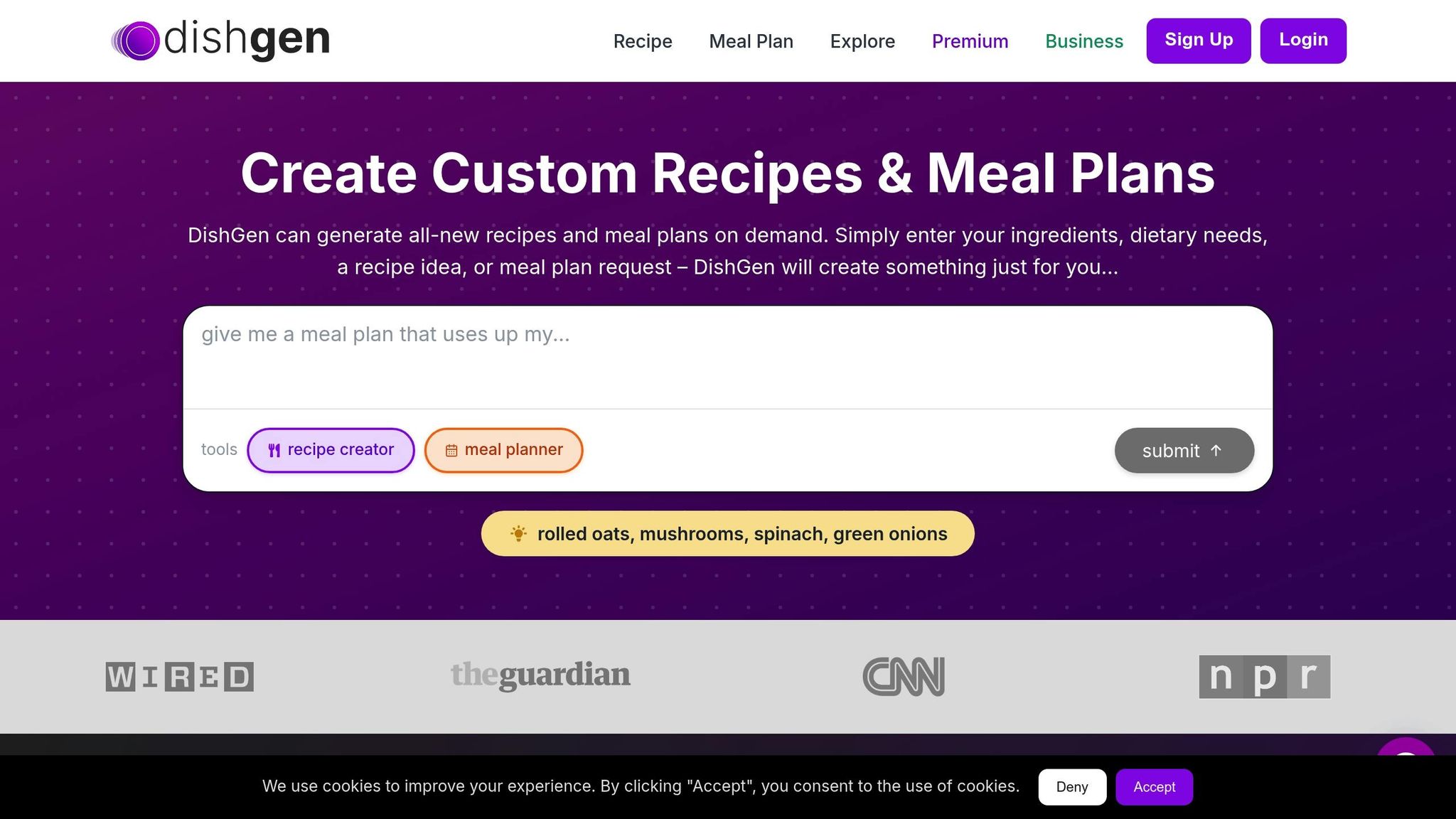
DishGen Recipe Generator is like having a personal chef who knows exactly what's in your kitchen and what you're in the mood for. Instead of focusing on step-by-step cooking tutorials, it zeroes in on creating recipes tailored to your ingredients, offering a fresh way to transform your home cooking experience.
AI-Generated Recipes and Meal Planning
DishGen takes your available ingredients and crafts recipes from scratch, providing clear, easy-to-follow instructions. It goes beyond the obvious by analyzing ingredient combinations to suggest cooking techniques and flavor pairings you might not have thought of.
The meal planning feature is a game-changer for anyone looking to organize their week. By considering your preferences and cooking history, DishGen suggests multiple meal options, helping you save time and reduce food waste. Whether you're aiming to eat healthier, simplify meal prep, or stick to dietary goals, this tool adapts to your needs, making it ideal for busy cooks who want to plan ahead without endless recipe searching.
Flexible and Adaptable Recipes
DishGen doesn’t just create recipes - it lets you tweak them to suit your needs. Want to adjust portion sizes, swap out ingredients, or try a different cooking method? The AI instantly recalculates and updates the recipe for you.
The platform is also designed with dietary preferences in mind. You can set restrictions, allergies, or preferred cuisines, whether you're vegetarian, vegan, gluten-free, or following another specific diet. DishGen ensures the recipes align with your personal requirements.
Practical Features That Add Value
DishGen offers tools to make your cooking routine even smoother. You can bookmark your favorite recipes to build a personalized collection that mirrors your tastes and style.
One standout feature is its focus on reducing food waste. By generating recipes based on what you already have, DishGen helps you make the most of your ingredients, cutting down on unused items and streamlining your grocery shopping. Instead of buying ingredients for one-off recipes that leave you with leftovers, you can plan meals around what’s already in your pantry.
It’s worth noting that the free version comes with a monthly credit limit, which might restrict heavy users. Advanced features also require account registration. Even so, DishGen excels at helping you figure out what to cook with what you have, making it a great companion to cooking tools that focus more on teaching techniques.
6. CookAIfood Visual Ingredient Helper

CookAIfood brings a fresh perspective to interactive cooking by starting with what you already have on hand. Instead of sifting through endless recipe options, you simply enter or snap a photo of the ingredients in your fridge or pantry - like 2 chicken breasts, a bell pepper, and some leftover rice. From there, it creates recipes tailored to your available ingredients, helping you save time and cut down on food waste. It’s an intuitive way to get cooking inspiration right when you need it.
Interactive Tutorial Features
While CookAIfood doesn’t include full video lessons, it offers an interactive experience through conversational AI. Its step-by-step text instructions act like a digital sous chef, guiding you as you cook. Place your phone or tablet on the counter, and you can ask questions like, “How do I make this spicier?” or “Can this be done in 20 minutes?” If you’re unsure about a step - like how to properly sear chicken - you can use voice or text prompts to get instant clarification. This keeps you focused on cooking without needing to leave the app for answers.
U.S. Measurements and Grocery Integration
For home cooks in the U.S., CookAIfood ensures convenience by supporting quick conversions from metric units (grams, milliliters, Celsius) to U.S. customary measurements like cups, tablespoons, and Fahrenheit. While the app is centered on creating recipes rather than full meal planning or grocery management, it allows you to export ingredient lists to your notes or a dedicated grocery app. For a seamless experience, pairing it with tools like Honeydew Recipe Manager can take things further, offering features like AI-generated grocery lists and Instacart integration tailored for American households.
Flexible Recipe Adjustments
Since CookAIfood builds recipes dynamically based on your input, it easily adjusts portion sizes and ingredient substitutions. Need to scale a recipe from 4 servings to 2 while saving extra sauce for leftovers? No problem. This flexibility eliminates guesswork, helps you avoid overbuying, and reduces food waste.
You can also request ingredient swaps, such as “replace sour cream with Greek yogurt,” “make this gluten-free with items from a typical U.S. supermarket,” or “substitute fish sauce with a vegetarian option available at Walmart.” The app adapts recipes to use common pantry staples while meeting dietary preferences, whether vegetarian, dairy-free, or low-carb.
Creative Fusion Ideas
CookAIfood thrives on blending cuisines to reflect America’s diverse food scene. You can ask for inventive dishes like “Tex-Mex ramen with ground beef and canned beans,” “Southern-style fried rice with collard greens and smoked chicken,” or “high-protein vegetarian tacos using pantry staples.” These combinations elevate everyday ingredients into visually striking, Instagram-worthy meals - even if you’re not a seasoned chef.
For the best results, be specific with your requests. Mention your kitchen tools (“I have a gas oven and a 10-inch cast iron skillet”), ask for U.S. measurements (“use cups, tablespoons, ounces, and °F”), and include time ranges with visual cues (“bake 18–22 minutes at 375°F until the chicken reaches 165°F and juices run clear”). Beginners might find it helpful to compare complex steps with a basic recipe to ensure everything lines up with standard home-cooking practices.
CookAIfood isn’t a full-service meal planner with features like nutrition tracking or grocery ordering, but it shines as a creative recipe generator. For a more comprehensive cooking setup, combining it with Honeydew Recipe Manager can cover everything from weekly menus to shared family planning and direct grocery delivery. Together, they make cooking both spontaneous and organized, catering to adventurous eaters and practical cooks alike.
7. SuperCook Pantry-Based Cooking
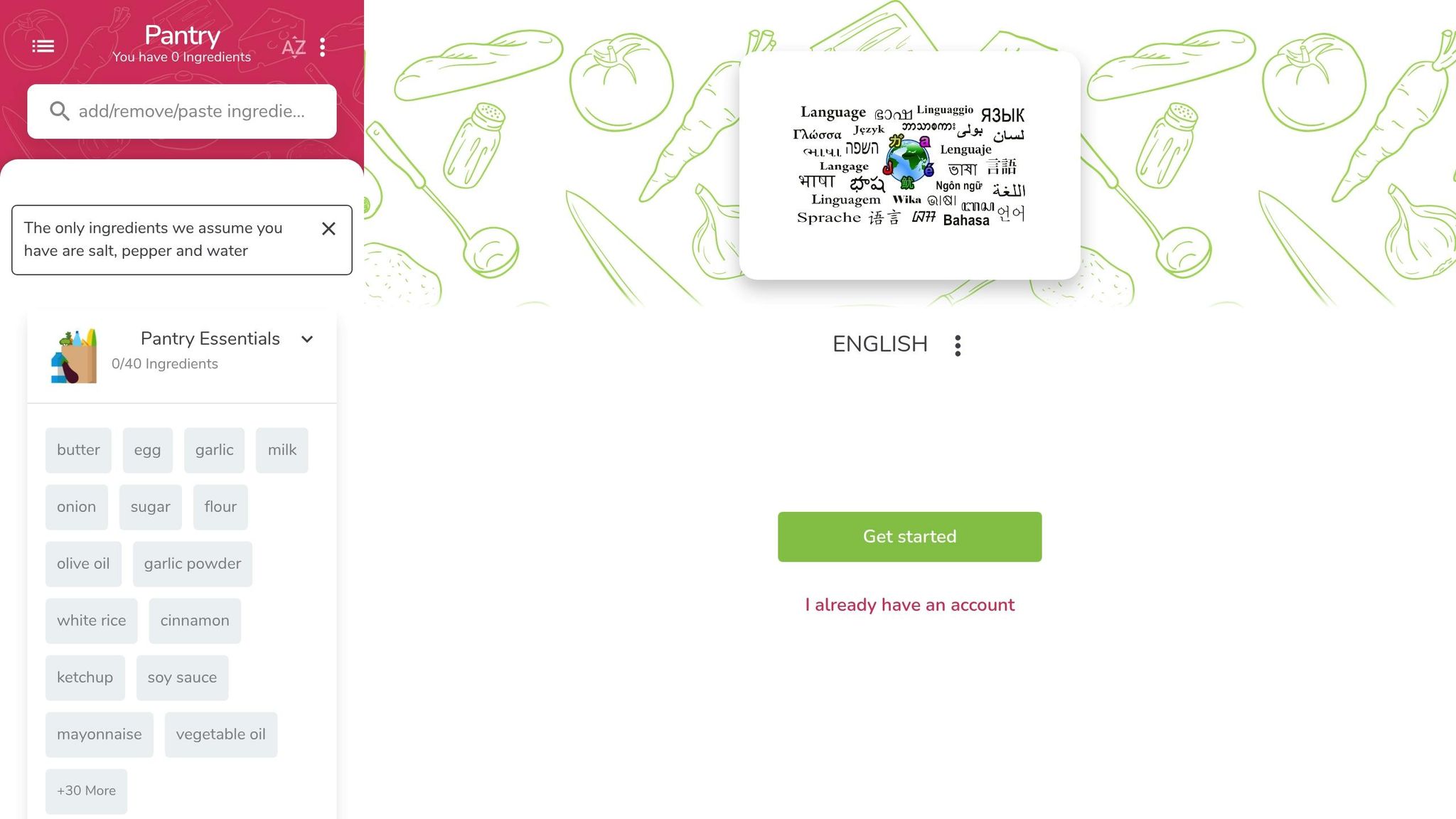
SuperCook takes a straightforward approach to meal prep: you enter the ingredients you already have at home, and it suggests recipes that use them. For example, if you’ve got rice, eggs, cheddar, and rotisserie chicken, SuperCook will instantly generate recipes that incorporate those exact items. This method not only helps American households save money and reduce food waste but also makes it easier to avoid last-minute takeout when the fridge looks empty.
The app updates your ingredient list in real time as you add or remove items, ensuring recipe suggestions evolve with what’s on hand. For busy families balancing work, kids, and meal prep, this feature is a game-changer. It allows you to quickly figure out what’s possible without the hassle of digging through cookbooks or grocery shopping. Everyday staples like canned beans, boxed pasta, frozen vegetables, and store-brand sauces serve as the foundation for easy meals like weeknight chili or sheet-pan dinners. This dynamic approach makes cooking less stressful and more accessible.
Hands-Free and Interactive Features
SuperCook includes voice command functionality, so you can add ingredients without touching your phone. This is especially handy when your hands are messy from cooking or when you’re juggling kids and dinner prep. Simply say the items aloud, and the app logs them instantly. It’s a practical solution for the chaos of everyday American kitchens, where multitasking is the norm.
Once you’ve entered your ingredients, SuperCook connects you to partner recipe sites that provide detailed instructions, often with step-by-step guidance and built-in timers. While the app focuses on finding recipes based on what you have, the partner sites fill in the gaps with thorough cooking directions. This combination saves you from hopping between multiple websites or scrambling to find substitutes for missing ingredients. It’s a seamless way to turn pantry staples into delicious meals.
U.S.-Friendly Measurements and Grocery Integration
SuperCook is tailored for American home cooks, pulling recipes that use U.S. customary measurements like cups, tablespoons, ounces, and degrees Fahrenheit. Whether it’s baking cookies at 350°F or simmering chili with 15-ounce cans of beans, the recipes are formatted to match what’s familiar. This eliminates the need to convert grams to cups or Celsius to Fahrenheit, making it easier to follow recipes as written.
Although SuperCook doesn’t create grocery lists or connect directly to delivery services, it works well alongside apps like Honeydew Recipe Manager, which can handle those tasks. For instance, you can use SuperCook to find recipes based on your pantry, then manually transfer any missing ingredients into Honeydew. From there, Honeydew can generate grocery lists and even link to Instacart for one-click shopping. This pairing offers a complete solution for reducing food waste while streamlining meal planning and grocery logistics.
Flexible Recipes for Real-Life Cooking
One of SuperCook’s standout features is its ingredient flexibility. You can add or remove items from your pantry list at any time, and the app instantly adjusts recipe suggestions to fit what you actually have. This is especially helpful in the U.S., where availability of certain ingredients can vary by region or season. For example, if a recipe calls for Parmesan but you only have cheddar, or chicken breasts but you’ve got thighs, SuperCook adapts to make it work. The app also allows users to filter recipes by dietary preferences, such as vegetarian, gluten-free, or low-carb, aligning with common American eating habits.
While the app doesn’t offer built-in portion scaling, many of the linked recipe sites allow you to adjust serving sizes. This makes it easy to modify recipes for smaller or larger households. For example, if a recipe serves six but you’re cooking for two, you can adjust quantities like using 1 cup of rice instead of 3 or halving the amount of ground beef.
Practical Benefits for Everyday Cooking
SuperCook goes beyond simple recipe searches by encouraging budget-friendly and low-waste cooking. By focusing on what’s already in your kitchen, it helps you avoid duplicate purchases and ensures perishable items like produce, dairy, and meat are used before they spoil. The app also offers recipes for all meal categories - breakfast, lunch, dinner, and snacks - helping families plan an entire day’s meals without extra trips to the store.
It’s particularly useful for common scenarios like cleaning out the fridge at the end of the week, cooking in a college dorm with limited tools, or tackling "pantry challenge" nights when you’re trying to avoid grocery shopping. For instance, if you have half an onion, a few eggs, leftover rotisserie chicken, and shredded cheese, SuperCook might suggest frittatas, quesadillas, or stir-fries. College students can input items like instant ramen, canned tuna, and bread to find simple meals that don’t require constant takeout. Families can use staples like rice, beans, frozen vegetables, and ground beef to create hearty dishes like chili, casseroles, or sheet-pan dinners.
SuperCook excels as a quick, "what can I cook right now?" tool. While it doesn’t offer AI-generated recipes, structured meal planning, or nutrition tracking, pairing it with Honeydew Recipe Manager can fill those gaps. Together, they provide a complete system for spontaneous cooking, long-term meal planning, and efficient grocery shopping - all tailored to the needs of American households.
Feature Comparison Table
This table provides a clear side-by-side comparison of popular AI tools designed to assist in the kitchen. It highlights their primary functions, interactivity, support for U.S. measurements, meal planning capabilities, and unique features, helping you find the best fit for your cooking style and needs.
| Tool | Primary Purpose | Interactivity Type | U.S. Units & °F Support | Meal Planning | Grocery & Pantry Features | Extra Features & Highlights |
|---|---|---|---|---|---|---|
| Honeydew Recipe Manager | Centralized recipe storage and meal-planning tool for busy households | Drag-and-drop calendar; AI auto-generates meal plans, recipes, and grocery lists | Full (cups, ounces, tablespoons, °F) | Advanced: AI-powered weekly planner with drag-and-drop functionality | Generates grocery lists and integrates with Instacart for quick ordering | Nutrition tracking, collaborative planning (up to 6 users), social media recipe imports, translation, and ingredient substitutions |
| PopAi Cooking Video Maker | AI-driven video creation tool for food bloggers and content creators | Workflow for creating videos: input recipe, customize templates, add voiceovers and visuals | Follows source recipe units (supports °F if included in the recipe) | None | None | Text-to-speech voiceovers, customizable templates, platform-specific formats, and automated image and clip selection |
| SideChef Virtual Kitchen Assistant | Step-by-step cooking guide with photos and videos for home cooks | On-screen prompts, voice control, automatic timers, smart-appliance integration | Full (cups, ounces, °F) | Basic to intermediate: add recipes to meal plans and shopping lists | Recipe-based shopping lists with some U.S. retailer integrations | Smart appliance compatibility, instructional videos, and occasion-specific recipe collections |
| BakeMaster AI for Bakers | Precision tool for bakers needing detailed guidance | Baking-specific steps with alerts (proofing times, preheat reminders, temperature changes) | Full (cups, ounces, °F, pan sizes) | Minimal | Limited | Baking calculators (hydration, baker’s percentages), altitude adjustments for U.S. regions, and troubleshooting tips |
| DishGen Recipe Generator | AI-powered recipe creator tailored to dietary goals and ingredient preferences | Interactive recipe design: users refine recipes with prompts like “more protein” or “gluten-free” | Full (tailored for U.S. users) | AI-generated meal plans based on ingredients, dietary needs, or time constraints | Generates ingredient lists for recipes or meal plans (copyable or printable) | Customizable dietary options (keto, vegan, low-sodium), health-focused planning, and creative ingredient pairings |
| CookAIfood Visual Ingredient Helper | Assistant for identifying and substituting ingredients using photos | Visual ingredient scanning with prompts for recipes or substitutions | Partial (adapts to detected ingredients) | Minimal | Updates a lightweight pantry or suggestion list based on scanned items | Identifies ingredients from photos, suggests substitutions (e.g., gluten-free or lactose-free), and offers ideas for leftovers |
| SuperCook Pantry-Based Cooking | Recipe generator focused on reducing food waste by using available ingredients | Interactive pantry interface: toggle ingredients via voice or text for instant recipe ideas | Full (standard U.S. units) | Light planning: “use it up this week” style | Pantry-first tracking of available ingredients | Hands-free voice commands, waste-reduction features, and dynamic recipe suggestions |
Each tool offers unique strengths tailored to different cooking needs. Honeydew Recipe Manager stands out for its robust meal planning and grocery integration, making it a great all-around choice for U.S. households. Its drag-and-drop planner, AI-generated grocery lists, and nutrition tracking make it a powerhouse for organized meal prep.
If you’re a content creator, PopAi Cooking Video Maker is your go-to for transforming recipes into polished videos for platforms like TikTok and YouTube. Its automated visuals and voiceovers save time while delivering professional-quality results.
For those seeking creative, AI-driven recipes, DishGen and CookAIfood shine. DishGen excels in dietary customization and health-centric planning, while CookAIfood’s photo-based ingredient recognition is perfect for quick, on-the-fly meal ideas.
Baking enthusiasts will find BakeMaster AI for Bakers indispensable. Its precision tools, like baking calculators and altitude adjustments, make it a must-have for perfecting baked goods. Meanwhile, SuperCook focuses on practicality and waste reduction, helping you create meals from what’s already in your pantry - a budget-friendly and eco-conscious approach.
Whether you’re meal planning, creating content, or tackling leftovers, there’s a tool here to enhance your cooking experience.
Conclusion
AI takes recipes from being simple instructions to becoming interactive and personalized cooking companions. The seven tools highlighted here - ranging from meal planners to specialized assistants for baking and content creation - are designed to make your cooking process smoother by taking care of the time-consuming details.
These tools cater to a variety of needs. Whether you're just starting out and need step-by-step visual help, a busy parent juggling schedules, a health-conscious cook monitoring nutrition, or a content creator producing recipe videos, there's something here for you. Many of these tools come with free or trial versions, making it easy to test them out. Start small - maybe plan a dinner or digitize a favorite recipe. For example, Honeydew Recipe Manager can create weekly meal plans and grocery lists automatically, while SuperCook helps you whip up meals using what’s already in your fridge. If you’re a content creator, PopAi Cooking Video Maker turns recipes into professional-quality videos in minutes. These tools streamline everything from planning to cleanup.
FAQs
How does Honeydew Recipe Manager customize meal plans and grocery lists for your household?
Honeydew Recipe Manager takes the stress out of meal planning by using AI to customize meal plans and grocery lists specifically for your household. Whether it’s your dietary requirements, favorite dishes, or ingredient preferences, the app adjusts everything to fit your needs. It even creates accurate grocery lists with exact quantities and offers substitute suggestions when necessary.
Planning your week’s meals is a breeze with its drag-and-drop calendar feature, allowing you to organize meals around your schedule effortlessly. Plus, with its Instacart integration, you can skip the manual shopping and order all your ingredients directly through the app.
What are the benefits of using AI-powered cooking tools like PopAi for home cooks and content creators?
AI-powered cooking tools are changing how both home cooks and content creators approach meal prep and recipe sharing. These tools come with features like interactive tutorials, which guide users through recipes step-by-step while teaching new cooking techniques along the way. For content creators, they take the hassle out of video production by automating tasks like editing, adding subtitles, and even suggesting new and creative recipe ideas.
For everyday cooks, these tools offer personalized recommendations tailored to dietary needs, help organize grocery lists, and simplify meal planning. The result? Less time spent stressing in the kitchen, reduced food waste, and a cooking experience that's both more efficient and enjoyable.
How can AI tools like BakeMaster AI help beginner bakers achieve precision and flexibility in their recipes?
AI tools like BakeMaster AI aim to make baking easier and more accessible by offering precise measurements, clear step-by-step instructions, and even real-time adjustments. For beginners, these tools can simplify recipes by converting measurements into familiar units like cups or ounces and tailoring instructions to match their experience level.
What’s more, AI can tweak recipes to fit dietary needs, available ingredients, or specific portion sizes. Missing an ingredient? The tool might suggest a substitute or adjust the recipe to keep everything balanced. This kind of flexibility brings a sense of ease and enjoyment to baking, whether you're just starting out or have years of experience under your belt.