AI Meal Planning with Social Media Recipes
• Updated
Tired of losing track of recipes you find online? AI-powered tools like Honeydew Recipe Manager make it easy to turn TikTok, Instagram, and YouTube recipes into organized, editable recipe cards. These apps simplify meal planning by extracting ingredients, instructions, and nutritional info directly from videos or screenshots.
Here’s what you can do with Honeydew:
- Import recipes from social media or websites in one tap.
- Create weekly meal plans tailored to your dietary needs.
- Auto-generate grocery lists sorted by store aisles.
- Use Pantry Mode to find recipes based on what’s in your fridge.
- Translate recipes from different languages instantly.
For $4.17/month, Honeydew Plus unlocks advanced features like OCR for handwritten recipes, detailed nutrition tracking, and family sharing for up to six members. Whether you’re managing dietary restrictions or cutting food waste, these tools make cooking more efficient and stress-free.
How To Use AI To MEAL PLAN! 🤖💻🌮 (with ChatGPT Prompts)
How to Import Recipes from Social Media
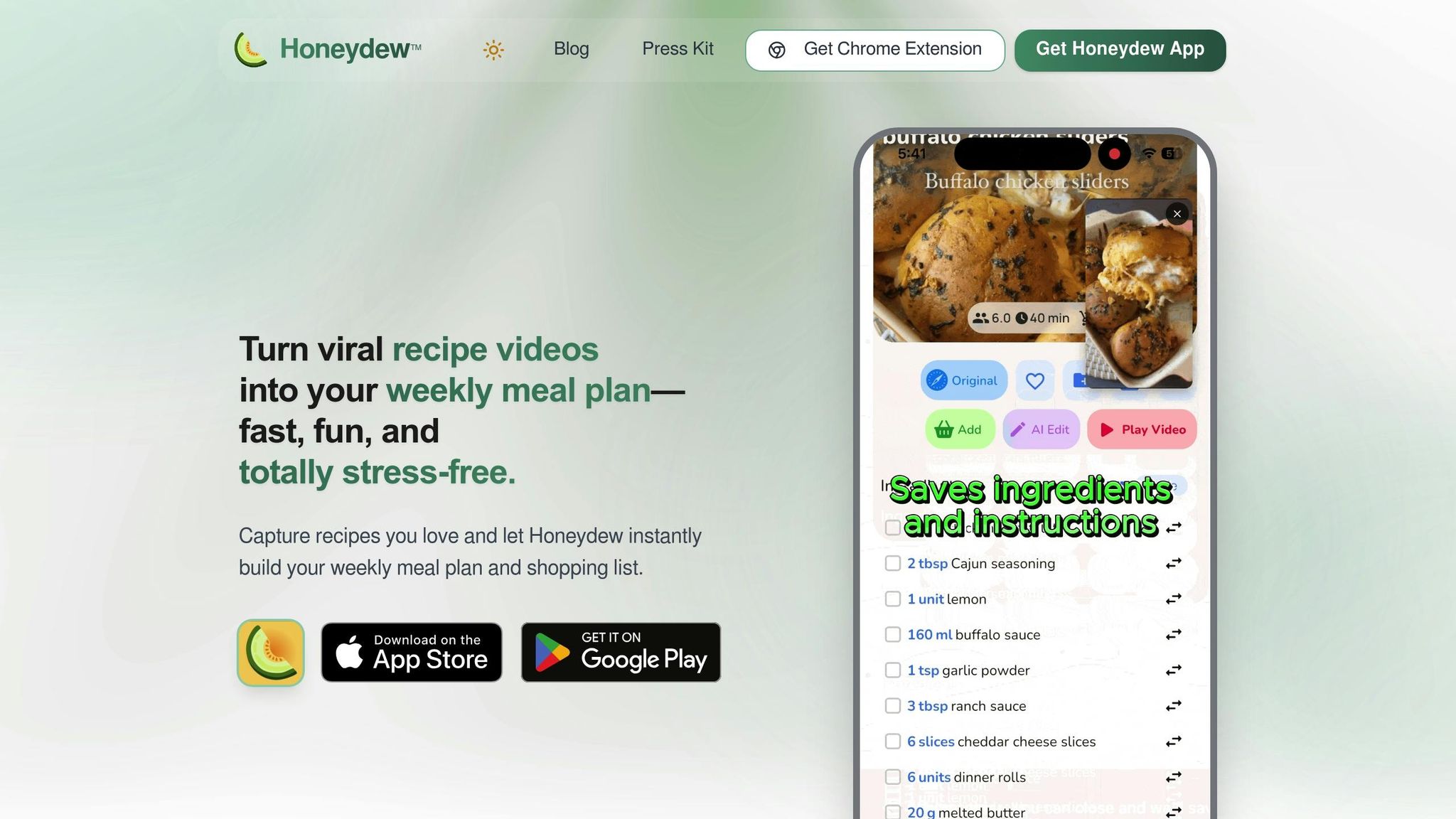
Honeydew Recipe Manager makes importing recipes from social media incredibly simple. You can grab recipes from platforms like TikTok, Instagram Reels, Facebook Reels, YouTube, and popular websites such as Epicurious, Allrecipes, and Bon Appétit with just one tap. Instead of juggling between apps or copying and pasting links, you just hit the share button in your social media app and send the link straight to Honeydew.
What’s even better? Honeydew’s AI can scan images - whether it’s a screenshot, handwritten recipe, or even a photo of a meal - and turn them into editable recipe cards. This is made possible through Optical Character Recognition (OCR) and advanced AI, which organize ingredients, instructions, and measurements seamlessly. Let’s take a closer look at the supported platforms and how the app extracts recipe details.
Which Social Media Platforms Work
Honeydew supports a variety of platforms, making it versatile for recipe imports. Beyond social media, the app also works with recipe websites and blogs, pulling content directly from sources like Bon Appétit and Allrecipes - minus the hassle of ads or long-winded introductions.
Another standout feature is the Cookbook Translator, which lets you convert recipes from different languages into your preferred one with a single tap. For instance, you could import a French pastry tutorial from YouTube or a Korean cooking video from TikTok and have it translated into English, complete with ingredient conversions. Once imported, Honeydew’s AI ensures every detail is captured accurately.
How Recipe Details Are Extracted
Once you’ve imported a recipe, Honeydew’s AI takes over to extract all the essential details. Using natural language processing (NLP), the app analyzes video metadata and text to pull together ingredient lists, cooking instructions, measurements, cook times, and nutritional info.
As one user, Cathy Sleeter, shared:
"It takes the 'fluff' out of many of the recipes, no ads, while also calculating the calories, proteins and carbs".
Honeydew automatically calculates total calories and macronutrients like proteins and carbs, so you don’t have to. It also uses machine learning to classify recipes by cuisine type, dietary preferences (like keto, vegan, or gluten-free), and cooking methods. Once saved, recipes are available offline, so you can cook even without an internet connection.
With a glowing 4.8/5-star rating on Google Play from around 8,290 reviews, users love how Honeydew eliminates distractions and keeps the focus on what really matters: the cooking.
AI-Powered Weekly Meal Planning
Honeydew takes your meal planning to the next level by combining its recipe import tools with AI-driven planning. After importing recipes from platforms like TikTok, Instagram, or YouTube, Honeydew's AI can create fully customized weekly meal plans in just seconds. These plans are tailored to your dietary goals, making dinner decisions a breeze. This seamless process brings a new level of convenience and personalization to meal planning.
The tool also ensures your meals align with your dietary preferences - whether you're keto, vegan, paleo, or gluten-free. It automatically calculates key nutritional details like calories and macros (protein, fat, carbs, fiber, and net carbs), helping you stay on track with health goals.
How to Customize Your Meal Plans
Honeydew offers plenty of ways to fine-tune your meal plans. You can easily set dietary restrictions, such as Low FODMAP, dairy-free, or nut-free, ensuring every recipe suggestion works for you. Need to adjust portions? The smart scaling feature quickly recalculates ingredient amounts, so you can modify serving sizes without any hassle.
One standout feature is the "Ask Honey" AI assistant, which simplifies recipe customization. This tool lets you tweak popular social media recipes to accommodate allergies or preferences without worrying about recalculating ingredient ratios. You can even use prompts like "Quick & Easy", "Vegetarian", or "Family Favorite" to generate meal plans tailored to your schedule or mood. For added convenience, the Pantry Mode feature creates meal plans based on ingredients you already have, helping you cut down on unnecessary trips to the store.
As one user shared:
"The ingredient substitution feature is a game-changer for my dietary restrictions. I can adapt any recipe easily!"
Using AI to Save Time and Reduce Waste
Honeydew doesn't just personalize meal plans - it also helps you save time and minimize food waste. The AI designs meal plans with overlapping ingredients, so you can buy in bulk and ensure nothing goes to waste. This approach not only saves money but also simplifies grocery shopping.
"I used to waste so much food. Now with Honeydew's meal planning, I buy exactly what I need and save money!"
The AI also tracks your pantry inventory, suggesting recipes that use ingredients before they expire. This feature significantly reduces household food waste, which costs American families an average of $2,000 annually. Plus, you can access all your imported recipes and meal plans offline, so you're never stuck without a cooking guide - even without internet access.
Creating Grocery Lists and Ordering Ingredients
After you've imported recipes and added them to your meal plan, Honeydew Recipe Manager takes care of the heavy lifting by consolidating everything into a single grocery list. The app automatically extracts each ingredient and its measurement, saving you from the hassle of manual tracking.
Auto-Generated Grocery Lists
Honeydew organizes your grocery list by store sections like produce, dairy, meat, and pantry, making shopping more efficient. Need to cross off items you already have? Simply uncheck them manually. For a quicker approach, use Pantry Mode - just snap a photo, and the app will remove any items you already own. Once your list is finalized, you can place an order directly through Instacart.
Ordering Through Instacart
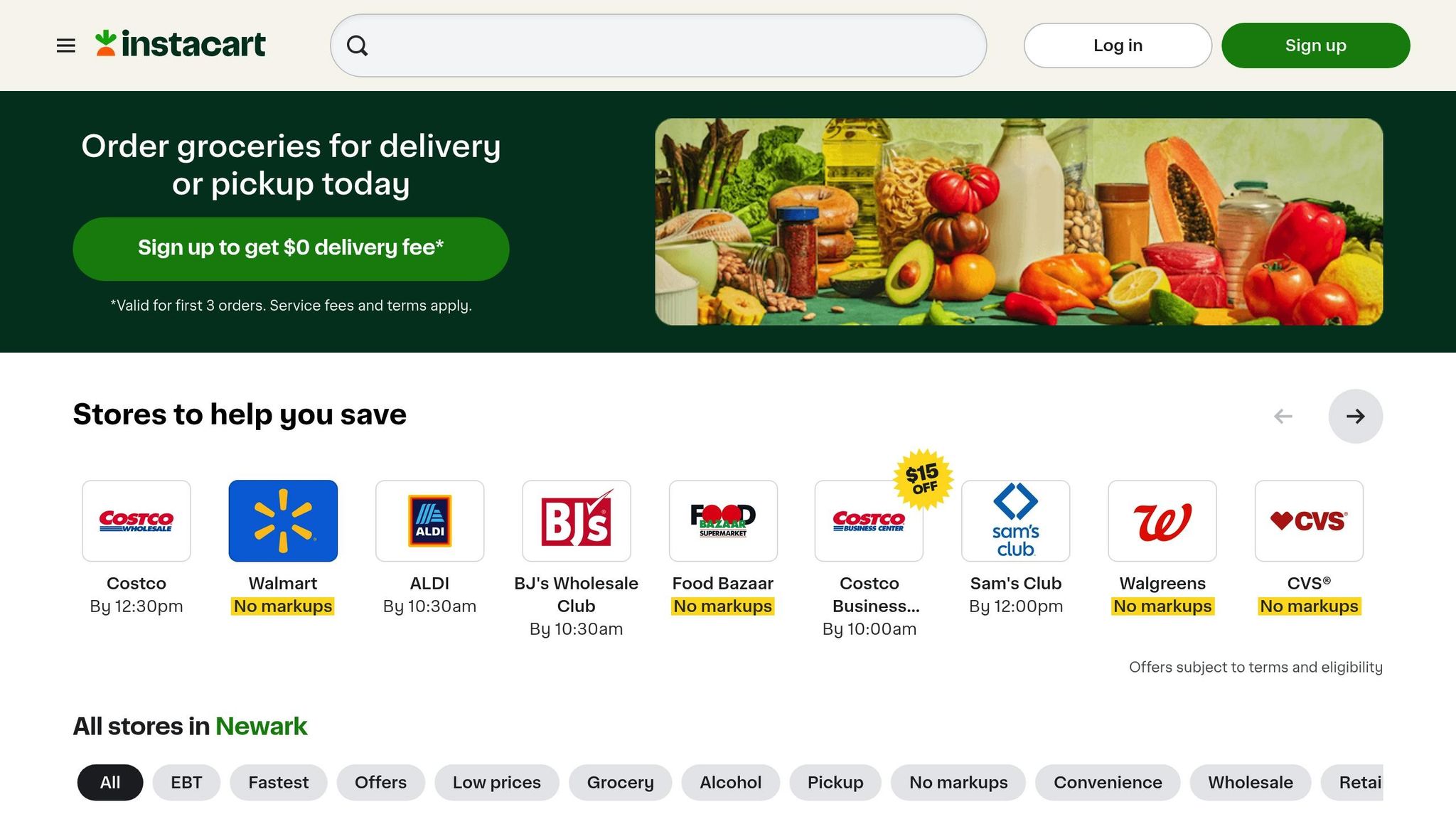
With your grocery list ready, Honeydew connects seamlessly with Instacart. By tapping the Instacart button, you’ll get a unique link showing nearby stores that stock at least 40% of your items. From there, you can review product matches, switch brands using the "replacement" icon, or explore other options by clicking "View alternatives" before finalizing your order.
The app also features a "You may already have" section, where you can uncheck pantry staples like salt, pepper, or cooking oil. Just remember, Instacart prices are often higher than in-store due to markups and service fees.
For items that might be unavailable, Honeydew steps in with smart substitutions.
Smart Ingredient Substitutions
Missing an ingredient? Honeydew’s AI suggests alternatives tailored to your dietary needs, pantry inventory, and the recipe itself. This ensures you’re never stuck without a key ingredient. For example, if a TikTok recipe calls for heavy cream but you’re dairy-free, the app might recommend coconut cream with adjusted quantities.
As James L. shared:
"The smart grocery lists save me hundreds of dollars a month. I love how it suggests recipes based on what I already have!"
Additional Features for Managing Social Media Recipes
Honeydew Recipe Manager goes beyond meal planning and grocery shopping by offering tools that make organizing social media recipes effortless. These features bridge the gap between saving recipes online and turning them into real meals in your kitchen.
Pantry Mode and Ingredient-Based Search
With Pantry Mode, you can take a quick photo of your fridge or pantry, and Honeydew will suggest recipes based on what you already have. The "Search by ingredients" feature makes it simple to find meals that don’t require extra trips to the store, helping you cut down on food waste and save money. Together, these tools work with Honeydew’s AI meal planning to help you make the most of what’s in your kitchen. Users collectively save around 85,000 recipes every month, highlighting how popular these tools are. As one user, Michael B., shared:
"The calorie and macro calculator has helped me stick to my health goals while still enjoying great meals."
Nutrition Tracking and Serving Adjustments
Honeydew takes the guesswork out of nutrition by automatically calculating calories and macronutrients for every imported recipe. It also lets you adjust serving sizes with ease - whether you’re doubling a TikTok-inspired dish for a party or converting a YouTube recipe from cups to grams. The app handles all the math so you can focus on cooking, not calculations.
Family Sharing and Collaboration
For households, Honeydew Plus offers a shared experience. Up to six family members can sync meal plans, grocery lists, and recipes, making it easy for everyone to contribute their favorite finds from social media. Whether it’s shaping the week’s meals or updating a shared grocery list, this feature keeps everyone on the same page. It also helps avoid duplicate purchases, turning online inspiration into practical meals for the whole family. As Alex P. put it:
"My family of five uses Honeydew for all our meal planning. The household sharing feature keeps everyone organized."
This collaborative setup is especially useful for families juggling different dietary needs or preferences.
Honeydew Recipe Manager Pricing Plans
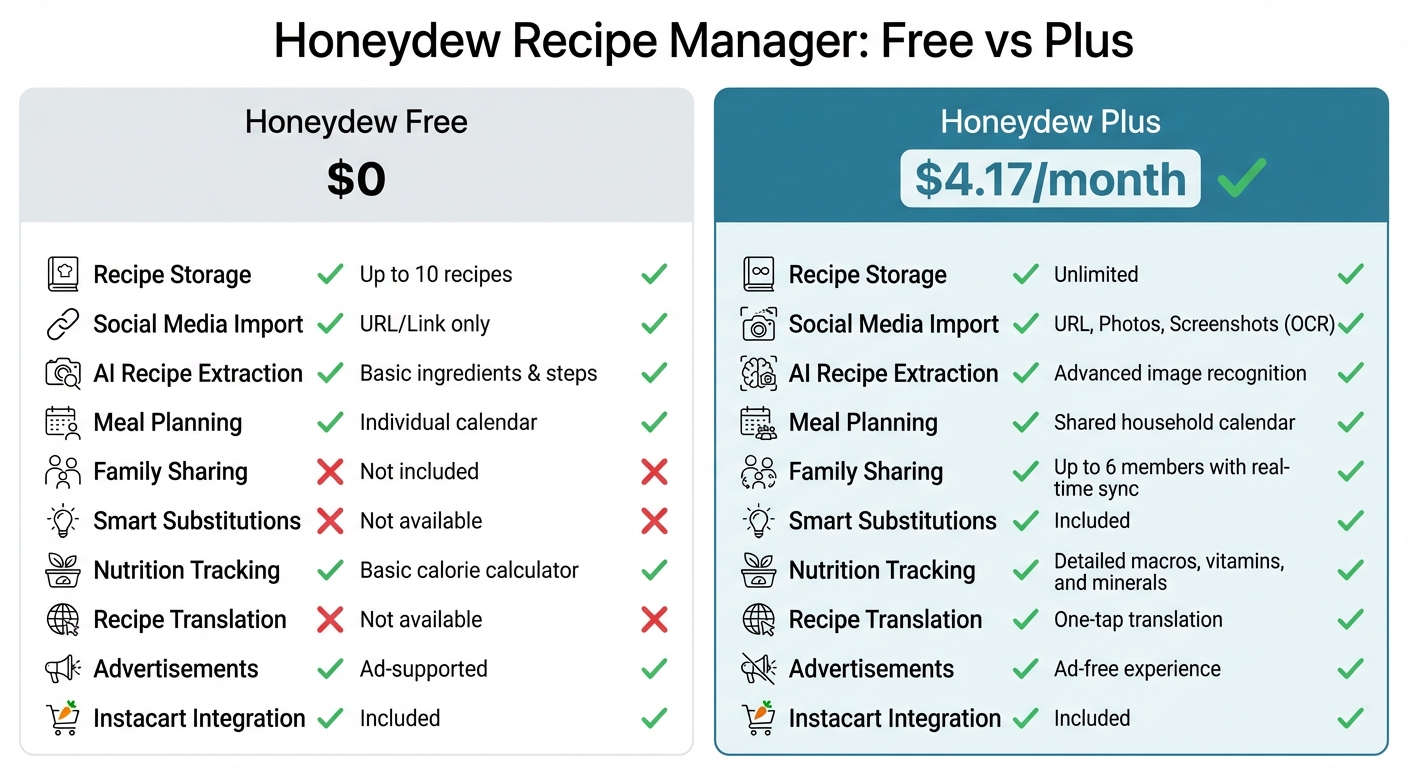
Honeydew Recipe Manager Free vs Plus Plan Comparison
Honeydew Recipe Manager offers two options: the Free plan and Honeydew Plus. The Free plan is great for casual cooks, letting you import recipes by pasting URLs from popular platforms like TikTok, Instagram, or YouTube. It also includes basic drag-and-drop meal planning and grocery lists automatically sorted by aisle. This feature helps with smarter ingredient prep by organizing your shopping trip efficiently.
For those who take recipe collecting more seriously, Honeydew Plus is available for just $4.17 per month. This plan provides unlimited recipe storage and lets you save recipes from photos or screenshots using OCR (optical character recognition) technology. It also supports household sharing for up to six members, making it perfect for families. Additional features include advanced AI tools such as smart ingredient substitutions, detailed nutrition tracking (beyond just calories), and one-tap recipe translation.
Plan Comparison
| Feature | Honeydew Free | Honeydew Plus |
|---|---|---|
| Price | $0 | $4.17/month |
| Recipe Storage | Up to 10 recipes | Unlimited |
| Social Media Import | URL/Link only | URL, Photos, Screenshots (OCR) |
| AI Recipe Extraction | Basic ingredients & steps | Advanced image recognition |
| Meal Planning | Individual calendar | Shared household calendar |
| Family Sharing | Not included | Up to 6 members with real-time sync |
| Smart Substitutions | Not available | Included |
| Nutrition Tracking | Basic calorie calculator | Detailed macros, vitamins, and minerals |
| Recipe Translation | Not available | One-tap translation |
| Advertisements | Ad-supported | Ad-free experience |
| Instacart Integration | Included | Included |
This comparison highlights how Honeydew Recipe Manager caters to both casual cooks and families looking for a more seamless approach to meal planning and recipe organization. With Honeydew Plus, you’ll enjoy a smoother, ad-free experience packed with advanced tools to simplify your kitchen routine and elevate your recipe collection.
Conclusion
Say goodbye to endlessly scrolling through chaotic saved folders on TikTok, Instagram, or YouTube just to find that one recipe you wanted to try. Honeydew Recipe Manager simplifies the entire process, taking you from discovering viral recipes to effortlessly putting meals on the table. If you're new to this, following weekly meal planning steps can help you build a sustainable routine. With its one-tap imports, you can instantly turn social media links into neatly organized recipe cards - no more digging through comment sections or manually jotting down ingredients. The app’s AI-driven tools take care of the heavy lifting, from generating weekly menus in seconds to auto-sorting grocery lists by aisle and syncing with your household in real time. Whether you’re using Pantry Mode to whip up meals based on what’s already in your fridge or relying on smart ingredient swaps, Honeydew keeps your kitchen running smoothly while helping you cut down on food waste.
These features are a hit with users who appreciate both convenience and precision. With over 18,000 users and a stellar 4.8/5 rating from more than 1,000 reviews, Honeydew Recipe Manager has become a go-to tool for turning saved recipes into actual meals. As Maya R. shares:
"I used to have a 'Saved' folder on TikTok full of recipes I never actually made. Honeydew changed everything! I just share the Reel link and suddenly I have a clean ingredient list and instructions without the 10-page blog story."
FAQs
How accurate is AI at pulling ingredients and steps from a video?
AI has made significant strides in identifying ingredients and steps from videos, thanks to advancements in speech recognition and natural language processing. It performs well in most scenarios, but its accuracy can depend on factors like video quality, how clear the narration is, and how detailed the visuals are. That said, when dealing with complex recipes or videos with poor production quality, AI might misinterpret certain details. In such cases, a manual review can be a useful way to ensure everything is captured correctly.
Can I edit an imported recipe before adding it to my meal plan?
With Honeydew Recipe Manager, you can tweak imported recipes before adding them to your meal plan. The app allows you to import recipes from websites or social media, then adjust and organize them to suit your preferences before including them in your plan.
Will my recipes and meal plans work offline while I cook?
If you've saved your recipes and meal plans in the Honeydew Recipe Manager app, you can access them offline. Once stored, the app lets you view your saved content without needing an internet connection, making it easy to cook anytime, anywhere.



