AI Thermometers: Perfect Steak Every Time
• Updated
Cooking steak to perfection is no longer a guessing game. AI thermometers are transforming how we cook by offering precision, consistency, and convenience. These devices monitor both the internal temperature of your steak and the ambient heat of your cooking environment, ensuring flawless results every time. With features like real-time smartphone updates, carryover cooking adjustments, and guided cooking instructions, they make even complex methods like reverse searing simple for beginners and pros alike.
Key Takeaways:
- Precision Cooking: AI thermometers like MEATER Plus and ThermoWorks Signals track internal and ambient temperatures with high accuracy (±1°F).
- Hands-Free Monitoring: Bluetooth and Wi-Fi connectivity let you monitor your steak remotely.
- Carryover Cooking: Built-in algorithms account for resting time, so your steak doesn't overcook.
- Beginner-Friendly Options: Devices like the Yummly Smart Thermometer offer guided instructions and preset doneness levels.
Quick Comparison:
| Feature | MEATER Plus | ThermoWorks Signals | Yummly Smart Thermometer |
|---|---|---|---|
| Price | $99.95 | Higher price range | $79.99 |
| Probe Type | Wireless | Wired (to base) | Wireless |
| Channels | 1 (Dual Sensors) | 4 | 1 |
| Connectivity | Bluetooth (165 ft) | Wi-Fi & Bluetooth | Bluetooth (100+ ft) |
| Best For | Carryover precision | Multi-steak tracking | Beginners |
These thermometers make achieving restaurant-quality steak at home easier than ever. Whether you're a seasoned griller or just starting out, AI thermometers ensure consistent, hassle-free cooking.
Ribeye Steak On The Grill! | Chef IQ Smart Thermometer Review

Steak Doneness and Temperature Basics
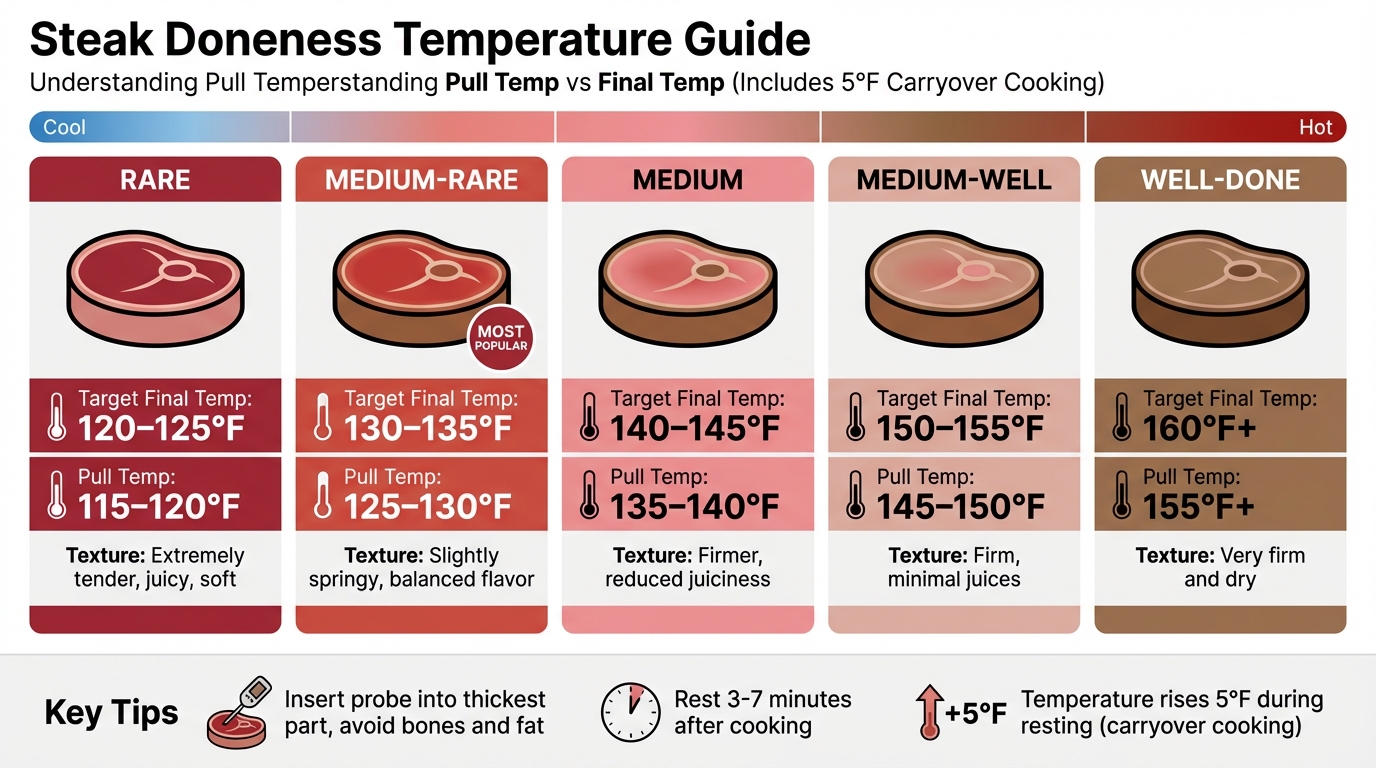
Steak Doneness Temperature Guide: Rare to Well-Done
When it comes to steak, internal temperature is the gold standard for determining doneness. Relying on time alone can be misleading because cooking conditions vary - think hot spots, fluctuating grill temperatures, or differences in meat thickness. Even color isn't always trustworthy; oxygen exposure, packaging, or nitrates can alter a steak's appearance without reflecting its actual doneness.
"The internal temperature of a steak is what determines doneness - rare, medium rare, medium, medium well, or well done. Color can be subjective and misleading, but temperature is very reliable." - Clover Meadows Beef
Temperature is crucial because heat changes the texture and moisture of the meat. Between 120–130°F, proteins begin to restructure, turning more opaque. As temperatures rise above 104°F, muscle fibers contract and start releasing moisture. This explains why well-done steaks tend to feel dry and firm. Another factor to keep in mind is carryover cooking. After you take the steak off the heat, the temperature continues to rise by about 5°F as heat moves from the surface to the center. To avoid overcooking, pull the steak off the heat before it hits your target temperature.
Modern AI thermometers use these temperature principles to fine-tune the cooking process, ensuring consistent results. Understanding how heat interacts with meat gives you the tools to achieve the perfect steak every time.
"Medium-rare locks in juices and tenderness, while well-done cooks out both fat and moisture." - Martin Earl, Culinary Editor, ThermoWorks
Temperature Guide by Doneness Level
Here’s a quick reference for steak doneness, including target temperatures and when to pull the steak off the heat. The "Pull Temp" factors in the 5°F rise during resting:
| Doneness Level | Target Final Temp (°F) | Pull Temp (°F) | Appearance & Texture |
|---|---|---|---|
| Rare | 120–125°F | 115–120°F | Cool red center; extremely tender, juicy, and soft to the touch. |
| Medium-Rare | 130–135°F | 125–130°F | Warm red center; slightly springy texture; popular for its balance of flavor. |
| Medium | 140–145°F | 135–140°F | Warm pink center; firmer texture with reduced juiciness. |
| Medium-Well | 150–155°F | 145–150°F | Mostly brown with a hint of pink; firm texture; minimal juices. |
| Well-Done | 160°F+ | 155°F+ | Fully brown center; no pink; very firm and dry texture. |
For the best results, insert your thermometer into the thickest part of the steak, steering clear of bones or fat pockets. Push the probe past the center, then slowly pull it back to find the steak’s true thermal center. Once cooked, let the steak rest for 3–7 minutes to allow the juices to redistribute, enhancing flavor and texture.
3 AI Thermometers for Cooking Steak
Now that we’ve covered the basics of steak doneness and temperature control, let’s dive into three AI-powered thermometers that can make your steak-cooking experience easier and more precise. These devices are designed to help you hit that perfect level of doneness without the guesswork.
MEATER Plus
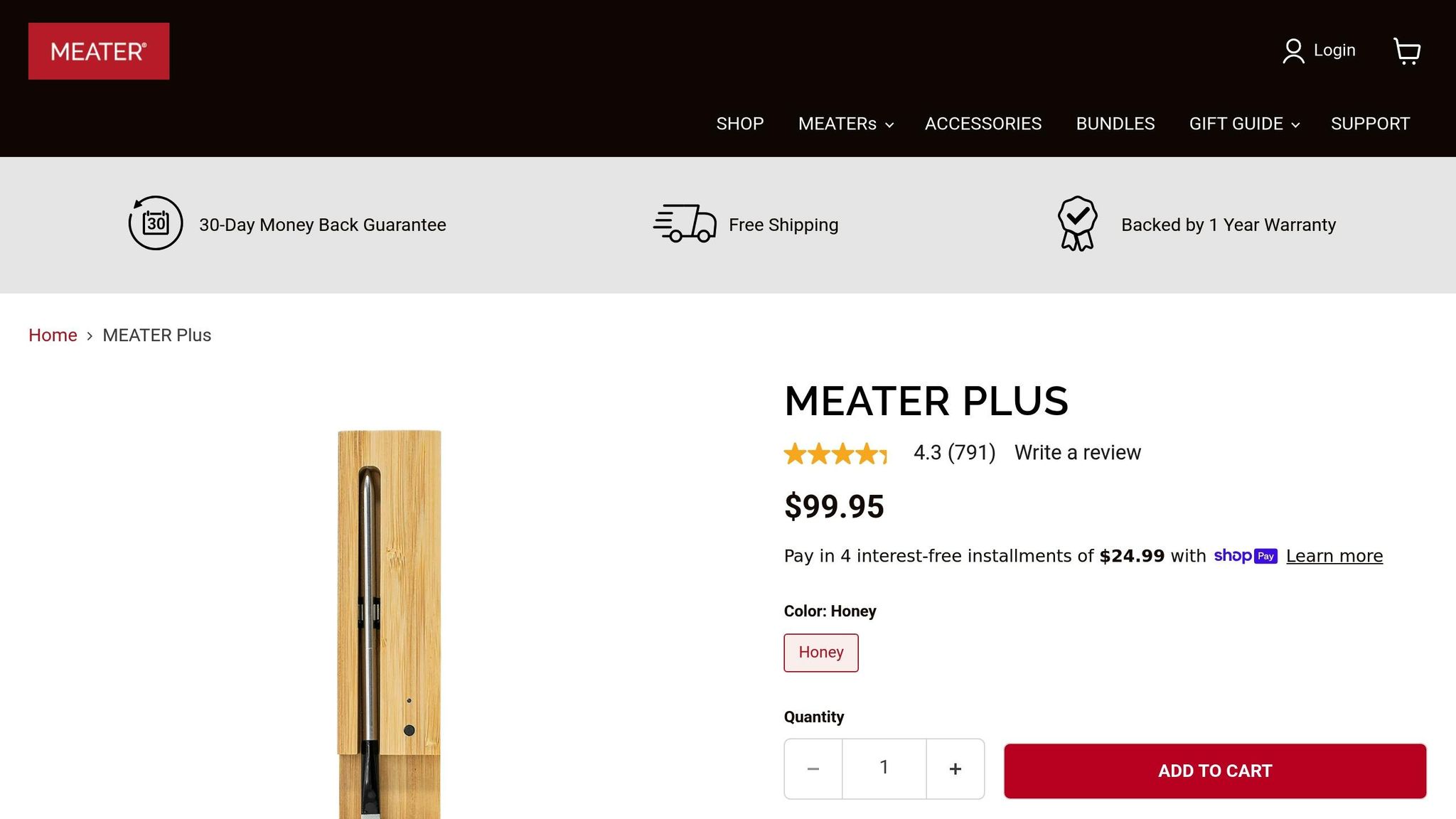
If you’re looking for a wireless option that’s easy to use in your kitchen, the MEATER Plus is a great choice. Priced at $99.95, this sleek thermometer features dual sensors that simultaneously measure internal temperatures (up to 212°F) and ambient temperatures (up to 527°F). Its charging dock extends the Bluetooth range to 165 feet, letting you keep an eye on your steak from the comfort of your living room.
What makes this thermometer stand out is its Advanced Estimator Algorithm, which calculates not only cooking time but also the resting period needed for optimal results. The MEATER app provides step-by-step guidance and custom alerts, so you’re always in control. With accuracy within ±1°F, a battery life of over 24 hours per charge, and dishwasher-safe construction, it’s both reliable and convenient. Consumer Reports named it "Best Overall", and it boasts a 4.3/5 rating from 791 reviews, making it a trusted choice for over 75 million users [20, 3, 24].
"The Meater even accounts for carryover cooking, incorporating time for meat to rest after it's removed from the heat. That means you won't risk overcooking your meat while it cools." – Monica Petrucci, Kitchen Editor, Reviewed
ThermoWorks Signals
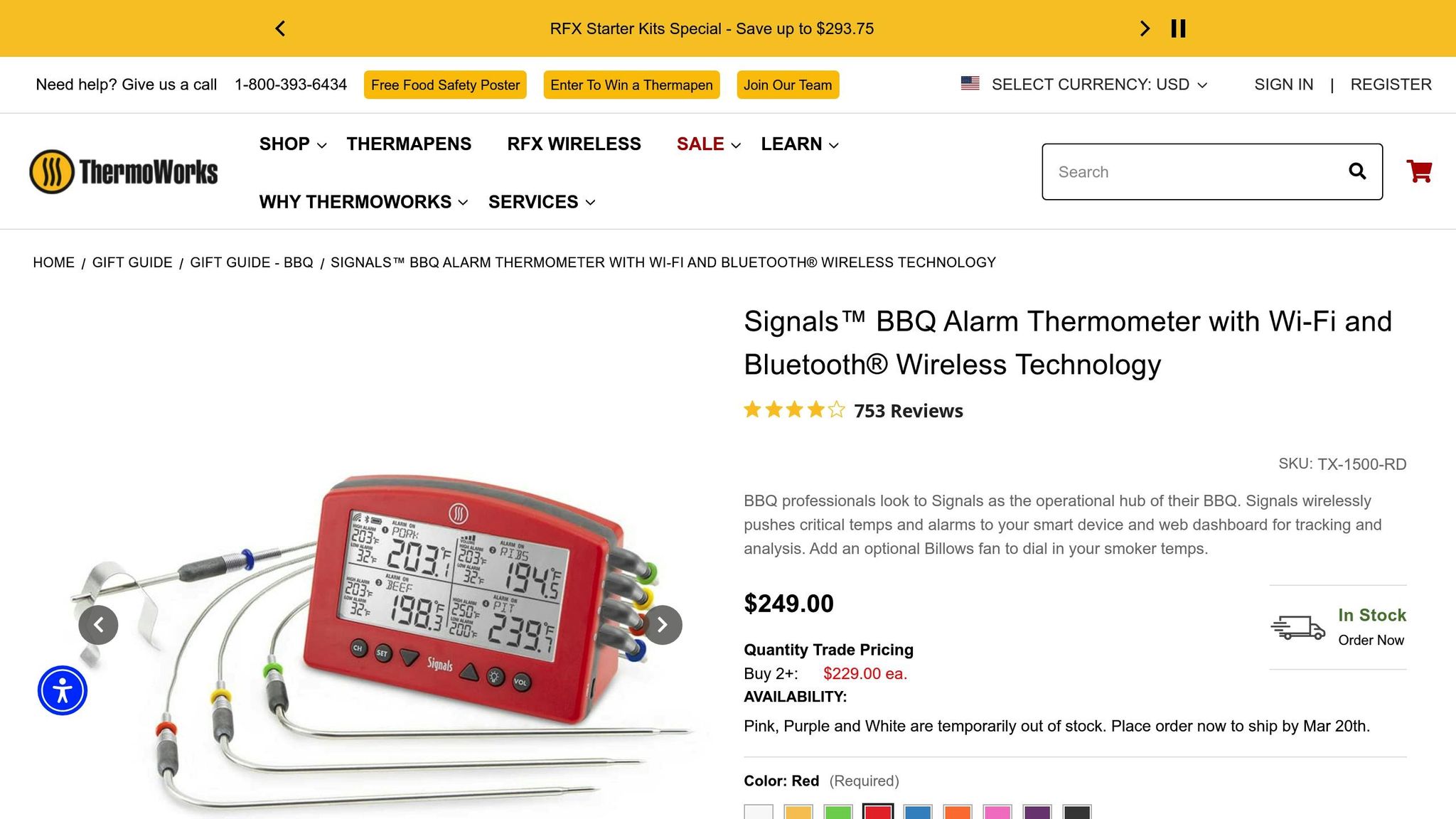
For those who like to cook multiple steaks or cuts of meat at once, the ThermoWorks Signals is a powerhouse. This professional-grade thermometer uses four wired Pro-Series probes to monitor up to four temperatures at the same time. The base station connects via both Wi-Fi and Bluetooth, allowing you to track your cooking progress remotely, whether you’re at home or away. It’s especially handy for long smoking sessions or when you’re juggling different cuts with varying temperature needs.
The ThermoWorks Signals can handle internal and ambient readings up to 572°F, making it a versatile tool for serious grillers and barbecue enthusiasts. Its multi-channel design and cloud-based tracking make it ideal for anyone managing complex cooks.
Yummly Smart Thermometer

If you’re new to cooking steak, the Yummly Smart Thermometer is a beginner-friendly option priced at $79.99. This wireless thermometer offers guided cooking instructions, complete with photo-based guides to help you insert the probe correctly. One of its standout features is the flip reminder, which alerts you when it’s time to turn your steak for even cooking.
Consumer Reports named it "Best for Novice Cooks" due to its straightforward interface and detailed meat presets. With a Bluetooth range of over 100 feet and a specialized tool for safely removing the hot probe, it’s a practical choice for those just starting out.
| Feature | MEATER Plus | ThermoWorks Signals | Yummly Smart Thermometer |
|---|---|---|---|
| Price | $99.95 | Professional-grade pricing | $79.99 |
| Probe Type | Wireless | Wired (to base station) | Wireless |
| Channels | 1 (Dual Sensors) | 4 | 1 |
| Connectivity | Bluetooth (165 ft) | Wi-Fi & Bluetooth | Bluetooth (100+ ft) |
| Max Internal Temp | 212°F | 572°F | Not specified |
| Best For | Carryover precision | Multi-steak tracking | Beginner-friendly |
| Unique Feature | Rest time estimator | Cloud-based monitoring | Flip reminders |
Once you’ve picked the thermometer that suits your needs, you’ll be ready to set it up and cook your steak to perfection.
Setting Up and Using Your AI Thermometer
Here’s how to get your AI thermometer ready for action:
Initial Setup
- Start by downloading the companion app from the Apple App Store or Google Play Store. Once installed, create a cloud account.
- Make sure Bluetooth is turned on for your smartphone.
- Fully charge your thermometer before using it. For the MEATER Plus, this means a 4-hour initial charge (with 2 hours needed for future charges). The MEATER Pro, on the other hand, charges in just about 15 minutes.
Pairing Your Device
- Open the app and tap on "Add Device."
- Remove the probe from its charging dock to activate pairing mode. You’ll know it’s working when you see a blinking green LED, indicating the probe and dock are connected.
- If prompted, install firmware updates. Be patient during this step - don’t interrupt the process, even if the LED flashes red.
- For the best connection, keep the charging dock near the probe and ensure there’s a clear line of sight to your smartphone.
Once your device is paired, you’re ready to move on to inserting the probe.
Inserting the Probe
When it’s time to cook, follow these steps to insert the probe correctly:
- Insert the probe horizontally through the side of the steak rather than from the top. This helps the sensor reach the center, especially for steaks thinner than 1.5 inches.
- Push the probe past the safety notch. This protects the electronics and ensures the sensor is positioned at the steak’s center. Incorrect placement could lead to temperature errors of 5°F–15°F.
- Avoid placing the probe near bone, fat, or gristle, as these materials conduct heat differently from lean meat.
- Make sure the back end of the probe (which measures ambient temperature) stays completely outside the meat and doesn’t touch the grill grates.
"What we're trying to do is find the coolest part of the meat. In the hypothetical smooth, frictionless world of Thermodynamics 101, that coolest point would correspond with the center. But in the real world, meat is not a homogeneous sphere."
- J. Kenji López-Alt, Culinary Consultant, Serious Eats
Finally, don’t forget to clean your probe after every use. Grease buildup can interfere with both charging and the accuracy of the sensors.
How to Cook Perfect Steak with an AI Thermometer
The reverse sear method is all about slow-cooking your steak at a low temperature and finishing it off with a high-heat sear. Using an AI thermometer takes the guesswork out of the process by tracking the steak's internal temperature in real time, making precision cooking easier than ever.
Step 1: Prepare Your Steak
Start with a thick-cut steak, ideally 1.5 to 2 inches thick - cuts like ribeye, filet mignon, or New York strip work particularly well. Pat the steak dry with paper towels, season it generously with salt and pepper, and refrigerate it uncovered overnight. This step helps develop a better crust when searing.
"Searing does not actually lock in juices at all; it merely adds flavor. Flipping the formula so that the searing comes at the end produces better results."
- J. Kenji López-Alt, Culinary Consultant, Serious Eats
Once seasoned and chilled, you're ready to insert the thermometer probe for accurate temperature monitoring.
Step 2: Insert the Thermometer Probe
Place the steak on a wire rack set over a rimmed baking sheet. Insert the thermometer probe horizontally into the thickest part of the steak, ensuring the sensor reaches the center. Keep the back end of the probe exposed to measure ambient temperature. Be careful to avoid bones, fat, or gristle, as these can interfere with accurate readings. Open your thermometer app and select the doneness level you’re aiming for.
Step 3: Cook in the Oven at Low Temperature
Preheat your oven to 250°F to 275°F. Place the steak in the oven and let it cook slowly. Your thermometer app will notify you when the internal temperature is 10°F to 15°F below your desired final temperature. This slow cooking process activates enzymes called cathepsins, which help tenderize the meat until it reaches about 122°F. For medium-rare, remove the steak when it hits around 115°F, which typically takes 25–30 minutes at 250°F. Once the target temperature is near, it’s time to create that perfect crust with a high-heat sear.
Step 4: Sear at High Heat
Heat a cast-iron skillet until it’s smoking hot. Add a high-smoke-point oil and sear the steak for 45 to 60 seconds per side. Keep the probe in the steak during this step to monitor the temperature. For added flavor, toss in butter, garlic, and rosemary during the sear, and spoon the melted butter over the steak as it cooks. Remove the steak when it’s within 5°F of your desired final temperature.
Step 5: Monitor Temperature While Resting
Transfer the steak to a cutting board and let it rest for 5 to 10 minutes. During this time, carryover heat will bring the steak to its final temperature. The thermometer app will account for this and notify you when the steak is ready. Trust the app’s readings rather than relying on visual cues alone. Resting also ensures the juices redistribute evenly, giving you a perfectly cooked and flavorful steak every time.
Using Honeydew Recipe Manager for Steak Recipes
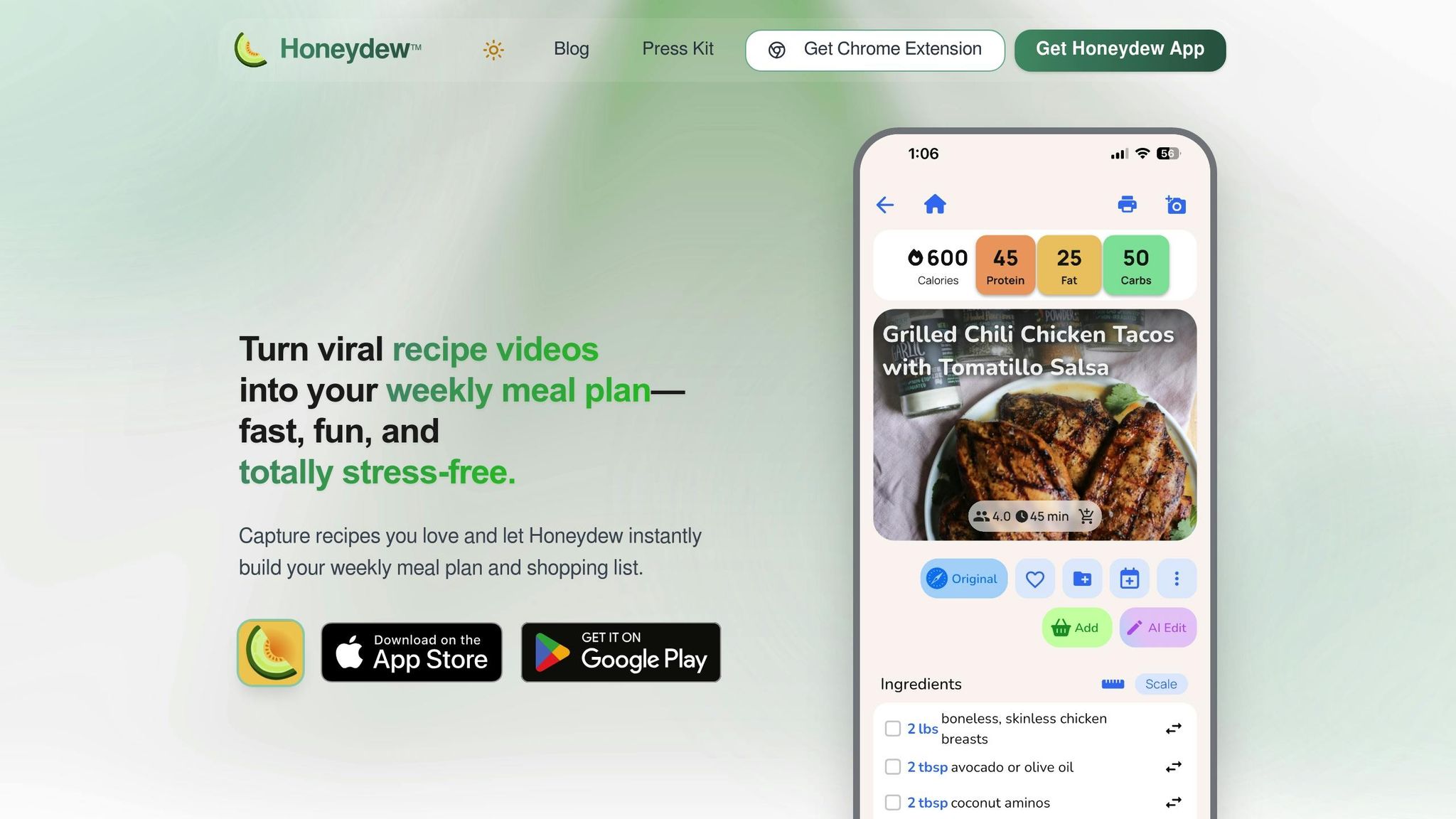
Once your steak is perfectly cooked with the help of an AI thermometer, Honeydew Recipe Manager can take your meal preparation to the next level. This handy tool organizes steak recipes from any online source into a clean, easy-to-follow format, complete with precise ingredient lists, measurements, and step-by-step instructions. With around 270,000 recipe saves processed every month, it’s clear that home cooks are embracing this streamlined approach to meal planning.
The "Ask Honey" AI assistant is particularly helpful for steak lovers. It can adapt traditional steak recipes to methods like reverse searing or tweak them to suit dietary needs - all while keeping the essential flavors intact.
"Honeydew Recipe Manager takes the guesswork out of steam cooking by making meal planning and ingredient management a breeze. Its AI-driven tools let you import recipes straight from social media, instantly generate grocery lists, and even keep tabs on your pantry inventory."
One standout feature is the smart grocery list. It calculates exact quantities based on your desired serving size and integrates seamlessly with Instacart to simplify shopping. Plus, it automatically excludes items already in your digital pantry. As one user shared:
"The smart grocery lists save me hundreds of dollars a month. I love how it suggests recipes based on what I already have!"
- James L., Verified User
Another time-saving feature is the built-in screenshot OCR. This tool quickly captures recipes from social media by converting ingredient lists and spoken instructions into clear, usable text. Together, Honeydew Recipe Manager and your AI thermometer create a seamless cooking experience - ensuring your steak is cooked to perfection while your meal planning stays efficient. With everything optimized, you can enjoy restaurant-quality meals right at home.
Conclusion
AI thermometers take the uncertainty out of cooking steak, turning it into a precise and repeatable process. By continuously monitoring both internal and ambient temperatures, these devices ensure your steak reaches the perfect level of doneness every time - whether you prefer medium-rare or well-done. Plus, they account for carryover cooking, so you can consistently hit your desired result.
"The only way to guarantee perfect doneness every time is with a meat thermometer. Cooking meat should not be guesswork. It should be precise every time."
- MEATER
With remote monitoring, you’re free to multitask while your meal cooks. Whether you’re preparing side dishes or simply taking a break, this feature makes the cooking process much more convenient. Even beginners can achieve steady, professional results. As Connor Jewiss puts it, "The right way to think of the Meater is as an extra cooking leg to stand on".
For an even smoother experience, pairing your AI thermometer with tools like Honeydew Recipe Manager can simplify meal preparation. While the thermometer’s advanced estimator predicts the exact moment your steak will be ready, Honeydew helps you stay on top of recipes, ingredient lists, and timing - ensuring your main dish and sides are perfectly synchronized.
It’s no surprise that over 75 million cooks rely on smart thermometer technology to deliver restaurant-quality results right at home.
FAQs
How do AI thermometers help you cook the perfect steak?
AI thermometers make cooking steak a breeze by keeping track of both the meat's internal temperature and the surrounding heat. They use smart algorithms to gauge how close your steak is to your preferred level of doneness and send you updates in real time. This way, you’ll know exactly when to flip, let it rest, or serve it up.
This hassle-free accuracy guarantees your steak turns out just the way you like it - whether that’s rare, medium, or well-done. With an AI thermometer, creating steakhouse-level results in your own kitchen is simple and stress-free!
What is carryover cooking, and how do AI thermometers help with it?
Carryover cooking is what happens when food keeps cooking even after it's been removed from the heat source. This occurs because the internal heat redistributes, causing a slight rise in temperature as the food rests. For instance, if you take a steak off the grill at 130°F, its temperature might climb by another 5–10°F, bringing it to the ideal medium-rare doneness.
Using AI thermometers makes managing this process a breeze. These devices provide real-time temperature readings and send alerts, letting you know exactly when to take your steak off the heat. Some models even use advanced algorithms to predict how much the temperature will rise as the food rests, helping you nail the perfect cook without the risk of overcooking.
Can AI thermometers be used for cooking more than just steak?
AI thermometers are a game-changer in the kitchen, working seamlessly across various cooking methods like roasting, grilling, baking, and even steaming. These smart devices are built to track and maintain precise temperatures, helping you nail the perfect cook on all kinds of dishes.
From a juicy roast to perfectly grilled chicken or crisp, tender steamed vegetables, an AI thermometer ensures consistent results every time - no more second-guessing or overcooking.



