Best AI Apps for Real-Time Recipe Scaling
• Updated
Tired of doing math every time you want to adjust a recipe? AI-powered apps now make it simple to scale recipes for any number of servings. These tools calculate ingredient amounts instantly, convert units (like cups to grams), and even handle tricky adjustments, like halving an egg or scaling yeast for bread recipes. Whether you’re cooking for one or twenty, these apps save time, reduce food waste, and streamline meal planning.
Here’s a quick rundown of the top apps:
- Honeydew Recipe Manager: Real-time scaling, grocery list integration, and AI substitutions for dietary needs.
- Paprika Recipe Manager: Reliable scaling with meal planning and pantry tracking.
- AnyList: Straightforward scaling with a focus on shopping list updates.
- Tandoor Recipes: Precise scaling across entire recipes with flexible unit conversions.
- Flavorish: AI-driven scaling with deep recipe imports and dietary customization.
These apps don’t just adjust recipes - they also create organized grocery lists, sync with meal plans, and even import recipes from social media or handwritten notes. Below, we’ll explore each app’s standout features and how they simplify cooking.
Quick Comparison
| App | Recipe Scaling Accuracy | Grocery List Integration | Unique Features | Cost |
|---|---|---|---|---|
| Honeydew | Accurate, real-time | Aisle-sorted, Instacart sync | AI substitutions, USDA nutrition data | Free/$5.99/mo |
| Paprika | Handles standard formats | Smart list merges duplicates | Offline access, separate platform pricing | $4.99 per app |
| AnyList | Adjusts main quantities only | Auto-updates scaled recipes | Affordable subscription options | $9.99–$14.99/yr |
| Tandoor Recipes | Dynamic, server-rendered | Syncs with Google Keep | Advanced unit/ingredient aliasing | Free/€1.99–€4.99 |
| Flavorish | AI-driven, deep imports | Aisle-organized lists | Social media imports, PDF export | Free/$4.99/mo |
These tools eliminate the guesswork and make cooking stress-free - perfect for home cooks and professionals alike.
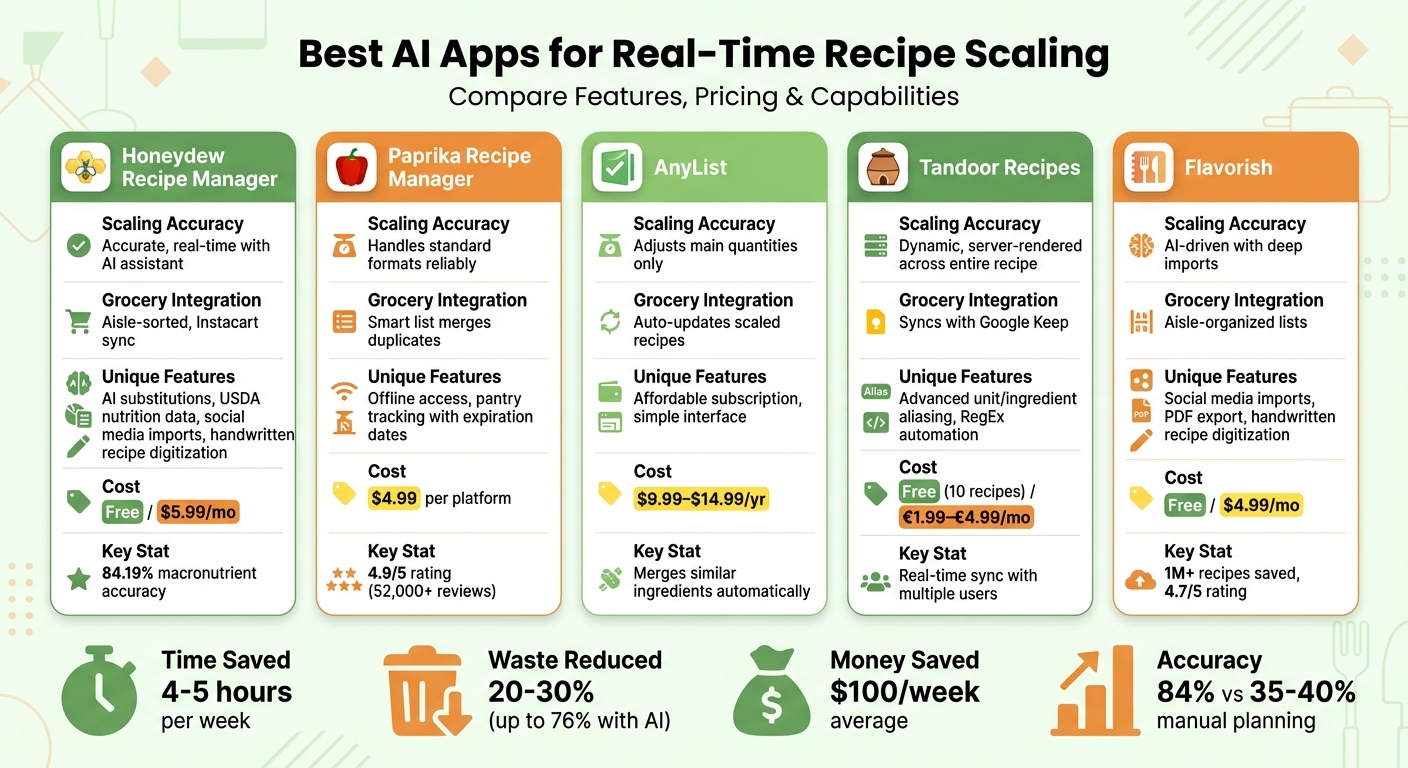
AI Recipe Scaling Apps Comparison: Features, Pricing, and Capabilities
1. Honeydew Recipe Manager
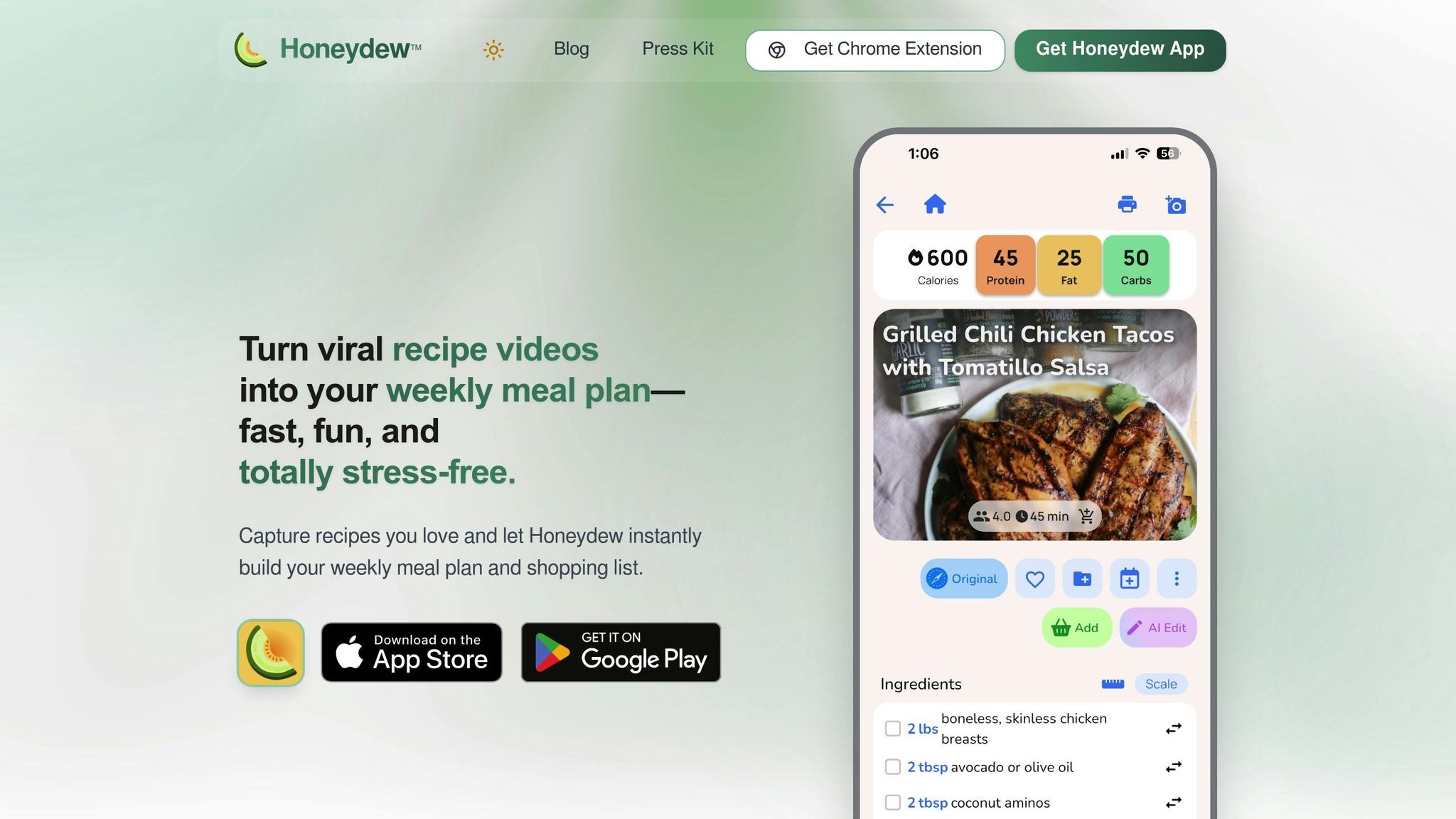
Real-time recipe scaling accuracy
Honeydew Recipe Manager uses its "Ask Honey" AI assistant to adjust recipes in real-time for any serving size. This feature ensures that ingredient proportions remain balanced, preserving the dish's quality while recalculating interdependent ingredients.
In a November 2025 experiment, CNET editor Corin Cesaric tested an AI-generated meal plan for a week. By leveraging the app's recipe scaling and inventory management features, Cesaric managed to achieve zero food waste, a notable accomplishment.
These precise adjustments work seamlessly with other features to simplify meal planning.
Integration with meal planning and grocery lists
Once your recipes are scaled, Honeydew takes the hassle out of ingredient management. The app creates an aisle-sorted grocery list that syncs directly with your meal plan. With its Instacart integration, you can export your list for quick delivery or pickup, saving time and effort. The Pantry Mode feature even identifies ingredients from photos and suggests recipes, ensuring you use what you already have on hand, helping to further reduce waste.
For families, Honeydew Plus offers syncing across up to six devices, making meal planning a collaborative effort. User Alex P. shared:
"My family of five uses Honeydew for all our meal planning. The household sharing feature keeps everyone organized".
You can also access these scaled recipes offline on both iOS and Android.
AI-powered features for customization
The "Ask Honey" assistant isn’t just about scaling recipes. If a recipe doesn’t meet your nutritional goals, you can request ingredient substitutions - like swapping almond flour for regular flour - and the AI will instantly recalculate the nutritional values using USDA data. The app can also import recipes from TikTok, Instagram, and YouTube, or even digitize handwritten family recipes for automatic scaling.
AI tools like Honeydew deliver 84.19% macronutrient accuracy, far surpassing the 35–40% accuracy of manual planning. Additionally, using AI for meal planning and scaling can reduce household food waste by up to 76%, saving families an average of $100 per week and around $125 per month by minimizing food loss. It also cuts meal prep time significantly, from 5–6 hours a week to less than 1.5 hours. These features not only improve meal accuracy but also streamline the entire process.
Support for imperial and metric units
Honeydew’s Cookbook Translator feature simplifies international recipes by converting them into your preferred language and measurement system (Imperial or Metric). It handles tricky conversions, like cups to grams, ensuring precision - especially for baking. This makes adapting recipes from any source straightforward and efficient.
Recipe Conversion Using ChatGPT AI Full Tutorial Food Trucks, Bakers, Catering, Meal Planning,
2. Paprika Recipe Manager
Paprika stands out for its reliable tools that make meal planning and ingredient scaling more efficient.
Real-time recipe scaling accuracy
Paprika Recipe Manager automatically adjusts ingredient quantities when recipes use a "quantity unit ingredient" format - like "1 cup milk" or "2 tablespoons butter." However, it struggles with spelled-out numbers (e.g., "two cups"), so converting them into numerals ensures better results. It also handles recipes that include alternate measurements in parentheses, scaling both formats simultaneously.
These scaling features make it easier to adapt recipes, especially when paired with its meal-planning tools.
Integration with meal planning and grocery lists
Paprika combines recipes, meal planning, and grocery lists into a single, seamless system. You can add recipes to a daily, weekly, or monthly meal planner, then transform them into a Smart Grocery List. This list automatically merges duplicate items (e.g., combining "1 egg" and "2 eggs" into "3 eggs") and organizes everything by grocery aisle. Adjusting recipe serving sizes? The app updates the grocery list quantities automatically.
To help you avoid overbuying, Paprika’s Pantry feature tracks what you already have at home, including expiration dates. Items in stock are automatically unchecked on your grocery list, saving you time and money.
And that's not all - Paprika also offers flexible measurement options.
Support for imperial and metric units
Whether you prefer US standard or metric units, Paprika has you covered. It even allows you to reset measurements back to their original units for consistency. With a stellar 4.9/5 rating on the Apple App Store from over 52,000 reviews, the iOS version is priced at $4.99. Keep in mind, each platform requires a separate purchase.
3. AnyList

AnyList provides handy tools for scaling recipes, making it easier to organize your digital recipes and adjust ingredient amounts based on serving sizes.
Real-time recipe scaling accuracy
AnyList uses straightforward calculations to scale recipes. For example, doubling a recipe simply multiplies the numeric quantity by two. However, the app only adjusts the quantity field of an ingredient. If an ingredient is listed as "about 5 cups" in the name or notes, that text remains unchanged even after scaling.
The app focuses on the first number in a quantity field. For instance, "1 can (15 oz)" becomes "2 cans (15 oz)" when doubled, which is correct. But keep in mind, quantities mentioned in preparation instructions won’t be updated - you’ll need to tweak those manually.
Important: Scaling doesn’t account for quantities outside the main quantity field, so you’ll need to double-check items like spices and seasonings.
Once scaled, these changes automatically update your shopping list, simplifying your meal prep process.
Integration with meal planning and grocery lists
After adjusting recipe amounts, AnyList makes ingredient management seamless. Scaled recipes automatically update existing items on your shopping list to reflect the new quantities. The app also offers a meal planning calendar where you can assign recipes to specific days and add ingredients to your shopping list with just one tap.
To keep things organized, AnyList merges similar ingredients into a single list item, showing the total amount you’ll need while still letting you view details for each recipe. This feature is part of the AnyList Complete subscription, which costs $9.99 per year for individuals or $14.99 per year for households.
"LOVE this new feature: makes browsing recipes on the Internet fun again, just click the extension and the ingredients are part of my shopping list - awesome!" - topherlykins
4. Tandoor Recipes
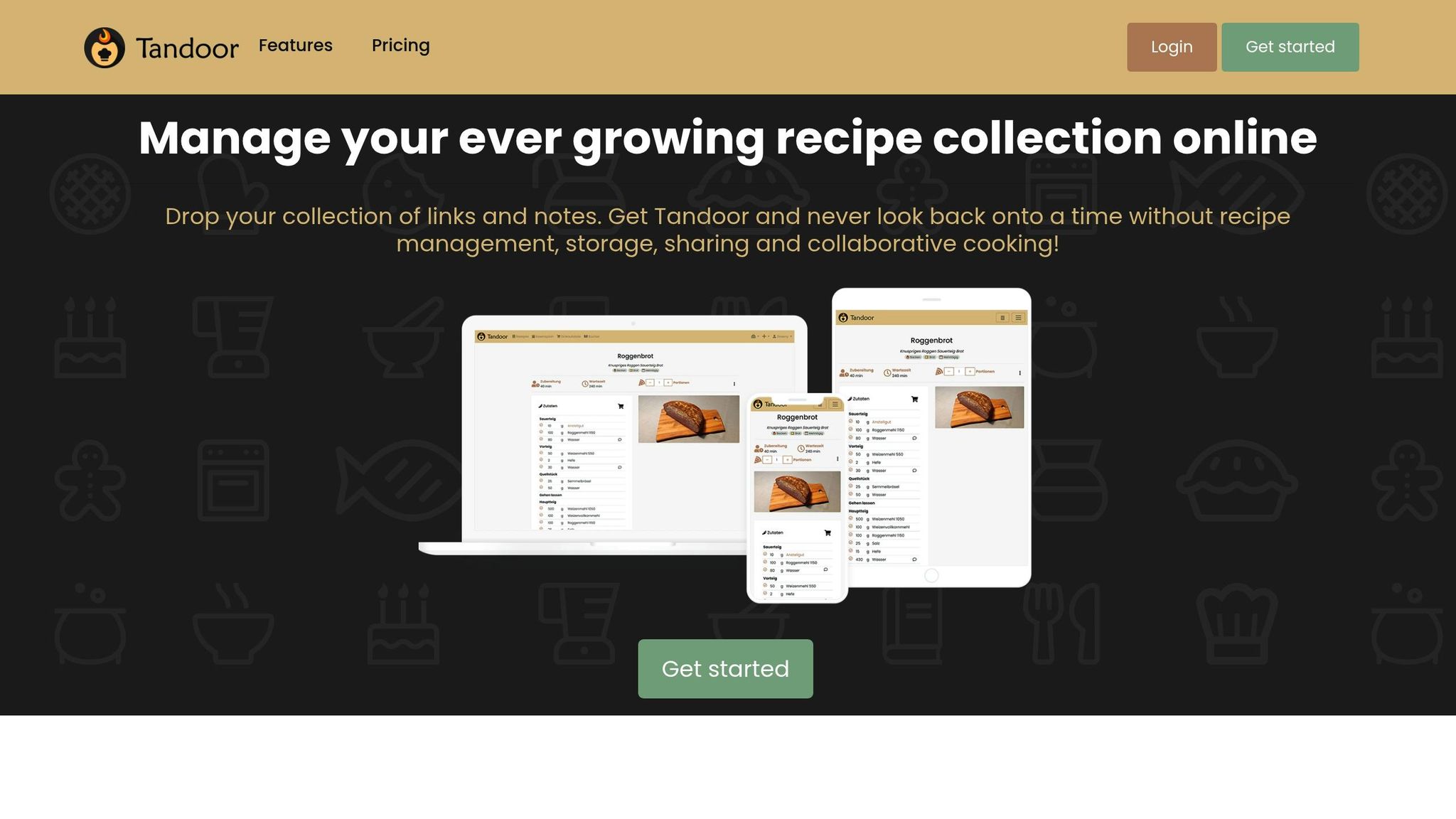
Tandoor Recipes stands out by offering server-rendered scaling that updates every part of a recipe, ensuring a seamless cooking experience. When you scale a recipe, the app dynamically adjusts ingredient quantities throughout the entire recipe - not just in the ingredient list - making it incredibly user-friendly.
Real-time recipe scaling accuracy
The app uses a smart automation system powered by Regular Expressions (RegEx) and aliasing to accurately identify units and ingredients. This eliminates common mistakes, like confusing "egg" as a measurement unit. To avoid such errors, Tandoor employs "Never Unit" automations.
It handles both fractional and decimal quantities with precision, ensuring accurate adjustments when changing serving sizes. You can also set up "Unit Alias" and "Food Alias" automations to standardize ingredient naming (e.g., always using singular forms), which helps maintain consistency across recipes.
Support for imperial and metric units
Tandoor separates amounts, units, and ingredients into distinct entities, giving you the flexibility to work with either imperial or metric measurements. The app includes "Unit Replace" automations to simplify unit conversions, such as changing "grams" to "g", and it standardizes plural forms for uniformity. Additionally, you can merge and rename units across your recipe collection, ensuring consistency between different measurement systems. This meticulous unit management enhances Tandoor’s ability to keep your shopping lists updated effortlessly.
Integration with meal planning and grocery lists
Tandoor extends its scaling features into meal planning and grocery management. After adjusting a recipe, the app automatically updates your shopping list with the new quantities. You can organize multiple meals per day, and Tandoor generates shopping lists based on your meal plans or individual recipes. These lists sync in real-time with other users and can even be exported to apps like Google Keep. Pricing options include a free plan for up to 10 recipes, €1.99/month for 1,000 recipes with 5 AI credits, or €4.99/month for unlimited recipes and 100 AI credits per month.
5. Flavorish
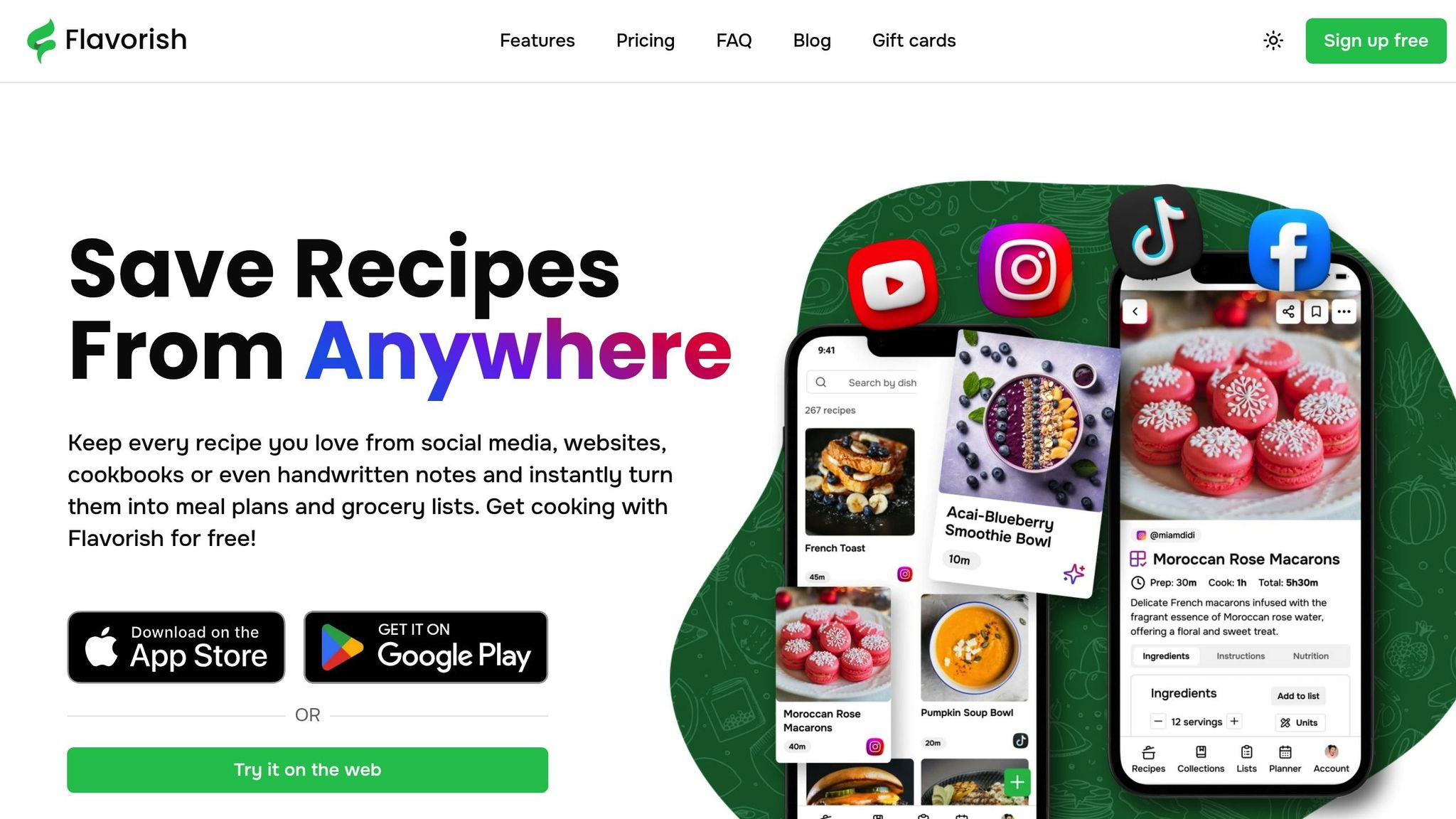
Flavorish takes recipe scaling to the next level with its advanced AI features, making it a go-to app for precise adjustments. With over 1 million recipes saved by users and a stellar 4.7/5 rating from more than 1,200 Apple App Store reviews, it’s clear that home cooks and food enthusiasts are loving this app’s capabilities. Whether you're cooking for one or scaling up for a crowd, Flavorish automatically adjusts ingredient quantities, even for as little as 0.5 servings.
Real-time recipe scaling accuracy
Flavorish ensures accurate scaling by leveraging backend standardization to handle numeric formats seamlessly. When you adjust a recipe's servings, the app recalculates ingredient amounts and applies these changes to your grocery list, so everything aligns perfectly. Its "Deep Recipe Imports" feature is a standout - analyzing non-standard recipe pages to extract ingredients and instructions before applying any scaling. This ensures every adjustment is accurate, from meal prep to shopping.
"For ease of use, reliable AI, and the best UI, Flavorish is the recipe app I recommend for saving viral recipes." - Yahoo Life
AI-powered features for customization
The app goes beyond scaling with its AI-driven tools. It customizes recipes based on dietary needs or preferences and can even digitize handwritten recipe cards or cookbook pages, filling in any missing details. Have a recipe you found on Instagram, TikTok, or YouTube? Just share the link, and Flavorish imports it directly. As one user shared:
"Love creating new recipes with the AI on the app - and the pic that comes with is very helpful to understand how it should look like!" - Lianna A., User
Support for imperial and metric units
Whether you prefer imperial or metric measurements, Flavorish has you covered. It converts ingredient quantities between both systems, and when you save or print recipes as PDFs, you can choose your preferred format. Plus, the "Cooking Mode" feature keeps your screen active, allowing you to check off ingredients and steps as you go.
Integration with meal planning and grocery lists
Flavorish simplifies meal planning and grocery shopping by automatically creating lists from your recipes. Items are organized by aisle, making your trips to the store more efficient. The app offers a free Basic plan with unlimited recipe saves, meal plans, and five AI-powered imports. For those who want more, the Premium plan costs $4.99 per month and includes unlimited AI recipe generation and social media imports.
How These Apps Improve Cooking Efficiency
These apps take the hassle out of meal preparation by simplifying every step of the process. One standout feature is recipe scaling, which eliminates the need for manual calculations. These apps centralize recipes from various sources - Instagram, TikTok, websites, and even photos of handwritten recipe cards. Through AI-powered parsing, they detect ingredients and instructions automatically, saving you from the tedious task of entering data yourself.
Meal planning becomes a breeze with automated tools that help you organize your week. Instead of recalculating ingredient quantities for each meal, you can add recipes to a visual calendar, and the app takes care of the details. Batch cooking features let you prepare meals in advance, dividing portions across multiple days so you can cook once and enjoy a variety of dishes throughout the week. When it’s time to shop, the app generates organized grocery shopping checklists based on your meal plan, grouping items by store sections to make your shopping trip quicker and more efficient. This level of organization sets the foundation for a smoother cooking experience.
Even in the kitchen, these apps enhance efficiency. Cook Mode offers step-by-step instructions, mapping out ingredients for each stage of the recipe. This feature minimizes errors, like accidentally adding the same ingredient twice, and eliminates the need to constantly scroll back through the recipe.
For those mindful of nutrition, many platforms automatically calculate calories and macronutrients based on your chosen ingredients. These updates happen in real time as you adjust recipe servings, making it easier to stick to your dietary goals. From importing recipes and planning meals to creating grocery lists and guiding you through cooking, these apps save you precious time, reduce food waste, and take the stress out of meal preparation.
Conclusion
AI-powered recipe scaling tools take the hassle out of meal prep by eliminating the need for manual calculations, which often lead to frustrating errors. These apps instantly adjust ingredient quantities for any serving size, whether you're cooking for yourself or hosting a large gathering of 20. For example, Lise Garden, owner of Homestead Artisan Bakery, reported saving 4–5 hours each week and significantly reducing scaling mistakes by switching to digital tools.
The time saved isn’t the only advantage. These tools can help cut food waste by 20% to 30% by tailoring recipes to your exact needs. Whether it’s using up leftover chicken for a soup or scaling down a dessert recipe to avoid overbaking, these apps ensure you’re buying only what you need and throwing away less - saving money in the process.
With features like grocery list generation, unit conversions, and meal planning integration, the apps mentioned in this article are designed to streamline your cooking process and estimate meal prep time. Many offer free versions or trials, so you can experiment to find the one that fits your style best.
Pick an app, upload a recipe, and let it handle the math for you. Once you try it, you might wonder how you ever cooked without it.
FAQs
How does AI scale tricky ingredients like eggs and yeast?
AI handles tricky ingredients like eggs and yeast by examining their standard measurements and how they behave in recipes. For instance, it might use the average weight of an egg - around 50 grams - and adjust leavening agents accordingly. This approach helps ensure the dish keeps its intended texture and structure, even when scaling up or down.
Will scaling also update the cooking instructions and bake times?
Scaling a recipe involves adjusting ingredient quantities to match the desired serving size. However, this process doesn’t typically alter cooking instructions or baking times automatically. These aspects often require manual adjustments depending on factors like the new portion size and the equipment being used.
How accurate are unit conversions like cups to grams for baking?
When it comes to converting units - like cups to grams in baking - the results can differ depending on the ingredient and how it’s measured. For example, a cup of flour won’t weigh the same as a cup of sugar. That’s where AI-powered recipe scaling tools come in handy. These tools are designed to offer precise adjustments, ensuring your recipes stay accurate and well-balanced, no matter the conversion.



