Best AI Tools for Macro and Calorie Monitoring
• Updated
Tracking your meals just got easier. AI-powered tools now handle the heavy lifting of calculating calories and macros, even for complex homemade dishes. Whether you’re snapping a photo, using voice commands, or importing recipes from social media, these tools streamline nutrition tracking and help you reach your health goals.
Here’s what to look for in a nutrition app:
- Quick Logging: Tools like Calorik and MyFitnessPal let you log meals in seconds using photos or voice.
- Detailed Tracking: Apps like Cronometer monitor not just calories but also vitamins, minerals, and over 100 nutrients.
- Recipe Integration: Honeydew Recipe Manager breaks down recipes from TikTok or Instagram, making meal planning effortless.
- Dynamic Adjustments: Many tools adapt calorie and macro targets based on activity levels and progress.
- Budget Options: Free tools like CounterCal offer basic tracking, while premium apps range from $4 to $20 per month.
Quick Comparison
| Tool | Logging Style | Key Feature | Cost (Approx.) |
|---|---|---|---|
| Honeydew Recipe Manager | Photo, Voice, Recipe Import | Recipe breakdown from social media | $4.17/month |
| MyFitnessPal | Photo, Voice, Barcode | Massive 20M+ food database | $19.99/month Premium |
| Cal AI | Photo-based | Fast logging for homemade dishes | Varies by plan |
| Cronometer | Barcode, Manual | Tracks macros and micronutrients | Premium available |
AI tools like these make meal tracking faster and more accurate, giving you the freedom to focus on your health goals without the hassle.
The 3 Best AI Calorie Tracking Apps in 2026
What to Look for in AI Nutrition Tools
If you're serious about improving your home cooking and nutrition tracking, choosing the right AI tool is key. Tools like Honeydew Recipe Manager stand out because they combine speed, precision, and adaptability, making it easier to integrate them into your daily life. Let’s explore the must-have features that make these tools valuable for home cooks.
Complete Tracking Capabilities
A solid AI nutrition tool should go beyond just tracking calories. It should also monitor proteins, fats, carbs, and essential micronutrients like fiber, sodium, and vitamins. For example, PlateAI tracks an impressive 107 nutrients. Accuracy is critical, and tools backed by high-quality databases - some with as many as 5 million verified food items - ensure precise logging whether you're tracking fresh produce or packaged snacks. Advanced features like AI-powered photo recognition can even identify ingredients and portion sizes with up to 99.8% accuracy. These capabilities form the backbone of effective nutrition management.
Easy Logging Methods
The easier it is to log your meals, the more likely you are to stick with it. Look for tools offering multiple input methods like photo recognition, barcode scanning, voice commands, and text entry. Calorik, for instance, claims its AI-driven logging is up to 50 times faster than traditional manual entry. Imagine being able to say, “three scrambled eggs with cheddar,” and have your app log it instantly - perfect for when your hands are covered in flour or you're multitasking with kids.
"Just tell Hoot what you ate - like texting a friend who happens to be great at nutrition." - Hoot Fitness
This kind of speed and convenience can make all the difference in maintaining consistent tracking habits.
Smart Insights and Adjustments
Static calorie goals don’t account for the day-to-day changes in your life. The best AI tools adapt dynamically, adjusting your targets based on factors like activity levels, metabolism, and progress trends. Some apps even analyze long-term data to fine-tune your macro ratios as your body evolves. Users of AI-based nutrition platforms have reported reaching their weight loss goals three times faster than with manual methods. Tools like MacroFactor also break down complex meals into individual ingredients, making it easier to track specific items like oils or sauces. Features like pattern alerts - such as identifying late-night snacking - turn raw data into actionable advice, helping you stay on track.
Features for Home Cooking
For home cooks, an AI tool needs to handle the complexities of batch cooking, leftovers, and recipe reuse. The ability to break down a dish like a casserole into its individual components ensures accurate tracking. Support for imperial units (cups, tablespoons, ounces) is a must for most U.S. recipes. Additionally, tools that let you save and quickly re-log frequently cooked meals save time and effort, making it easier to stick with your routine.
Pricing and Access
Most AI nutrition tools offer free trials, allowing you to test their accuracy before committing. Paid options typically range from $10 to $15 per month or $30 to $60 annually. For those seeking a budget-friendly option, CounterCal is a completely free browser-based tool. It’s also worth checking if the tool integrates with platforms like Apple Health, Google Fit, or Fitbit, so you can sync your activity and nutrition data seamlessly.
Honeydew Recipe Manager: AI Nutrition for Home Cooking
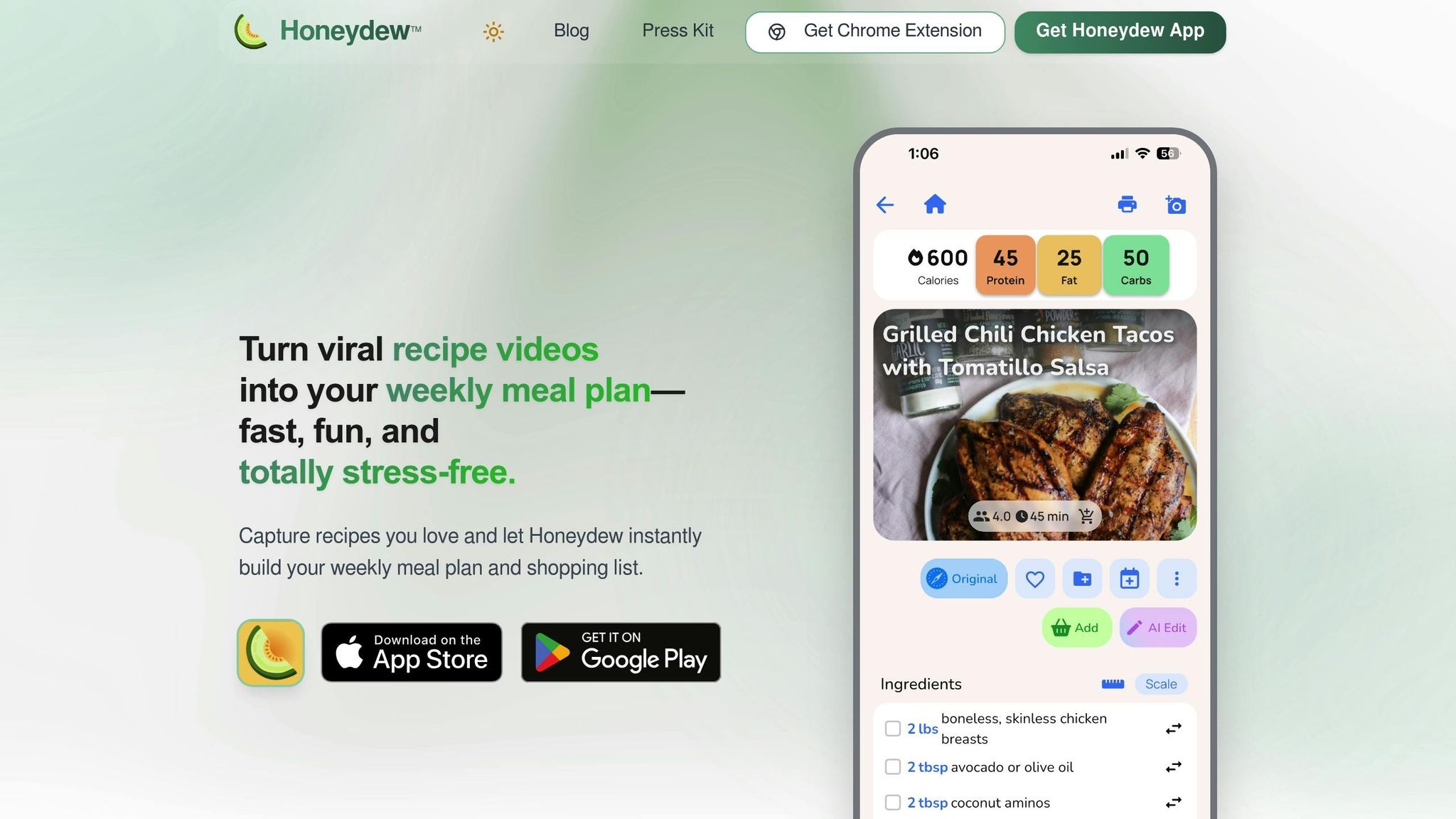
Honeydew Recipe Manager combines the convenience of social media recipes with precise nutrition tracking. With over 270,000 recipes saved every month and an impressive 4.8-star rating, this app transforms viral cooking videos and Instagram posts into structured, trackable meals complete with detailed nutritional information. Let’s dive into how Honeydew simplifies everything from importing recipes to planning meals.
Automatic Recipe Import and Nutrition Breakdown
Using natural language processing and computer vision, Honeydew Recipe Manager makes it easy to turn social media links or photos into detailed recipes. Whether you’re scrolling through TikTok or Instagram, you can instantly import a recipe and see its full nutritional breakdown, including calories, protein, fat, carbs, and fiber. This eliminates the hassle of manual data entry.
Smart Ingredient Substitutions and Macro Adjustments
The app’s AI takes things further by suggesting ingredient swaps and recalculating macros on the spot. Emily C., a user, shared:
"The ingredient substitution feature is a game-changer for my dietary restrictions. I can adapt any recipe easily!"
This flexibility means you can tweak recipes to fit dietary needs without losing track of your nutritional goals.
Tracking Nutrition Over Time
Honeydew makes it simple to monitor your long-term nutrition with easy-to-read charts that highlight trends in your calorie and macro intake. Michael B. praised this feature, saying:
"The calorie and macro calculator has helped me stick to my health goals while still enjoying great meals."
These tools ensure you can consistently meet your nutrient targets while enjoying the food you love.
U.S.-Friendly Features for Home Cooks
For home cooks in the U.S., Honeydew offers features tailored to everyday needs. It supports imperial measurements and creates grocery lists organized by store sections, making shopping a breeze. With one-click ordering through Instacart, meal planning gets even easier. James L. highlighted the benefits:
"The smart grocery lists save me hundreds of dollars a month. I love how it suggests recipes based on what I already have!"
You can also share meal plans and grocery lists with up to six family members, keeping everyone on the same page. These practical tools are designed to simplify meal prep for busy households.
AI Meal Planning Aligned with Macro Goals
Honeydew’s AI-powered meal planner takes the guesswork out of weekly meal prep. It automatically generates meal plans and shopping lists while keeping your macro targets in check. The drag-and-drop calendar makes it easy to organize meals for the week, whether it’s breakfast, lunch, or dinner. For $4.17 per month, Honeydew Plus offers unlimited recipe storage, household sharing, and an ad-free experience.
Top AI Tools for Macro and Calorie Monitoring
Tracking nutrition doesn’t have to be a chore. Several AI-powered tools make it easier for home cooks to monitor their diets with minimal effort. While Honeydew Recipe Manager offers a well-rounded solution, these tools bring specialized features to the table, catering to different dietary needs and preferences.
MyFitnessPal: Smart Macro Tracking with AI
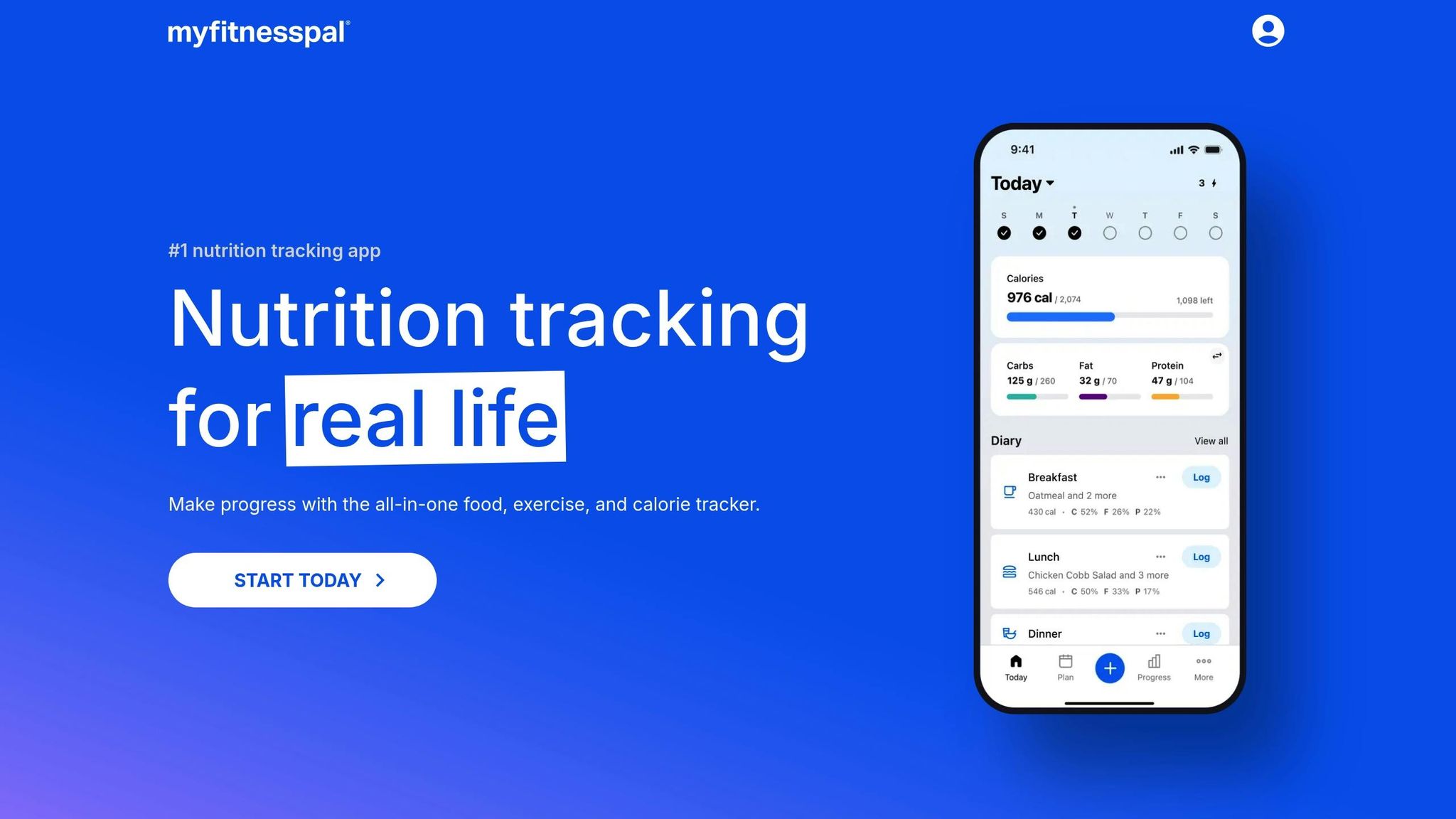
MyFitnessPal boasts a massive database of over 20 million foods, making it a go-to for comprehensive tracking. Its AI-driven Meal Scan feature can log meals directly from photos, and the voice logging option lets you dictate ingredients hands-free. With 3.5 million 5-star ratings, it’s clear users value its ease of use and accountability. Registered Dietitian Stephanie Saletta highlights its benefits:
"Studies show people who keep a food diary are more likely to hit their goals. MyFitnessPal simplifies nutrition and calorie tracking, provides the data you want, and helps you make sense of it all".
The app’s free version covers basic tracking, while the Premium version adds perks like barcode scanning and custom macro goals.
SnapCalorie: Photo Accuracy Redefined

SnapCalorie takes precision to the next level with its computer vision technology. Using LiDAR depth sensors on supported smartphones, the app measures the exact volume of food on your plate. This approach results in calorie estimates with a margin of error between +/- 80 to 130 calories for a 500-calorie dish, a significant improvement over the typical +/- 265 calories from visual guesses. For those who weigh their ingredients, the voice note feature allows you to input exact gram values for even greater accuracy. With a 4.8/5 rating from over 4,000 users, SnapCalorie is available for $19.99 per month or through annual plans ranging from $79.99 to $149.00.
Cal AI: Quick and Convenient Tracking
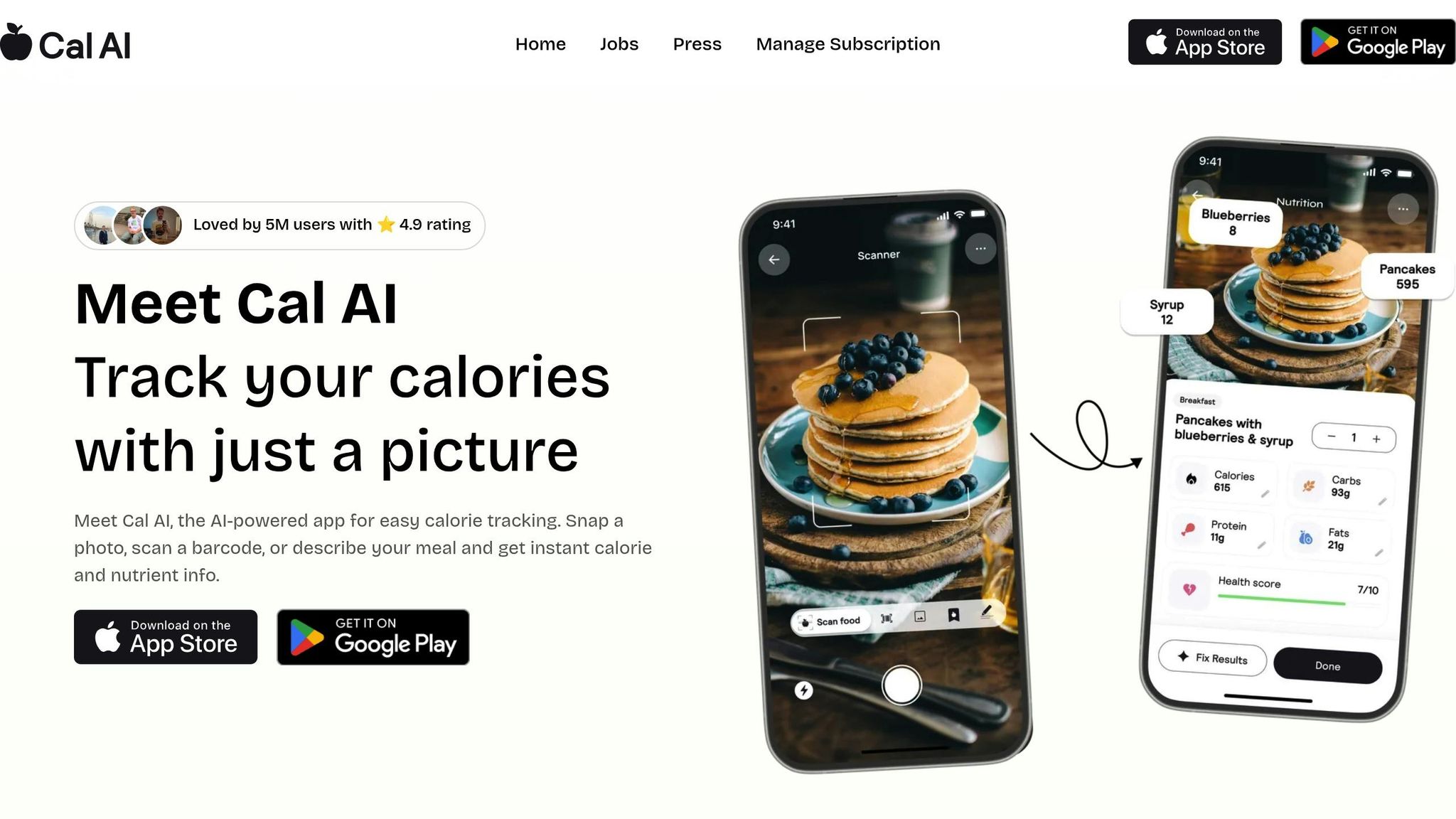
Cal AI’s Snap & Track feature is a game-changer, reducing the time it takes to log meals from 15 minutes to just 3 seconds. The app efficiently analyzes everything from homemade dishes to fast food. With over 1 million downloads and a 4.6/5 rating from 232,000 reviews, users love its speed and reliability. It also includes handy tools for keto diets and intermittent fasting, such as a net carbs tracker and eating window manager. While some users note occasional undercounting for specific items like fruit, the app’s speed makes manual adjustments quick and straightforward.
Cronometer: Detailed Nutrient Tracking
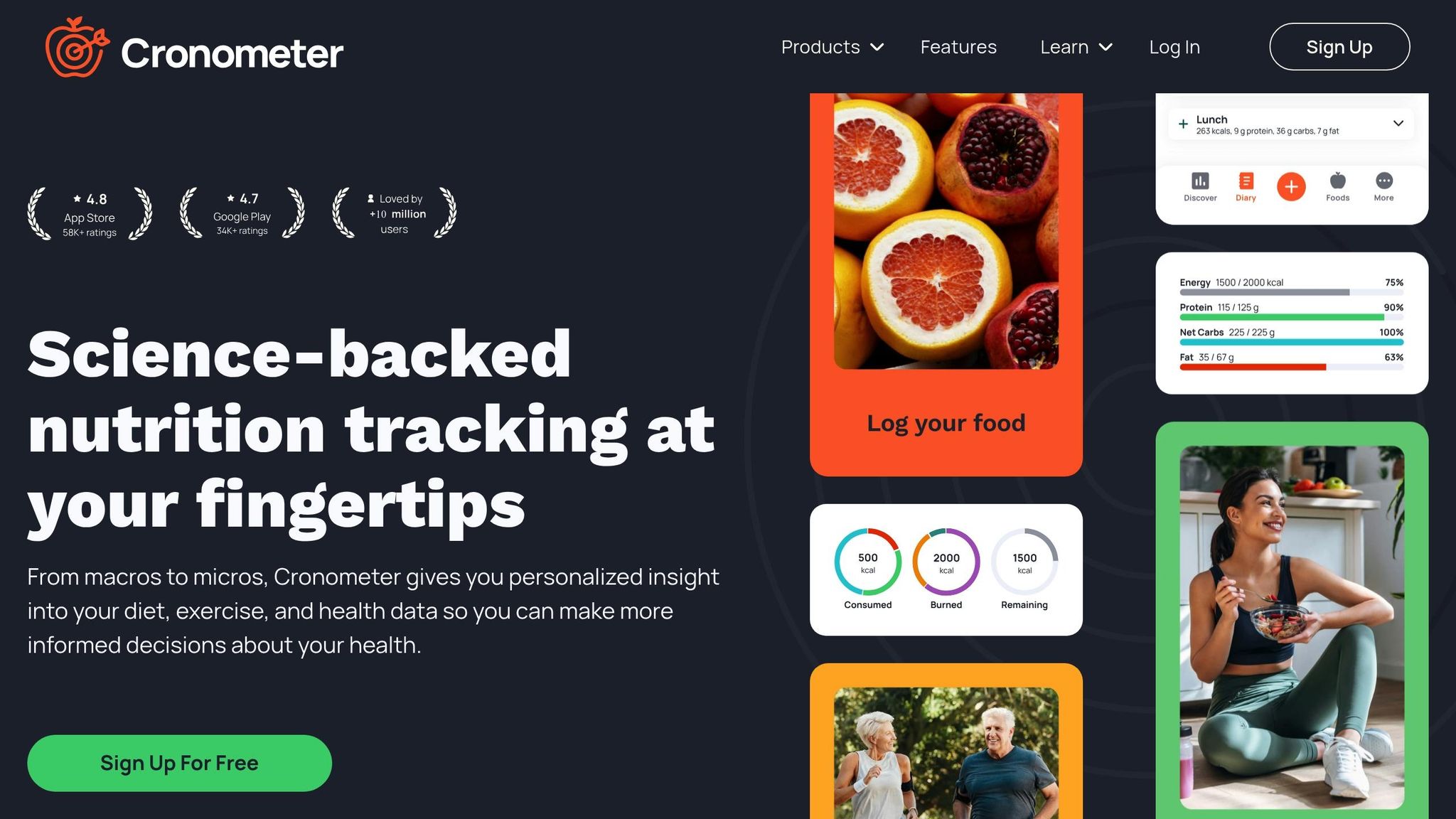
Cronometer goes beyond calories and macros by offering in-depth tracking of vitamins, minerals, and other micronutrients. This makes it an excellent choice for home cooks with specific health goals or medical dietary needs. Its database provides insights into your complete nutritional intake, and its advanced reporting features help you spot trends over time. While the app’s interface may take longer to navigate compared to photo-based tools, its detailed approach is worth the effort for those seeking a deeper understanding of their diet.
Each of these tools brings something unique to the table, allowing you to choose the one that best fits your nutritional goals and lifestyle.
Comparing AI Nutrition Tools for Home Cooks
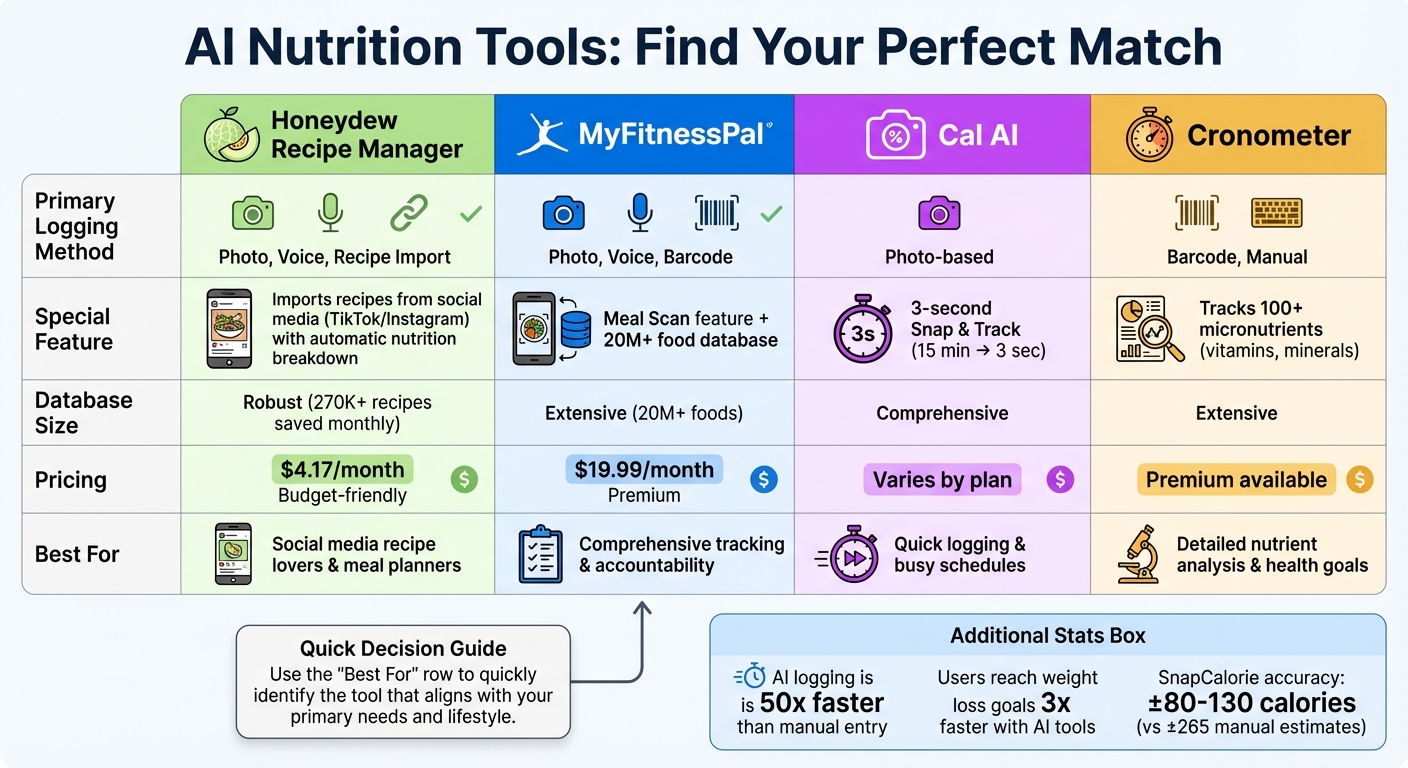
AI Nutrition Tracking Tools Comparison: Features, Pricing, and Best Use Cases
Comparison Table of AI Tools
When cooking at home, having an AI tool that simplifies nutrition tracking can make meal planning and healthy eating much easier. Below is a comparison of some popular options available for U.S. home cooks:
| Tool | Primary Logging Style | Recipe Handling | Database Size | Pricing (Approx.) |
|---|---|---|---|---|
| Honeydew Recipe Manager | Photo, Voice, Recipe Import | Imports recipes from websites and social media, providing automatic nutrition breakdown | Robust | $4.17/month |
| MyFitnessPal | Photo, Voice, Barcode | Includes a Meal Scan feature for photo logging | Extensive (20M+ foods) | $19.99/month Premium |
| Cal AI | Photo-based | Analyzes homemade dishes | Comprehensive | Varies by plan |
| Cronometer | Barcode, Manual | Tracks both macro and micronutrients in detail | Extensive | Premium available |
This table outlines the key features of each tool, helping you decide which one aligns with your cooking habits and nutritional goals.
Choosing the Right Tool for Your Goals
The best AI nutrition tool for you depends on your cooking style and dietary priorities. Here's a closer look at what each tool brings to the table:
- Honeydew Recipe Manager: Perfect for home cooks who love trying recipes from websites or social media. This tool automatically imports and breaks down nutritional information, making meal planning a breeze.
- Cal AI: Ideal for those who prefer a quick and effortless way to log meals. Its photo-based system is designed to analyze homemade dishes efficiently, saving time without compromising accuracy.
- Cronometer: A great choice if you're focused on tracking detailed nutrient data. This tool goes beyond macros, offering insights into vitamins, minerals, and other essentials to help you spot nutritional gaps in your meals.
Each tool has its strengths, so think about what features matter most to you - whether it's ease of use, detailed tracking, or recipe integration.
Conclusion
AI-powered nutrition tools have made tracking calories and macros a faster, simpler part of home cooking. With features like snapping a photo, recording a quick memo, or importing a recipe in seconds, these tools can reduce the time and effort of meal logging by as much as 50 times compared to older, manual methods.
The real game-changer is how these tools manage the complexity of homemade meals. Whether you're whipping up a multi-ingredient dinner or trying out a trending recipe you found online, AI can instantly analyze the nutritional breakdown and even recommend ingredient swaps to better fit your dietary goals.
For home cooks, these tools offer practical, everyday benefits. Take Honeydew Recipe Manager, for example - it’s a recipe-focused app that costs just $4.17 per month. It integrates smoothly into your cooking routine, helping with everything from discovering recipes and planning weekly menus to adjusting portions and macros effortlessly.
FAQs
How do AI nutrition tools adjust my calorie and macro targets based on my daily activity?
AI-powered nutrition tools take the guesswork out of managing your diet by automatically adjusting your calorie and macronutrient targets based on your activity levels. Whether you're logging workouts, tracking steps, or syncing a fitness device, the system calculates the extra calories you burn and updates your daily calorie goal to match your energy needs.
As you use the tool, it gets smarter. Over time, it analyzes your habits and refines your macronutrient ratios. For instance, on strength-training days, it might boost your protein intake, while on lighter activity days, it could reduce carbs. These real-time adjustments ensure your nutrition plan stays in sync with your fitness goals, letting you enjoy your meals without worrying about falling off track.
How does AI-powered photo recognition make meal tracking easier?
AI-powered photo recognition has revolutionized meal tracking by making it as simple as snapping a picture. This technology can identify different foods, estimate portion sizes, and provide detailed nutrition information - like calories, protein, carbs, and fats - in just a few seconds. It takes the hassle out of manual logging, saving time and cutting down on mistakes.
The Honeydew Recipe Manager takes this technology a step further, offering home cooks an easy way to track nutrition, plan meals, and even create grocery lists. Whether it’s a homemade dish or a restaurant meal, the app recognizes a wide range of foods, ensuring accurate tracking. It’s designed to fit effortlessly into your daily life, helping you stick to your health goals with less effort.
How does Honeydew Recipe Manager help with ingredient substitutions for dietary needs?
Honeydew Recipe Manager takes the hassle out of ingredient substitutions, making it easier for anyone with dietary restrictions or preferences to cook with confidence. Whether you're steering clear of allergens, sticking to a keto or vegan diet, or simply aiming for healthier choices, its smart AI suggests suitable alternatives tailored to your needs.
This tool helps maintain the flavor and nutritional balance of your recipes while catering to your specific requirements. With Honeydew, creating meals that fit your lifestyle becomes simpler and more enjoyable.



