Best Apps for Preserving Family Recipes
• Updated
Every family has recipes that feel like treasures - your grandmother’s cookies, your dad’s barbecue sauce, or a classic Sunday roast. But handwritten recipe cards can fade or get lost over time. Thankfully, apps now make it easy to digitize, organize, and share these recipes, ensuring they’re preserved for future generations.
Here’s what to look for in recipe preservation apps:
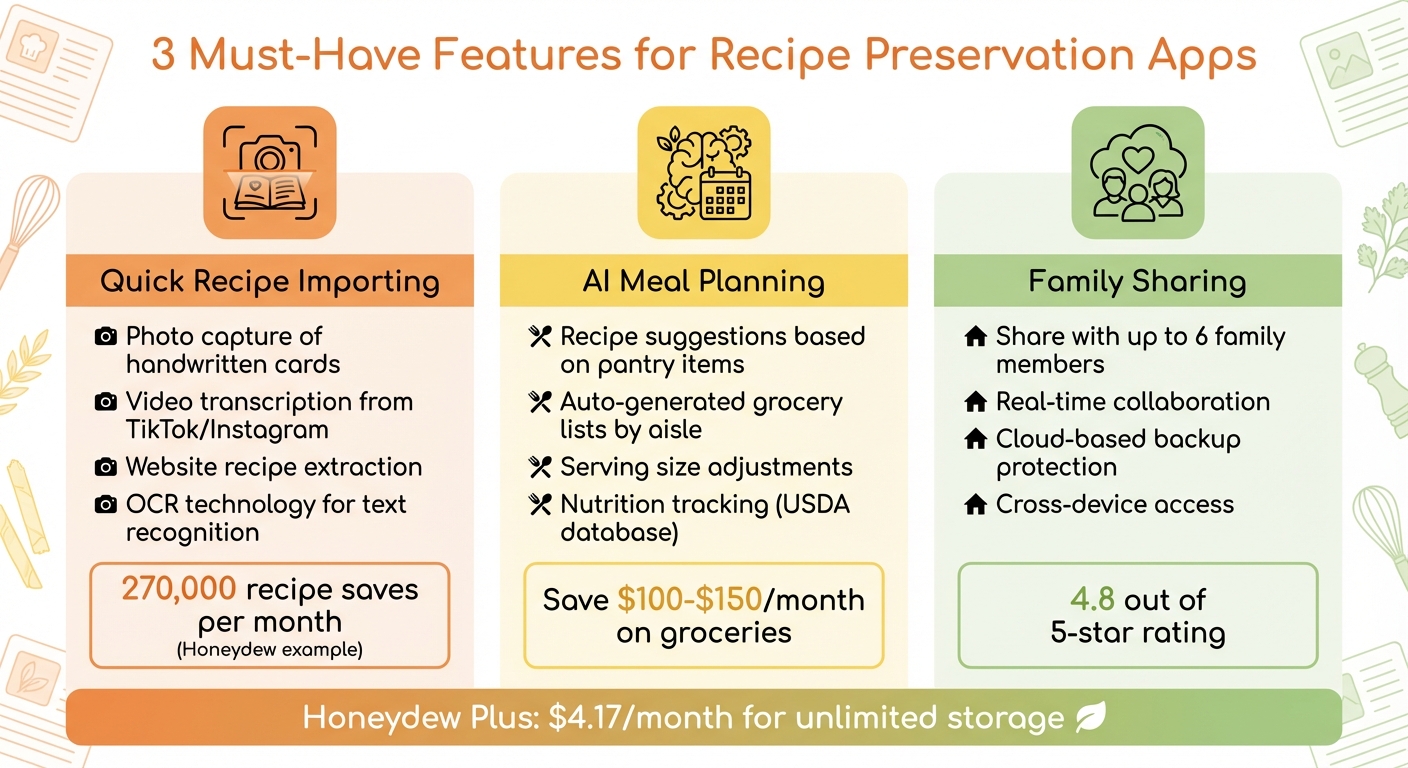
- Quick Importing: Snap a photo of handwritten cards or save recipes from TikTok, Instagram, or other platforms using AI and OCR tools.
- Meal Planning: AI features can suggest recipes based on your pantry items, create grocery lists, and help reduce food waste.
- Family Sharing: Share recipes with up to six family members, creating a shared digital cookbook.
Honeydew Recipe Manager stands out with its ability to digitize recipes, generate grocery lists, and offer family sharing for just $4.17/month. It even includes offline access and nutrition tracking. Start with the free version or upgrade for unlimited storage. Don’t let your family’s recipes fade - give them a secure, digital home.
Key Features to Look for in Recipe Preservation Apps
This app can help you organize your family recipes
What to Look for in Recipe Preservation Apps
When it comes to safeguarding your family's recipes, the best apps make it easy to import, organize, and share them. These tools not only preserve your cherished recipes but also simplify how you use them in everyday life. From quick importing to seamless sharing, these features ensure your recipes are both accessible and protected.
Quick Recipe Importing
An app's ability to import recipes from any source is a game-changer. Whether you're pulling a recipe from a TikTok video, a vintage handwritten card, or a cluttered website, retyping everything manually should never be necessary. The top apps let you photograph a recipe card, transcribe video audio, or capture on-screen text, transforming it into searchable and editable content while keeping the original image intact.
Take Honeydew Recipe Manager, for instance, which processes around 270,000 recipe saves each month. Tine Bak, founder of Copy Me That, highlights the benefits of digital organization:
"One advantage of going digital is simply being able to find your recipes again. You can tag them, but even if you don't feel like doing that, just having a basic text search is helpful".
AI Meal Planning
Preserving recipes is only part of the equation. The best apps also help integrate these recipes into your daily routine through AI-driven meal planning. These tools take the stress out of meal prep by suggesting recipes based on the ingredients you already have. They even generate grocery lists and organize items by store aisle, making shopping more efficient and cost-effective.
One user of Honeydew, James L., shared his experience:
"The smart grocery lists save me hundreds of dollars a month. I love how it suggests recipes based on what I already have!".
Some apps go a step further by offering customizable calendars that adjust recipes to match your household size, making meal planning even more convenient.
Family Sharing Options
Recipes are more than instructions - they’re part of your family’s history. That’s why sharing is such an important feature. Look for apps that allow real-time collaboration among multiple family members, ideally up to six people. This makes it easy for everyone to contribute their favorite dishes to a shared digital collection. It’s especially useful when creating a family cookbook, complete with personal stories or memories tied to each recipe.
Shared collections also provide peace of mind. If your device is lost or damaged, your recipes remain safe and accessible. As Sarah M. put it:
"I sleep better at night knowing our recipes are safe. My kids will have them, and their kids will too".
How Honeydew Recipe Manager Helps Preserve Family Recipes
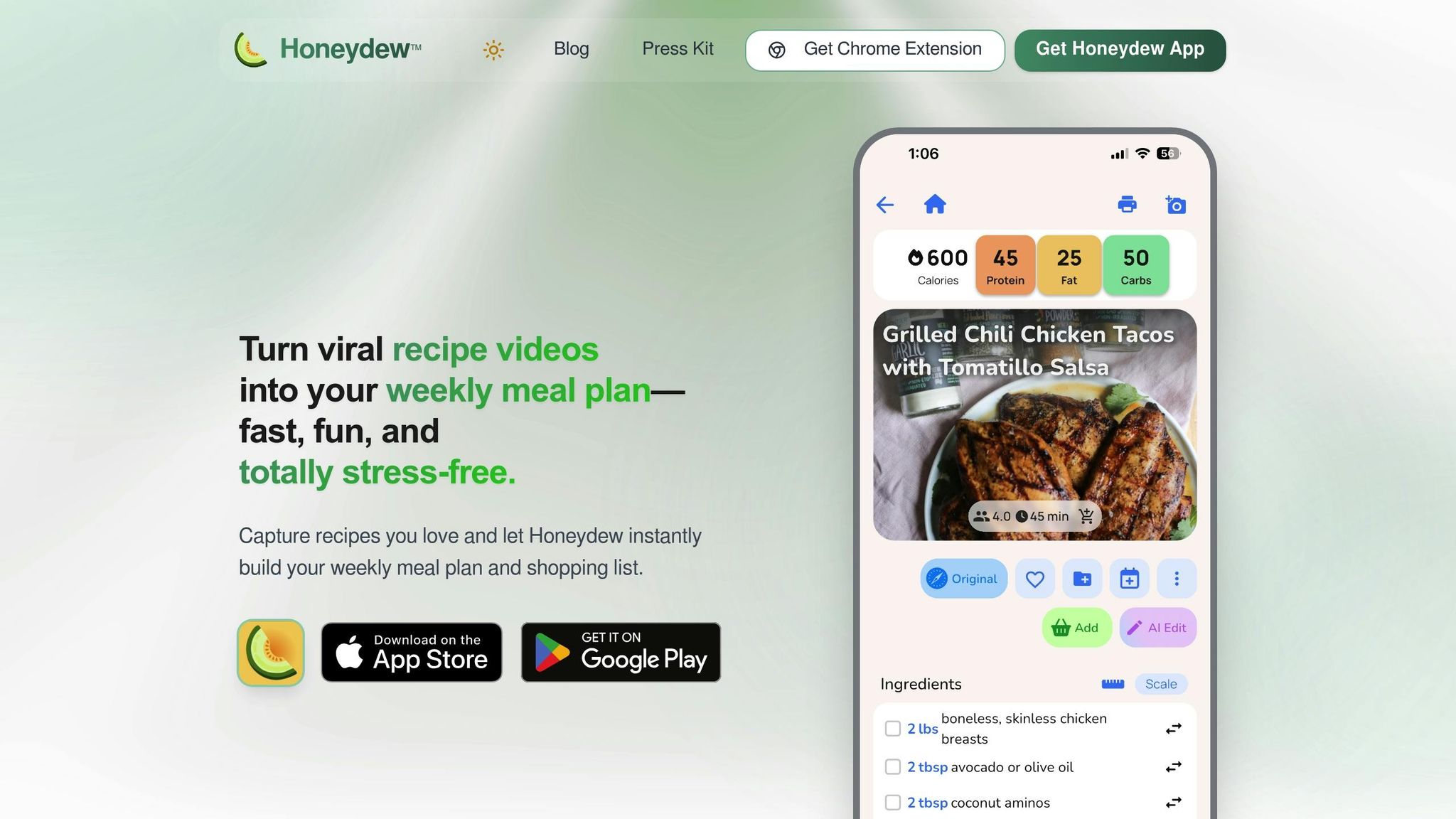
Honeydew Recipe Manager is your one-stop solution for saving, organizing, and sharing cherished family recipes. It takes care of the technical details, allowing you to focus on passing down your family's culinary traditions to the next generation.
Import Recipes from Any Source
Adding recipes to Honeydew is simple, no matter where you find them. Copy a URL from TikTok, Instagram, YouTube, or Pinterest, and the app’s AI extracts the ingredients, measurements, and instructions automatically. You can even use your phone’s share button to send recipes directly into the app without leaving the platform you’re browsing.
For those fleeting recipes in video captions, Instagram stories, or even grandma’s handwritten recipe cards, just snap a photo or take a screenshot. The built-in OCR technology reads the text, converts it into a structured digital format, and preserves the original image alongside it. Measurements are adjusted to U.S. imperial units like cups, ounces, and °F for consistency.
Once your recipes are digitized, meal planning becomes a breeze.
Automated Grocery Lists and Meal Plans
After importing your recipes, Honeydew’s AI takes over, creating meal plans and grocery lists with zero hassle. The drag-and-drop calendar makes it easy to schedule meals for the week, while the app generates a shopping list organized by store aisle. If you use Instacart, you can even place your grocery order with a single click, all priced in USD.
The app also suggests recipes based on what’s already in your pantry, helping you cut down on food waste and avoid unnecessary purchases. Each recipe includes detailed nutrition information sourced from USDA databases, and serving size adjustments are automatically reflected in the nutritional breakdown.
And when it comes to sharing these recipes, Honeydew makes it effortless.
Share Recipes with Up to 6 Family Members
Honeydew’s household sharing feature links up to six family members to a shared recipe collection. Everyone can view, edit, and add recipes in real time across all devices. Whether your sister discovers a new dish on TikTok or your mom wants to upload her classic casserole recipe, it’s instantly available to everyone in the group.
The cloud-based system ensures your recipes are protected from physical damage or device loss. Simply invite family members through the app settings to create a shared digital cookbook. The free version allows up to 10 recipe imports, while the Honeydew Plus plan ($4.17 per month) offers unlimited storage and advanced AI tools.
Other Helpful Features for Recipe Organization
Ingredient Substitution and Pantry Mode
Honeydew's AI assistant makes tweaking recipes a breeze. Need a gluten-free or vegan version? Just ask the built-in chatbot, and it will provide a modified ingredient list while keeping the original recipe intact. It even suggests ingredient swaps tailored to specific dietary needs - whether you're following keto, paleo, or low-carb plans. Plus, it flags recipes that might not align with your goals, like those high in sugar.
The Pantry Mode takes convenience a step further. Snap a photo of your fridge or pantry, and the AI will identify what you have on hand, then suggest recipes you can make right away. This feature not only saves you time but can also help cut down on unnecessary grocery trips. On average, users save over $150 a month by reducing food waste and avoiding duplicate purchases.
Nutrition Tracking and Serving Size Adjustments
Every recipe you add to Honeydew comes with a detailed nutritional breakdown, including calories, protein, fat, carbs, and fiber, all calculated using USDA databases. This makes it easy to see how ingredient swaps impact your health goals. As Michael B. shared:
"The calorie and macro calculator has helped me stick to my health goals while still enjoying great meals".
The app also simplifies meal prep with its dynamic scaling feature. Whether you're cooking for a few people or a crowd, it recalculates ingredient measurements instantly. Need to switch between U.S. and metric units? No problem - Honeydew handles that too, ensuring precision every time.
Offline Access and No Ads
No internet? No problem. Honeydew lets you download your saved recipes for offline access, so you can cook wherever you are - whether it’s a remote cabin or a kitchen with spotty Wi-Fi. For an uninterrupted experience, the Honeydew Plus plan ($4.17 per month) eliminates ads, letting you focus entirely on your cooking. With a stellar 4.8 out of 5-star rating on both the Google Play Store and Apple App Store, users frequently highlight its reliability and easy-to-use design.
Conclusion
Preserve your family’s treasured recipes in a modern way. Honeydew Recipe Manager transforms how you handle recipes by combining AI-powered digitization with tools that simplify cooking and meal planning. Whether it’s Grandma’s handwritten lasagna recipe or a trending TikTok dish, this app helps you save, organize, and share your culinary history effortlessly.
Honeydew goes beyond just storing recipes. You can digitize old recipe cards with a quick photo, share and update recipes with family members, and even adapt dishes to fit modern dietary needs - all while keeping the original versions intact. It’s a powerful way to honor your family’s culinary roots while making them more practical for today.
The app also offers tools to make cooking easier. Features like auto-generated grocery lists sorted by aisle, integrated nutrition tracking, and Pantry Mode - which suggests recipes based on what’s already in your kitchen - streamline meal planning. These features can help you save around $100–$125 every month by cutting down on food waste and avoiding unnecessary purchases.
With an impressive 4.8 out of 5-star rating on both the Apple App Store and Google Play Store, Honeydew provides an ad-free, offline-accessible experience. Start with the free version for basic imports or upgrade to Honeydew Plus for unlimited storage at just $4.17 per month.
Don’t let your family’s culinary traditions gather dust in an old recipe box - give them a digital home that will keep them alive for generations.
FAQs
How accurate is OCR for handwritten recipe cards?
OCR technology works well for digitizing handwritten recipe cards, but its success largely hinges on the clarity of the handwriting and the capabilities of the app being used. Many OCR tools are advanced enough to interpret faint or intricate scripts, though they might not always be 100% accurate. Cleaner and more legible handwriting typically yields better results.
Will my family recipes stay safe if I lose my phone?
Your family recipes are safe even if you lose your phone. Thanks to automatic cloud backups, you can access them from any device as long as you're signed in. This means your cherished recipes stay secure and easy to retrieve whenever you need them.
What happens to meal plans if I change serving sizes?
When you change serving sizes, the ingredient amounts in your meal plans automatically adjust to fit. These updated quantities are also synced with your grocery lists, making sure you have the right portions for your household.



