Best Tools for Importing Video Recipes
• Updated
Struggling to turn TikTok recipes into actual meals? You're not alone. Social media platforms like TikTok, Instagram, and YouTube are packed with quick recipe videos, but saving and using them effectively can be a hassle. Native tools often lack organization, search features, or the ability to extract clear instructions.
Here’s the fix: apps like Honeydew Recipe Manager transform video recipes into structured formats with ingredient lists, cooking steps, and even grocery planning features. These tools make it easy to find, follow, and cook from your saved videos.
Key Features to Look For:
- Accurate Video-to-Text Conversion: Extracts ingredients, steps, and timestamps.
- Meal Planning & Grocery Lists: Automatically organizes shopping lists by store aisles.
- Multi-Platform Support: Works with TikTok, Instagram, YouTube, and more.
Honeydew Recipe Manager stands out with its AI-powered tools, grocery list integration, and household sharing options. Free to try, with advanced features for $4.17/month, it’s perfect for simplifying your cooking routine.
Ready to stop scrolling and start cooking? Let’s dive into how these tools work and why they’re game-changers for food lovers.
What to Look for in Video Recipe Import Tools
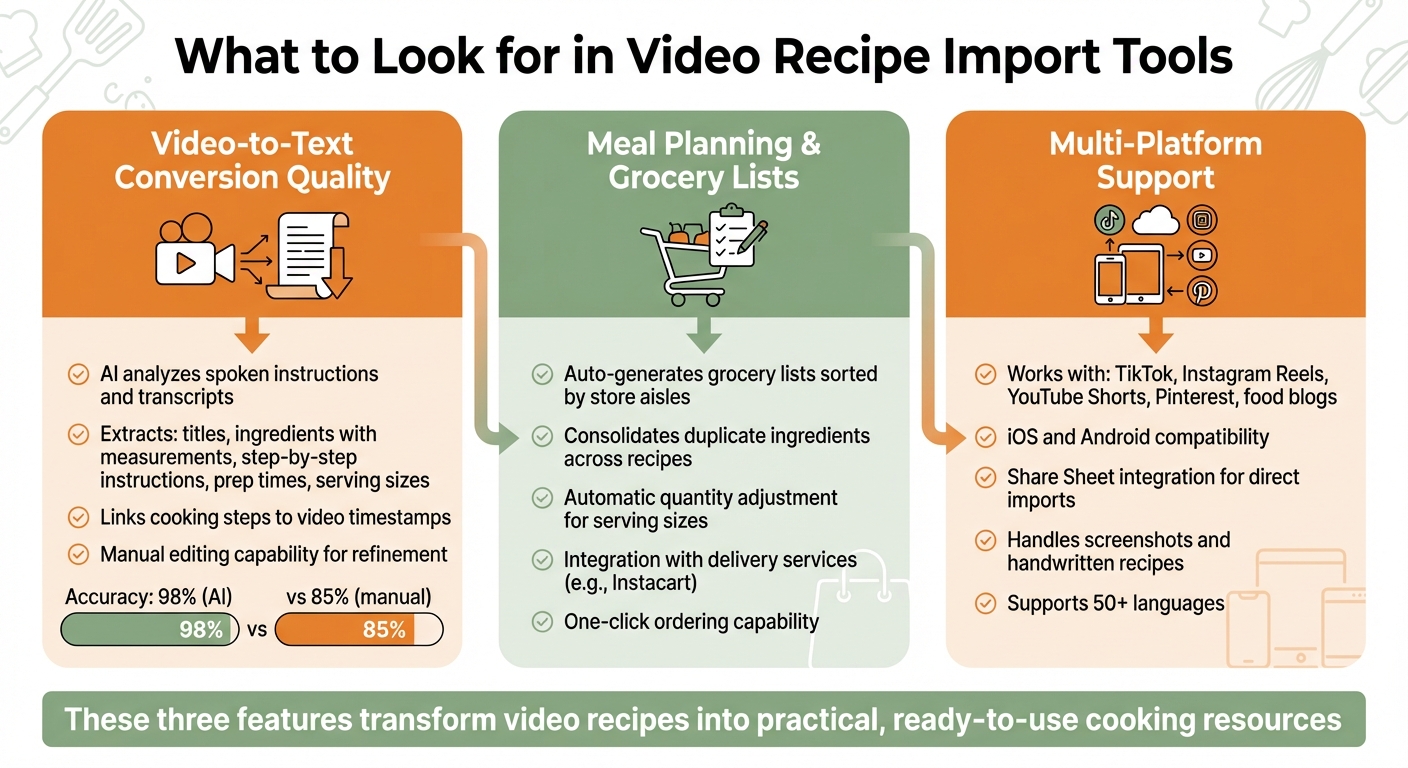
Key Features to Look for in Video Recipe Import Tools
Not all tools simply save links; the best ones transform video content into usable, structured recipes. Here's what sets the top tools apart from the rest.
Video-to-Text Conversion Quality
The core feature of any recipe import tool is how well it can extract accurate details from videos. Leading tools rely on AI to analyze spoken instructions and transcripts. This is especially important for platforms like TikTok and Instagram Reels, where creators often skip written ingredient lists and narrate the recipe while cooking.
The best tools organize the extracted content into clear sections: titles, ingredient lists (with measurements), step-by-step instructions, prep times, and serving sizes. Some even take it further by linking each cooking step to specific timestamps in the video, making it easy to revisit key moments like how to fold dough or sear a steak. Since no AI is perfect, choose tools that allow you to manually edit and refine the imported content.
Meal Planning and Grocery List Features
Accurate text conversion is just the beginning. The real game-changer is how well the tool integrates with meal planning and grocery shopping. Top tools can automatically pull ingredients from imported recipes and organize them into smart grocery lists sorted by store aisles. They also consolidate duplicate items - so if multiple recipes call for flour, you'll see a single entry with the total amount needed instead of separate lines.
Another handy feature is automatic quantity adjustment. When you change serving sizes, the tool should update ingredient quantities accordingly. Some even integrate with services like Instacart, letting you order everything you need with a single click. These features turn recipe imports into a seamless cooking and shopping experience.
Multi-Platform Support
Flexibility across platforms is a must. Recipes today live on TikTok, Instagram Reels, YouTube Shorts, Pinterest, and countless food blogs. A strong import tool should work with all major platforms. It should also handle recipes from traditional food blogs, not just social media.
Mobile compatibility is equally important. Tools that integrate with iOS and Android "Share Sheets" make it simple to send videos directly from apps like TikTok or Instagram to your recipe manager in just a few taps - no need to copy and paste URLs. Some tools even let you digitize handwritten recipe cards or screenshots, turning them into part of your virtual cookbook.
How Video Recipe Import Technology Works
Video recipe import tools operate using a blend of advanced AI technologies: computer vision, speech-to-text transcription, and natural language processing (NLP). Instead of just pulling captions, these systems dig into both the video and audio to extract complete recipe details.
Computer vision examines video frames to identify ingredients and cooking techniques directly from what’s happening on screen. It cross-references these visuals with audio or text to improve accuracy. This is especially helpful on platforms like TikTok or Instagram Reels, where captions are often missing. As BeChef Support explains:
BeChef Vision AI is the only technology that can watch cooking videos and listen to audio instructions to extract full recipes. With 98% accuracy, it works even when there are no captions or text descriptions...
Once the visuals are analyzed, the next step is audio processing. Speech recognition technology transcribes spoken instructions into text, even in the presence of background noise or varying accents. These systems are designed to focus on key cooking instructions, filtering out unnecessary narrative. Supporting over 50 languages, they achieve transcription accuracy rates as high as 98.5% .
Finally, NLP takes the raw data - both transcripts and visual details - and organizes it into structured recipe fields. These fields include the recipe title, ingredients, steps, prep times, and servings. NLP also handles tasks like converting measurements (e.g., metric to imperial), making it easy to follow along with the video demonstration. SocialKit highlights their API’s capability:
API automates recipe extraction by analyzing video content, extracting transcripts, and using AI to structure recipe data in a format perfect for apps and databases
This AI-powered process achieves an impressive 98% accuracy, significantly outperforming manual transcription, which sits at around 85%. Automated systems can process hundreds of recipes daily, cutting what used to take hours into mere seconds . These tools transform social media recipes into practical, ready-to-use formats with incredible efficiency. For more cooking and meal planning tips, explore our latest guides.
Honeydew Recipe Manager
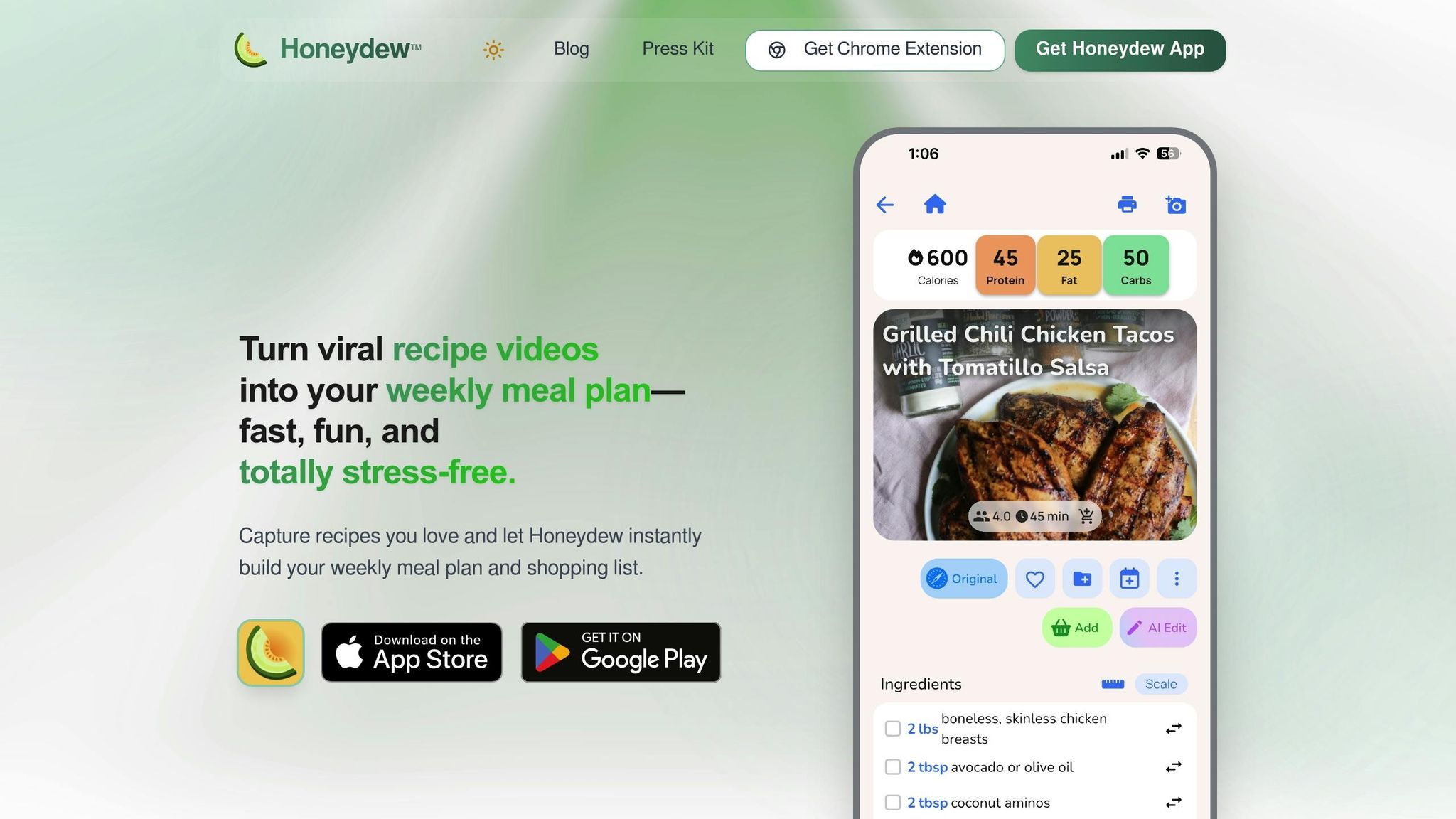
Honeydew Recipe Manager takes the hassle out of managing recipes by turning social media cooking videos into neatly organized digital recipes. Known for its advanced video recipe import technology, this app is a favorite on Google Play. It simplifies everything from gathering recipes to planning meals. With just one tap, you can import recipes, plan your week using a user-friendly calendar, and generate grocery lists sorted by store aisle. Users collectively save over 270,000 recipes every month. Honeydew showcases how smart design and AI can transform fleeting cooking videos into reliable, go-to resources for your kitchen.
Social Media Platform Coverage
Honeydew Recipe Manager works seamlessly with TikTok, Instagram (including Reels), YouTube (Videos and Shorts), Facebook (including Reels), and Pinterest. You can import recipes by sharing them from your device or simply pasting a URL.
The app extracts complete recipe information, such as ingredients and step-by-step instructions, from various formats. It even converts text from screenshots, handwritten recipes, and food photos into structured digital recipes.
AI Meal Planning and Grocery Lists
Honeydew’s meal planner is tailored to popular dietary preferences like Keto, vegan, paleo, high-protein, and gluten-free. You can drag and drop imported recipes onto a digital calendar and get suggestions based on your eating habits. Once your plan is set, the app generates an organized shopping list, combining ingredient quantities automatically. Plus, its Instacart integration allows you to order everything with one click. The grocery list is also sorted by store aisle, making shopping quick and efficient.
The Pantry Mode adds even more convenience. Just snap a photo of your pantry or fridge, and Honeydew’s AI will suggest recipes based on what you already have - or let you know what’s missing. As user James L. shared:
The smart grocery lists save me hundreds of dollars a month. I love how it suggests recipes based on what I already have!
Other Helpful Features
Honeydew goes beyond planning and shopping with tools designed to make cooking easier. The AI-powered ingredient substitutions suggest alternatives based on your dietary needs or what’s available in your pantry. Nutrition tracking calculates calories and macronutrients for each recipe, helping you keep an eye on your health.
Other handy features include household sharing for up to six family members and a "no screen lock" mode that keeps your device screen active while you cook. For international recipes, the app also offers a translation feature, instantly converting them into your preferred language.
Honeydew is free to download on iOS and Android. For $4.17 per month, Honeydew Plus unlocks unlimited recipe storage and household sharing, making it a great option for families or avid home cooks.
How to Choose the Right Tool
The first step is figuring out where you usually find your recipes. If you’re constantly scrolling through TikTok or Instagram Reels for meal ideas, you’ll want a tool that works well with social media and can extract recipes effortlessly. Honeydew Recipe Manager is a great option here - it supports TikTok, Instagram (including Reels), YouTube (Videos and Shorts), Facebook (including Reels), and Pinterest. This makes it a strong choice for pulling recipes from a variety of platforms.
Next, think about how well the tool fits your household size. Whether you’re cooking just for yourself or organizing meals for a family of six, features like real-time syncing and household sharing can save you a lot of time. Honeydew Recipe Manager allows up to six family members to share meal plans and grocery lists, making it ideal for households of all sizes.
Your shopping preferences also play a role. If you rely on online grocery delivery, look for a tool that integrates with services like Instacart. Honeydew offers this feature, making it easier to turn your meal plans into grocery orders with minimal effort.
Of course, cost is another key factor. Honeydew Recipe Manager provides a free tier that lets you store up to 10 recipes. For those who need more, the Honeydew Plus plan is available for $4.17 per month, offering unlimited recipe storage and advanced AI features.
If health and nutrition are priorities, you’ll want a tool that includes dietary tracking. Honeydew Recipe Manager stands out by integrating nutritional data, giving you instant calorie and macronutrient breakdowns. This feature makes it easier to tailor recipes to your specific diet. As Michael B. shared:
The calorie and macro calculator has helped me stick to my health goals while still enjoying great meals.
Conclusion
Turning those quick social media cooking videos into real meals doesn’t have to be a hassle. Forget about pausing TikTok clips mid-recipe or losing track of Instagram Reels. With the right tool, like Honeydew Recipe Manager, you can seamlessly transform video inspiration into organized meal plans that make it to your plate.
Honeydew Recipe Manager takes care of everything. With just one tap, you can import recipes from TikTok, Instagram, Facebook, or YouTube. Its AI-powered tools automatically extract ingredients and step-by-step instructions, saving you time and effort. With hundreds of thousands of recipes saved monthly, it’s clear how much this platform simplifies the cooking process.
But the magic doesn’t stop at importing. Features like the drag-and-drop meal planner and automatically sorted grocery lists make meal prep smooth and stress-free. Plus, Instacart integration means you can go from recipe inspiration to having ingredients delivered right to your door. It’s all designed to streamline your cooking routine.
Whether you’re cooking for yourself or a family, tools like household sharing and nutrition tracking make it easy to adapt to your needs. As one user, Sarah M., put it:
Honeydew has transformed my cooking, saving time and introducing fresh recipes.
With an impressive 4.8/5 star rating from 728 users and a free version to try it out, Honeydew Recipe Manager makes it easier than ever to bring your favorite video recipes to life. Why not give it a try and simplify your home cooking?
FAQs
How accurate is video-to-recipe conversion?
AI tools designed for converting videos into recipes have made impressive strides. They can analyze visuals, audio, and captions to identify ingredients and cooking instructions with a high degree of precision. That said, their accuracy often depends on factors like the quality of the video, how clear the visuals are, and the level of detail provided.
While these tools perform well with straightforward cooking videos, they might need some manual fine-tuning when dealing with more complex or less clear content. In general, they deliver dependable results, though they aren't flawless in every situation.
Can I edit an imported recipe if the AI gets something wrong?
If the AI happens to make a mistake, don't worry - you can edit an imported recipe. Tools like Honeydew Recipe Manager allow for manual adjustments, including swapping out ingredients. This means you can fix errors, tweak recipes to fit your dietary preferences, or simply use what you already have in your kitchen. The option to edit recipes gives you full control to make them just right after importing.
Will my grocery list combine duplicates and adjust serving sizes?
Honeydew Recipe Manager takes the hassle out of meal planning by automatically merging duplicate ingredients and adjusting serving sizes. This way, your grocery lists stay organized, precise, and perfectly suited to your preferences.



