How AI Creates Weekly Meal Plans
• Updated
AI has transformed meal planning into a faster, easier, and more personalized experience. Instead of flipping through cookbooks or manually calculating nutrition, apps like Honeydew Recipe Manager use AI to:
- Suggest recipes tailored to your diet: Set preferences for allergies, nutrition goals, or family tastes, and the AI filters recipes accordingly.
- Simplify grocery shopping: Generate aisle-organized shopping lists, cross-check your pantry, and even sync with Instacart for delivery or pickup.
- Reduce food waste: Features like Pantry Mode recommend meals based on what you already have in your kitchen, saving money and cutting waste.
- Streamline recipe imports: Save recipes directly from TikTok, Instagram, YouTube, or photos of handwritten notes.
Honeydew’s AI also tracks nutrition, adjusts recipes for dietary needs, and lets families collaborate on meal plans, all for as low as $4.17/month. Meal planning now takes less than 1.5 hours weekly, saves up to $125/month, and helps households reduce food waste by up to 40%. Whether you're managing a diet or feeding a family, AI makes it simple.
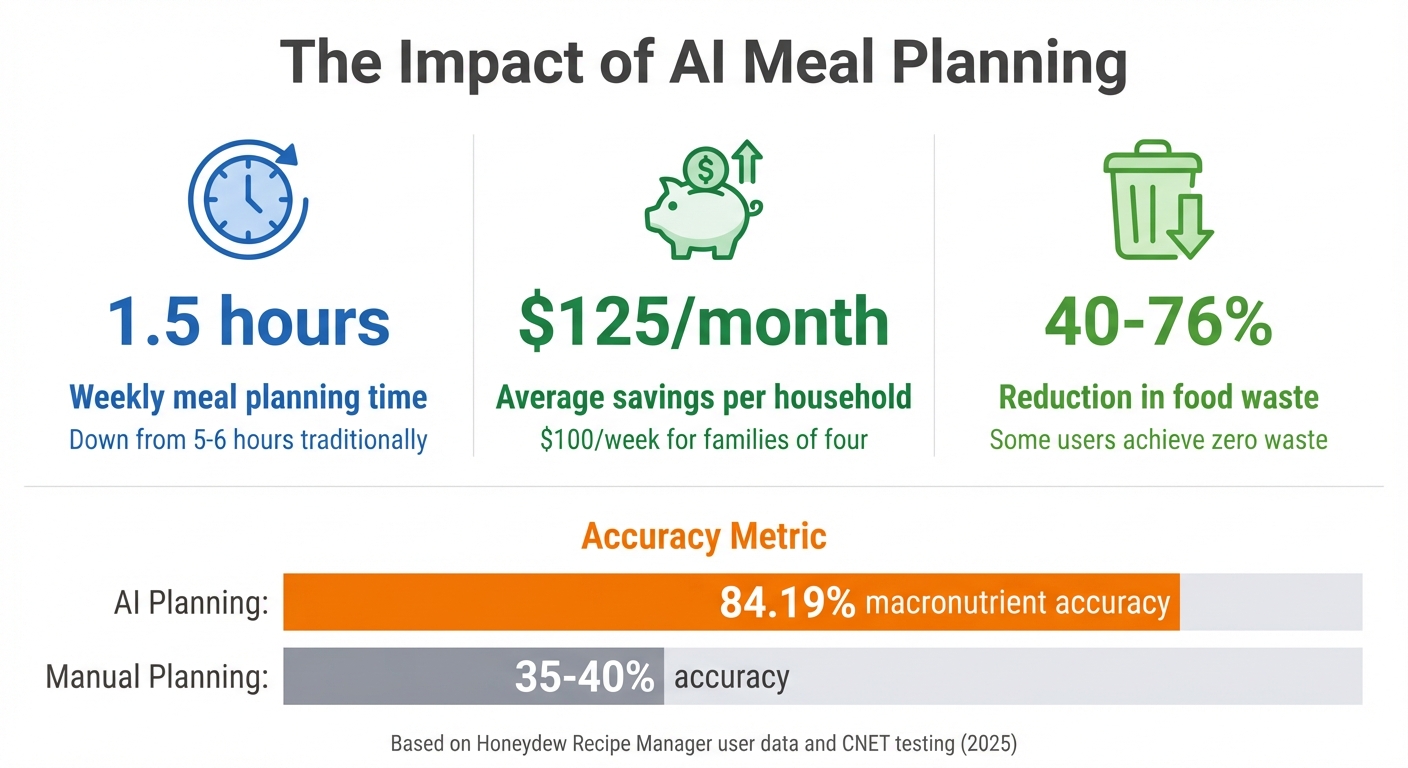
AI Meal Planning Benefits: Time, Money, and Waste Reduction Statistics
How To Use AI To MEAL PLAN! 🤖💻🌮 (with ChatGPT Prompts)
How to Set Your Preferences and Dietary Needs
Start by setting up your dietary restrictions, nutrition goals, and family preferences to create personalized meal plans. It only takes a few minutes and ensures your weekly menus are tailored to your needs. You can also import recipes from social media and manage your pantry for even more customized suggestions.
Adding Dietary Restrictions
Honeydew allows you to specify allergies, intolerances, and diet preferences. Whether you're keto, vegan, gluten-free, or avoiding specific allergens, the app filters out recipes that don’t meet your criteria. The "Ask Honey" AI assistant takes this a step further by modifying recipes on the spot. Found a recipe you love but it includes an allergen? Just ask the AI to "make this gluten-free", and it’ll rewrite the ingredient list and instructions to suit your diet. This flexibility means you’re not limited to pre-filtered recipes - you can adapt almost any dish to work for you.
Setting Calorie and Nutrition Goals
Forget the hassle of manually calculating macros. Simply tell the AI your calorie and nutrition targets, and it handles the rest. The app pulls calorie and macronutrient data (protein, fat, carbs, and fiber) from every recipe you import. You can type or speak your requirements, like "Plan a week of meals with 1,500 calories a day", and the AI instantly creates a structured plan. Dragging recipes onto your calendar updates your daily nutritional totals in real time.
"The calorie and macro calculator has helped me stick to my health goals while still enjoying great meals".
Adding Family Preferences
Cooking for a group? Honeydew Plus makes it easy to account for everyone’s tastes. The household sharing feature supports up to six family members, syncing preferences across all devices. You can search for recipes based on specific cuisines, tags, or ingredients, ensuring you avoid disliked items and highlight favorite flavors. The AI also scales recipes and adjusts portions to match your family size.
"My family of five uses Honeydew for all our meal planning. The household sharing feature keeps everyone organized".
How to Import Recipes and Manage Inventory
Honeydew Recipe Manager makes building your recipe collection effortless with its AI-powered tools. Whether it's a recipe from TikTok, Instagram, YouTube, Facebook Reels, or a food blog, the app takes care of everything - no typing needed. Simply paste a URL or tap the "Share" button while browsing social media, select Honeydew, and the AI extracts all the details, including ingredients and instructions. From there, you can explore how to save trending recipes, manage your pantry, and keep your digital cookbook organized.
Importing Recipes from Social Media
Capturing trending recipes has never been easier. When you come across a recipe video on TikTok or Instagram, just tap the share icon and select Honeydew from your app options. The AI will analyze the content, pull out the ingredients and steps, and save it directly to your cookbook. You can even import recipes from screenshots, photos of handwritten notes, or by snapping a picture of a restaurant dish to create your own copycat version. Once the recipe is in your library, use Pantry Mode to match it with the ingredients you already have at home.
"I love being able to snap a photo of a recipe and have it automatically imported. So convenient!" - Jessica W.
Using Pantry Mode for Recipe Suggestions
Pantry Mode transforms your phone into a smart inventory tracker. Take a quick photo of your fridge or pantry, and the AI will identify what’s available. From there, it suggests recipes you can make right away or highlights what you’re missing to complete a dish. This feature not only helps you save money on groceries but also minimizes food waste. Before heading to the store, you can scan your pantry to see which recipes align with your current inventory.
Building Your Recipe Library
Every recipe you import is added to your personal cookbook, where you can organize them by tags, ingredients, or cuisine. The free version lets you save up to 10 recipes, but upgrading to Honeydew Plus ($4.17/month) unlocks unlimited storage and real-time sharing with your household. Your library syncs seamlessly across devices, allowing family members to add recipes or drag them onto a shared meal planning calendar. A well-organized recipe collection makes it easy to create AI-driven meal plans for the week.
"Being able to import recipes from anywhere has built my cookbook faster than I ever imagined." - Priya K.
How AI Generates Weekly Meal Plans
With your recipe library and preferences in place, Honeydew's AI takes the reins to build a tailored weekly meal plan. It goes beyond simple recipe matching - it evaluates your dietary needs and even checks your pantry inventory. By analyzing these factors, the AI crafts plans that align with your nutritional goals, reduce food waste, and fit your lifestyle. With users saving over 270,000 recipes monthly, the AI has become skilled at balancing these elements seamlessly.
How AI Analyzes Preferences and Inventory
The process begins with your dietary profile. Whether you're Keto, Vegan, Paleo, High-Protein, or Gluten-Free, the AI matches recipes to your specific needs. Then comes Pantry Mode - a feature that lets you snap a photo of your fridge or pantry. Using this, the AI identifies ingredients you already have and prioritizes recipes that incorporate them. If you're missing just one or two items, it flags those ingredients, giving you the choice to shop for them or switch to another recipe.
"The smart grocery lists save me hundreds of dollars a month. I love how it suggests recipes based on what I already have!" - James L.
How AI Creates Balanced Meal Plans
Nutrition is at the core of every plan. The AI calculates calories and macronutrients for each recipe, ensuring your daily intake aligns with your health goals . Whether you're pulling recipes from TikTok, Instagram, or family cookbooks, you can skip the hassle of manual tracking. The AI takes care of it all, supporting goals like weight loss, muscle building, or simply maintaining a balanced diet.
Adjusting Plans for Flexibility
Flexibility is key, and Honeydew delivers. You can drag and drop meals onto the digital calendar to rearrange your week. If plans change, the AI suggests alternative recipes based on your pantry or nutritional needs. The ingredient substitution feature is especially handy, allowing you to tweak recipes for allergies, dietary restrictions, or missing items without compromising nutrition. Plus, with Household Sharing, you can share your plan with up to six family members, keeping everyone updated in real time.
"The ingredient substitution feature is a game-changer for my dietary restrictions. I can adapt any recipe easily!" - Emily C.
How AI Creates Grocery Lists
After you’ve locked in your meal plan, Honeydew’s AI jumps into action to create a grocery list tailored to your needs. It calculates the exact quantities for every ingredient, ensuring you only buy what’s necessary. This approach can cut household food waste by up to 40% and save users around $125 a month by combining smart grocery lists with pantry-based planning.
Auto-Generated Grocery Lists
Honeydew’s AI scans your meal plan, pulls out the required ingredients, and organizes them by store aisle for easy shopping. It even cross-checks your pantry to make sure you’re only adding items you don’t already have. You can review the list before finalizing and remove ingredients you already have in small amounts to keep costs down.
"I used to waste so much food. Now with Honeydew's meal planning, I buy exactly what I need and save money!" - Mark T., Verified User
AI Ingredient Substitutions
Need to tweak a recipe? The "Ask Honey" assistant makes it simple to adjust. Whether you’re switching to gluten-free options or replacing dairy with plant-based alternatives, the AI updates both your recipe and grocery list instantly. This feature is perfect for managing allergies, dietary preferences, or even just missing ingredients, keeping your shopping list accurate and up-to-date.
Ordering Through Instacart Integration
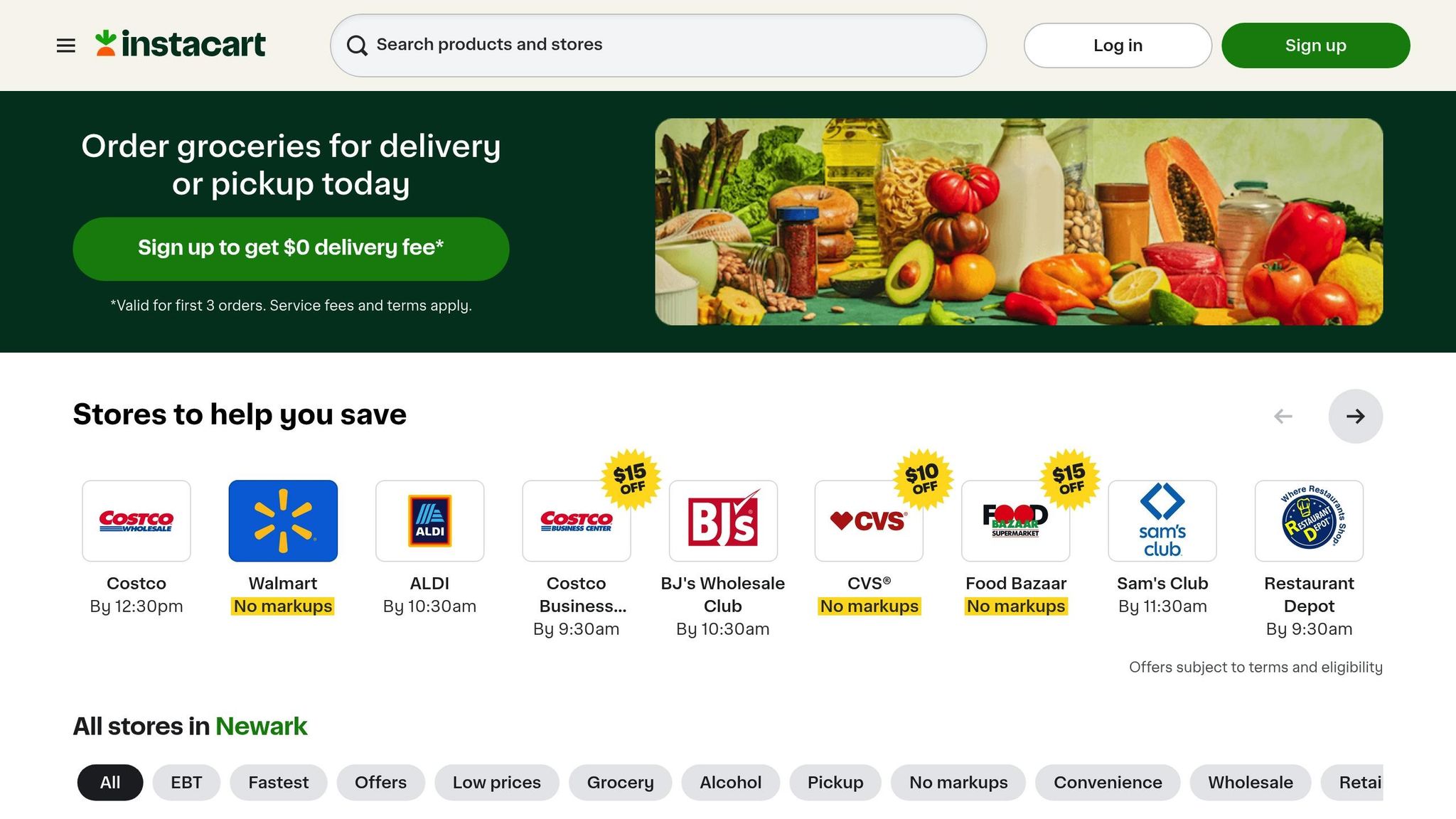
With Honeydew’s Instacart integration, your shopping list can be sent directly to Instacart for delivery or pickup in just one click. Review the list, hit the export button, and set your brand preferences or handle out-of-stock items directly in the Instacart app. Whether you’re using the free or Honeydew Plus plan, this feature works seamlessly for both in-store and at-home shoppers. It’s a smooth transition from planning your meals to getting the groceries you need without skipping a beat.
Once your list is ready, dive into how Honeydew tracks your progress and fine-tunes your plans for even better results.
Tracking Progress and Improving Plans
Tracking Nutrition and Calories
Honeydew simplifies tracking your nutrition by analyzing the nutrients in each recipe as you build your meal plan. The app automatically calculates your daily and weekly totals for calories, protein, fat, carbohydrates, and fiber - no manual entry required. Each recipe is broken down instantly, giving you a clear picture of whether you're hitting your targets. You can also drag recipes onto the calendar for a visual layout of your meals, making it easier to balance your nutrition throughout the week.
If a recipe pushes your daily calorie limit, the "Ask Honey" AI assistant offers ingredient swaps to help you adjust. For example, it might suggest replacing regular flour with almond flour to lower carbs or calories. These changes immediately update your totals, giving you real-time insights for fine-tuning your plan.
How AI Learns from Your Feedback
Once you've tracked your meals, you can refine your plan by providing feedback on recipe adjustments. While the app doesn’t automatically adjust based on feedback, it allows you to manually tweak recipes to better match your preferences. Over time, this process helps you build a customized recipe collection that aligns with your household’s tastes and dietary needs, making future meal planning much smoother.
Sharing Recipes and Plans with Family
Honeydew also makes it easy to share and coordinate meal plans with your family. With Honeydew Plus, up to six family members can sync meal plans and grocery lists, ensuring everyone stays on the same page. Built-in notes let you assign tasks or leave reminders, while the Auto-Sort feature organizes shared grocery lists by store section for added ease.
"My family of five uses Honeydew for all our meal planning. The household sharing feature keeps everyone organized." - Alex P., User
Recipes and plans are accessible across both iOS and Android devices, even offline, so your family can stay connected without needing an internet connection. This collaborative setup reduces duplicate grocery purchases and keeps everyone aligned with your shared health goals.
Conclusion
Honeydew Recipe Manager transforms meal planning with personalized tools, efficient grocery tracking, and user-friendly social features. By leveraging advanced AI, it simplifies every step - from importing recipes to generating accurate grocery lists - tailored to fit your lifestyle.
With AI-powered meal planning, what used to take 5–6 hours a week can now be done in less than 1.5 hours. Plus, it helps you stick to your nutritional goals with an impressive 84.19% macronutrient accuracy, compared to just 35–40% when planning manually vs using an app.
The advantages go beyond saving time. AI meal planning can cut food waste by up to 76% and save families around $100 each week. For example, in November 2025, CNET editor Corin Cesaric tested an AI-generated meal plan for a week and reported zero food waste - avoiding the typical $125 monthly loss many U.S. households experience.
"Letting AI help me make the most of what I already have saves our family of four roughly $100 a week."
- Abby Brody, Digital Parenting Expert
In addition to time and money savings, Honeydew Recipe Manager combines all the features you need - from collaborative tools to Instacart integration - into one seamless system. Whether you're juggling dietary restrictions, reducing waste, or reclaiming your evenings, Honeydew makes it easier.
With a free tier offering smart imports for up to 10 recipes and Honeydew Plus at just $4.17 per month for unlimited features, there’s an option for everyone to simplify their meal planning routine.
FAQs
How does the AI decide what meals to plan each week?
The AI crafts weekly meal plans by taking into account your preferences, dietary requirements, allergies, and even your schedule. It tailors recipes to match these factors, ensuring they’re not only balanced but also personalized to suit your lifestyle. This makes meal planning easier and more aligned with your daily needs.
How accurate are the nutrition and macro calculations?
AI-driven tools for nutrition and macro calculations offer impressive accuracy, cutting errors by more than 50% when compared to manual approaches. By leveraging machine learning, these tools deliver personalized insights that align closely with your specific dietary requirements.
What happens if I change my mind midweek?
Using an AI-powered meal planning app, like Honeydew Recipe Manager, gives you the freedom to tweak your meal plan anytime during the week. Changed your mind about dinner? No problem. These apps let you effortlessly swap recipes, add new dishes, or remove meals without redoing your entire plan. With Honeydew’s intuitive drag-and-drop tools, updating your weekly calendar is a breeze. Whether it’s a shift in your schedule, a sudden craving, or missing ingredients, your meal plan stays as flexible as you need it to be.



