How AI Helps Plan Low FODMAP Meals
• Updated
Struggling with low FODMAP meal planning? AI-powered tools like Honeydew Recipe Manager make it easier to manage your diet by automating recipe adjustments, tracking ingredients, and organizing grocery lists. Here's how it works:
- Recipe Import: Pull recipes from TikTok, Instagram, or websites, and the app flags high-FODMAP ingredients.
- Smart Substitutions: Replace triggers like garlic with low FODMAP options, such as garlic-infused oil.
- Meal Planning: Use a drag-and-drop calendar to build a weekly menu while avoiding FODMAP stacking.
- Grocery Lists: Generate detailed shopping lists, sorted by store aisle, with substitutions included.
- Pantry Mode: Snap a photo of your fridge or pantry, and the app suggests compliant recipes based on what you have.
- Nutrition Tracking: Monitor portion sizes and ensure meals meet low FODMAP guidelines.
With features like these, AI simplifies the complexities of low FODMAP diets, helping you avoid triggers and save time.
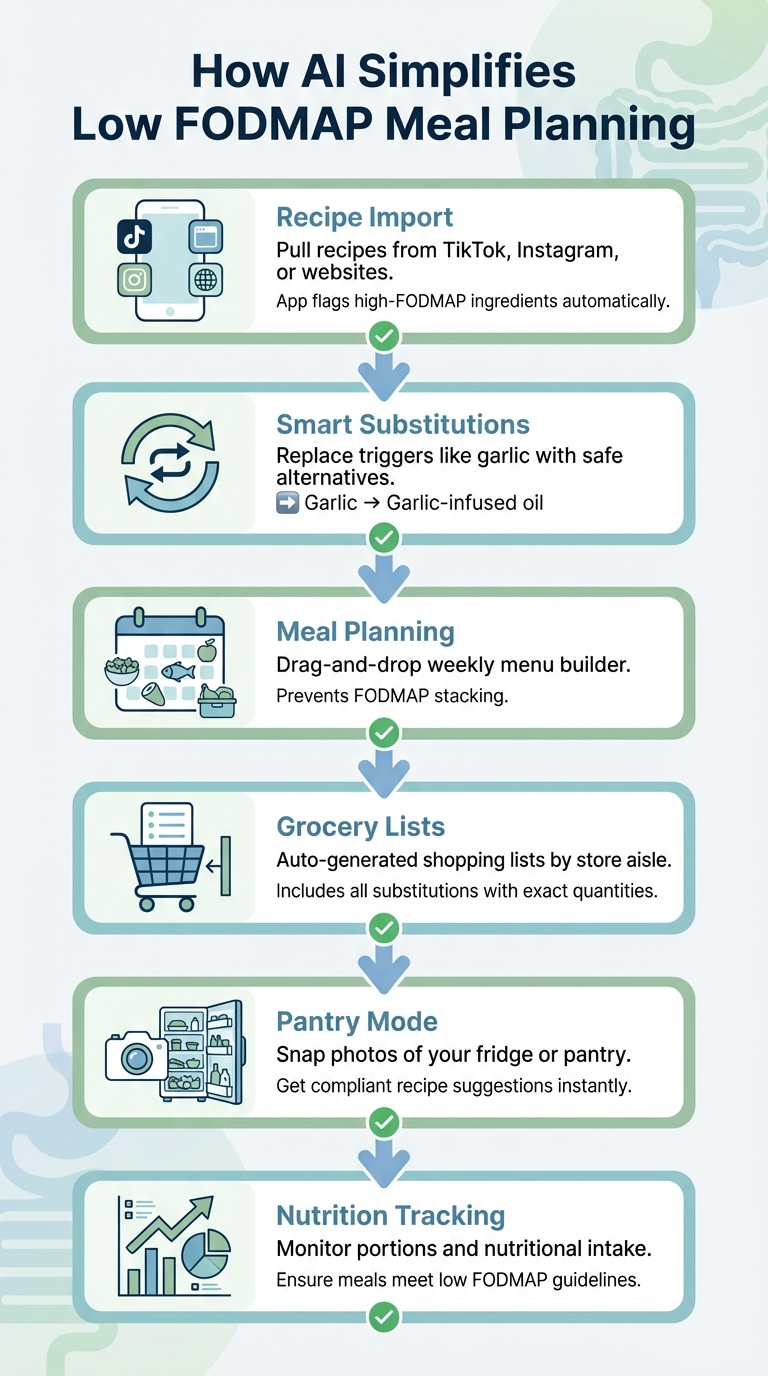
6-Step Low FODMAP Meal Planning Process with AI
Honeydew Recipe Manager Features for Low FODMAP Meals
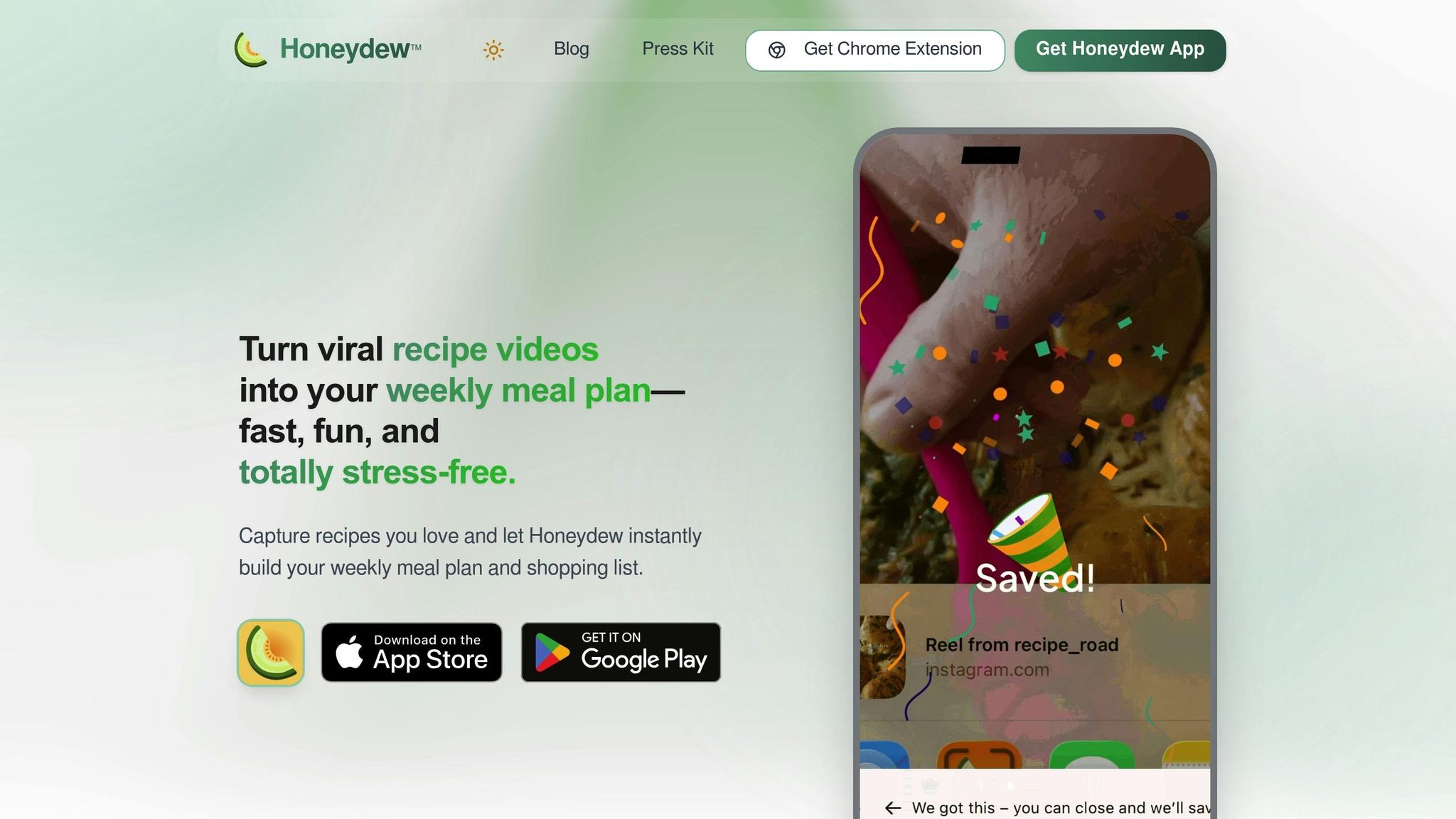
AI Recipe Import from Social Media
The Honeydew Recipe Manager takes the hassle out of finding low FODMAP recipes by letting you import them directly from popular platforms like TikTok, Instagram Reels, Facebook Reels, and YouTube. Whether you use the share button or paste a link, the app pulls in all the key details - ingredients, measurements, steps, and prep times - making it easy to recreate your favorite dishes. The app is free on iOS and Android, but for $4.17 per month, the Honeydew Plus subscription gives you unlimited recipe imports and access to advanced tools. With a stellar rating of 4.8 out of 5 stars, it's clear users love it, though the AI might occasionally miss a step in more complex video recipes.
Smart Ingredient Substitutions
Once a recipe is imported, Honeydew identifies potential FODMAP triggers and suggests safer alternatives. For example, it might replace fresh garlic with garlic-infused oil. This works because fructans, the FODMAPs in garlic and onions, are soluble in water but not in oil. That means you can enjoy the flavor without the digestive discomfort. This feature kicks in automatically during the import process, so you can transform a trending TikTok recipe into a low FODMAP version before it even hits your meal plan.
| High-FODMAP Ingredient | Low FODMAP Substitution |
|---|---|
| Garlic | Garlic-infused oil |
| Onion (White/Red) | Chives or green scallion tops |
| Honey or Agave | Maple syrup or brown rice syrup |
| Wheat Flour | Gluten-free flour (rice or quinoa-based) |
| Cow's Milk | Lactose-free milk or almond milk |
These ingredient swaps are seamlessly integrated into your recipes, making it easier to stick to your dietary needs without sacrificing flavor.
Automated Grocery Lists
Honeydew simplifies grocery shopping by creating detailed lists tailored to your low FODMAP recipes. Once you’ve added your adapted dishes to the app’s drag-and-drop meal planning calendar, it generates a grocery list with exact quantities and includes only the substitutions you’ve chosen. The list is organized by store sections - like produce, dairy, and pantry - to make shopping faster and more efficient. Plus, the Pantry Mode feature lets you snap photos of your fridge and pantry, automatically removing items you already have. For added convenience, the app works with Instacart, so you can order everything you need with just one click.
How to Create Low FODMAP Meal Plans with Honeydew
Import and Adapt Recipes
Start by grabbing the URL of a low FODMAP recipe video from platforms like TikTok, Instagram, YouTube, or Facebook, and paste it into Honeydew. The app's AI will pull the ingredients, measurements, and steps into an editable recipe card. Got handwritten notes or recipes from websites? You can snap a photo or import those too.
Once the recipe is in, the app performs a dietary suitability check, flagging high-FODMAP ingredients such as garlic, onions, or honey. This feature helps you avoid the common issue of FODMAP stacking, where combining multiple trigger foods can cause discomfort. For substitutions, tap Smart Ingredient Substitutions to see AI-recommended alternatives based on proven low FODMAP swaps. You can accept these with a single tap or tweak ingredients and portions manually. To double-check any suggestions, cross-reference portions with the Monash University FODMAP app before finalizing.
Generate Weekly Meal Plans
With your recipes customized, it's time to plan your meals. Use Honeydew's drag-and-drop calendar to organize your week. Simply drag recipes onto specific days and meal slots - breakfast, lunch, dinner, or snacks. This visual setup helps you balance proteins and veggies across the week while avoiding the risk of FODMAP stacking caused by eating too many moderate-FODMAP foods in one sitting.
Pressed for time? Let the app's AI meal planner take over. It reviews your saved recipes and dietary preferences to create a full weekly plan. The basic version of the app offers standard meal planning, while upgrading to Honeydew Plus gives you unlimited recipe imports and access to advanced AI planning tools.
Create a Smart Grocery List
Once your weekly menu is ready, simplify your shopping with AI-powered ingredient prep and an automated grocery list. Tap the grocery list button after finalizing your plan, and Honeydew will generate a list of all the ingredients you need, sorted by store aisle - produce, dairy, pantry items, and more. The list includes only your low FODMAP substitutions, along with precise quantities, so there's no guesswork involved.
Before heading to the store, review the aisle categories to make sure specialty items like gluten-free flour or garlic-infused oil are sorted correctly for your local store. For added convenience, use Pantry Mode to snap a photo of your fridge and pantry. The app will remove items you already have from the list. Need to save even more time? Connect to Instacart and order everything online with just one click.
Additional Features for Low FODMAP Cooking
Use Pantry Mode for Recipe Suggestions
Ever find yourself staring at your fridge, unsure of what to make? Pantry Mode has you covered. With just one clear photo of your pantry, fridge shelves, or a group of ingredients on your counter, the app uses AI to identify what you have and suggests recipes you can whip up right away - all tailored to fit a low FODMAP diet.
For the best results, take clear photos in natural light. If needed, snap multiple images to capture ingredient details. The app taps into databases like FoodKG and FoodOn to recognize ingredients and their relationships, flagging anything that might not align with low FODMAP guidelines, such as certain dairy products or additives. Once a recipe is suggested, you can use the "Ask Honey" feature to tweak it into a low FODMAP-friendly version with compliant ingredient substitutions. Plus, the app’s "no screen lock" mode keeps your device awake while you cook, saving you from having to touch the screen with messy hands.
This feature doesn’t stop at recipes - it also tracks your nutritional intake, offering a complete tool to support your low FODMAP lifestyle.
Track Nutrition and Adjust Portions
Sticking to a low FODMAP diet requires careful portion control, and Honeydew makes this easier by automatically calculating your daily nutrition. The app tracks key metrics like calories, protein, fat, carbohydrates, and fiber - essential components for managing a low FODMAP plan. Using USDA data, it converts recipe measurements into grams for accuracy, ensuring you stay within safe serving limits. Adjusting portion sizes is as simple as a tap, with instant recalculations that maintain low FODMAP compliance.
You can review daily nutritional reports to make sure your fiber, protein, and carb intake matches clinical low FODMAP recommendations. This is especially helpful during the elimination phase, where precise tracking is critical. For those using recipes from other countries, the Cookbook Translator converts measurements between Imperial and Metric systems while checking dietary compatibility. In fact, a case study revealed that AI-based meal planning improved nutritional balance by 51%, with 86% of meals meeting dietary standards compared to just 57% before using AI tools.
Conclusion
Key Takeaways
Navigating a low FODMAP diet just got a whole lot easier with AI-powered tools. The Honeydew Recipe Manager streamlines the process by letting you import recipes from social media or websites, automatically swap out high FODMAP ingredients, and organize your grocery shopping - all in one place. Features like Pantry Mode help you whip up compliant meals based on what you already have, while nutrition tracking ensures you stick to safe portion sizes throughout every phase of the diet.
This app takes the guesswork out of meal planning, whether you're in the elimination phase or reintroducing foods. By adapting recipes to meet your dietary needs, it keeps your meals both compliant and diverse without requiring endless manual adjustments. These tools make daily meal prep seamless, supporting every step of your FODMAP journey.
Next Steps for Simplified Meal Planning
Ready to get started? Download the Honeydew Recipe Manager and try importing a few recipes from Instagram, TikTok, or your favorite cooking sites. Use the AI meal planner to create a compliant menu for the week, and take advantage of the smart grocery list to shop with ease. Once you're familiar with the basics, explore Pantry Mode for quick meal ideas and the "Ask Honey" feature to tweak recipes on demand.
For extra accuracy, consider cross-checking serving sizes with the Monash University FODMAP app, as some ingredients are only low FODMAP in specific amounts.
The app offers a free plan, allowing up to 10 recipe imports to get you started. If you need more, upgrade to Honeydew Plus for $4.17/month to unlock unlimited recipe storage, advanced planning tools, and the ability to share access with up to six family members. With features like offline access and recipe translation, Honeydew equips you with everything you need to make low FODMAP cooking simple and stress-free.
FAQs
How accurate are AI low FODMAP substitutions?
AI-generated low FODMAP substitutions aren't always spot-on. This happens because AI relies on existing data, which might be incomplete, outdated, or even incorrectly categorize a food's FODMAP content. To stay safe, it's essential to double-check these substitutions using trusted low FODMAP guides or consult a qualified professional for accurate advice.
How do I avoid FODMAP stacking in a weekly meal plan?
To manage FODMAP stacking, it's important to space out low FODMAP foods and keep an eye on the total FODMAP load in your meals. FODMAP stacking occurs when you consume several low FODMAP foods containing the same type of FODMAP in a short period, potentially triggering symptoms.
Here are some tips to help:
- Spread out meals and snacks: Avoid eating everything all at once. Give your body time to process smaller portions.
- Watch portion sizes: Stick to recommended serving sizes for low FODMAP foods.
- Mix up FODMAP groups: Avoid combining multiple foods from the same FODMAP category in a single meal.
These strategies can help you enjoy low FODMAP foods without overloading your system.
Can Pantry Mode recognize everything in my fridge photo?
Pantry Mode leverages AI to recognize items in your fridge based on a photo. While it does a solid job, it might not always catch every item flawlessly. You can easily review and tweak the inventory to keep everything accurate.



