How AI Helps Plan Themed Kids' Party Menus
• Updated
Planning a kid's party menu can feel overwhelming with picky eaters, dietary restrictions, and time constraints. AI tools like Honeydew Recipe Manager simplify the process by creating themed menus, adjusting for dietary needs, and even generating grocery lists. Here's how it works:
- Choose a theme: Describe your party (e.g., "ocean party for 8-year-olds"), and AI suggests dishes like "Fish-Shaped Sandwiches" or "Ocean Blue Jello Cups."
- Dietary adjustments: Input guest restrictions (e.g., nut-free), and the app filters recipes or suggests alternatives.
- Grocery planning: AI consolidates ingredients into an organized list, syncs with Instacart, and even uses photos of your pantry to avoid overbuying.
- Customization: Import recipes from TikTok or Instagram, tweak them for picky eaters, and scale portions for your guest count.
- Collaboration: Share menus with family for input and updates in real time.
Honeydew offers a free version (up to 10 recipes) and a Plus plan ($4.17/month) with unlimited recipes, advanced features, and shared access. Whether you're hosting a pirate or princess party, AI makes menu planning faster and stress-free.
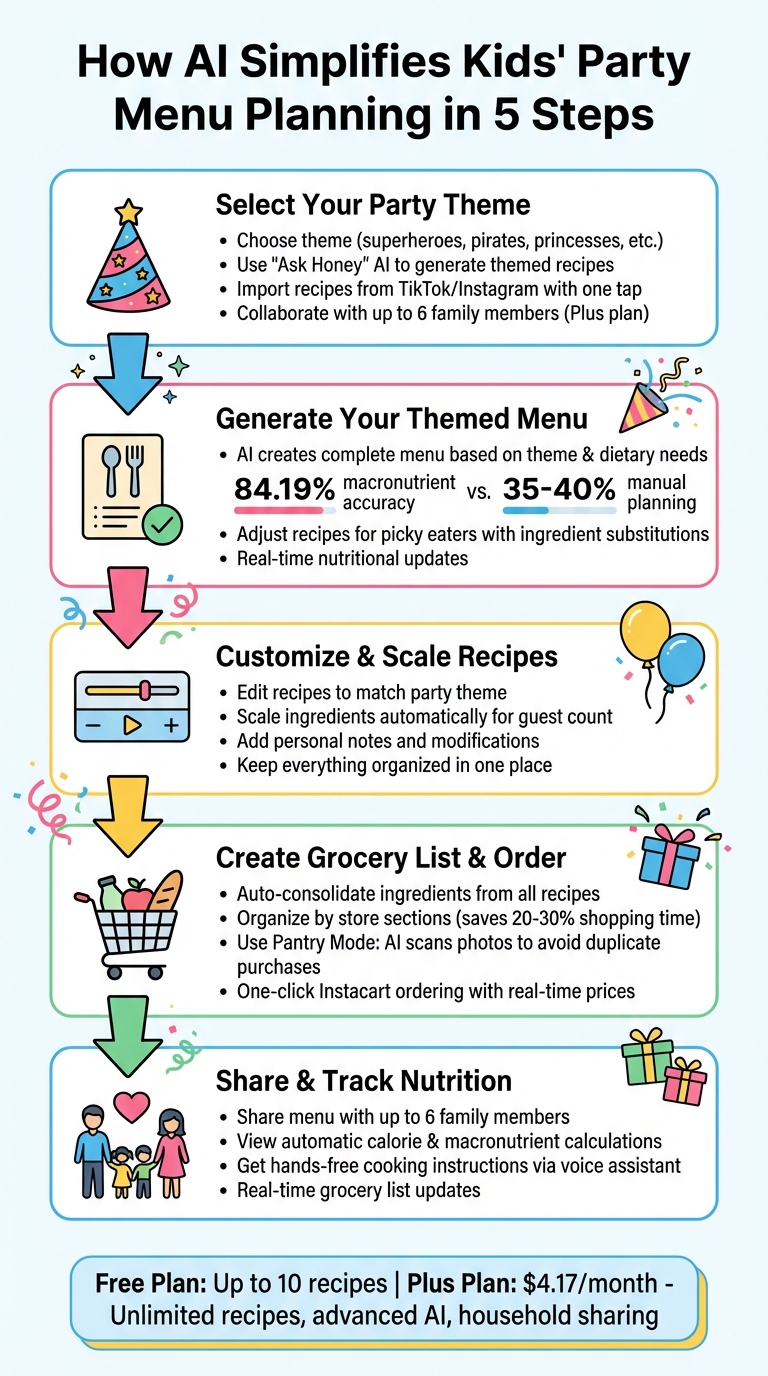
5-Step AI-Powered Kids Party Menu Planning Process
Step 1: Select Your Party Theme and Set Your Preferences
Pick Your Party Theme
Start by choosing a theme that matches your child's interests. Think superheroes, princesses, dinosaurs, pirates, or even an enchanting fantasy world. Once you’ve nailed down the theme, head over to Honeydew Recipe Manager and use "Ask Honey" to create your menu. Just describe your theme - something like "underwater ocean party for 8-year-olds" - and the AI will suggest recipes that fit perfectly.
Found a fun recipe on TikTok or Instagram? With the one-tap import feature, you can instantly add it to your menu. The AI takes care of the details by extracting ingredients and cooking steps, so you don’t have to. You can also browse recipes using smart tags like "Family Favorite" or "Quick & Easy" to find dishes that are both kid-friendly and on-theme.
If you’re using Honeydew Plus, planning gets even easier. Up to six family members can collaborate on the party menu. Everyone can suggest recipes, vote on their favorites, and keep track of the plan through a shared digital calendar. It’s a great way to involve your partner or older kids in the decision-making process.
Once your theme and menu ideas are in place, it’s time to fine-tune the details - starting with guest preferences and dietary needs.
Enter Guest Details and Dietary Needs
Add the guest count and any dietary restrictions directly into your profile settings or simply tell "Ask Honey" something like, "make everything nut-free for this party." The AI will automatically adjust by filtering out recipes with unsuitable ingredients and offering safe alternatives. Whether your guests need nut-free, gluten-free, dairy-free, or vegan options, the system has you covered.
For added convenience, try Pantry Mode. Snap a quick photo of your pantry, and the AI will prioritize recipes that use what you already have on hand. This not only simplifies planning but also helps keep costs in check.
"The ingredient substitution feature is a game-changer for my dietary restrictions. I can adapt any recipe easily!" - Emily C.
Step 2: Generate Your Themed Menu with AI
How AI Creates Your Menu
After setting your theme and providing guest details, "Ask Honey" takes over to craft a complete menu. It considers your party theme, dietary needs, guest count, and even the ingredients you already have. The result? A tailored selection of appetizers, main dishes, desserts, and drinks that fit your event perfectly. For a superhero-themed gathering, you might see options like "Power-Up Pizza Bites" or "Hero Fuel Fruit Kabobs." Planning an underwater adventure? Expect ideas like "Ocean Blue Jello Cups" or "Fish-Shaped Sandwiches."
Want to stay on trend? Use the one-tap import feature to pull recipes directly from TikTok, Instagram, or YouTube. This tool grabs all the essentials - ingredients, cooking steps, and even nutritional details - automatically.
Impressively, the AI achieves 84.19% macronutrient accuracy compared to the 35–40% range typical of manual planning. That means your menu stays balanced without sacrificing creativity or fun.
Adjust Recipes for Picky Eaters
Once your menu is ready, you can tweak each dish to make sure even the pickiest eaters are happy. Kids can be notoriously selective, but the ingredient substitution feature makes adjustments simple. For example, you can tell "Ask Honey" to "swap spinach for shredded carrots in this dip," and it will instantly update the ingredient list and instructions. Plus, the nutritional information adjusts in real time, so you’ll always know exactly what’s in each dish.
The AI also helps when recipes include ingredients that kids typically avoid. If a pasta salad calls for olives, you can ask for alternatives like cherry tomatoes or diced bell peppers. The system ensures the recipe still works and tastes great while keeping your theme intact. This flexibility means you can confidently stick to your pirate or princess theme without worrying if the food will actually get eaten.
Step 3: Customize Recipes and Adjust Serving Sizes
Edit and Personalize Recipes
Once the AI generates your menu, you can easily tweak any recipe to fit your party theme or preferences. For instance, if your dinosaur-themed cookies would look better with sprinkles instead of chocolate chips, just tap the edit icon in the app. The ingredient list and instructions will automatically update, and you can even add notes like a reminder to use superhero-shaped cookie cutters or to arrange fruit kabobs in a rainbow pattern.
Found a viral unicorn cupcake recipe on Instagram or a pirate ship cake tutorial on TikTok? No problem - paste the link into Honeydew, and the app will pull in the recipe, complete with photos and step-by-step instructions. From there, you can customize it further by reducing sugar for a kid-friendly option or sprinkling on some edible glitter for extra flair. It’s all kept in one place, making recipe personalization straightforward and organized.
Once your recipes are just the way you want them, it’s time to adjust the portions to match your guest list.
Scale Ingredients for Your Guest Count
Tailoring recipes to the number of guests is simple. At the top of each recipe card, there’s a slider or input field where you can enter how many servings you need. Honeydew will automatically recalculate the ingredient amounts, using imperial measurements like cups, tablespoons, ounces, and pounds.
For example, if you're making a pirate-themed "Treasure Map Pizza" for 15 guests, the app will scale up the original recipe (designed for 4 servings) by adjusting 1 cup of flour and 1/2 cup of tomato sauce to about 4 cups of flour and 2 cups of tomato sauce. Measurements are rounded to practical amounts, and the app even flags potential issues, like too much salt, to keep your dishes both accurate and kid-friendly.
Step 4: Create Your Grocery List and Order Ingredients
Generate an Organized Grocery List
Once your recipes are ready, it's time to simplify your family meal planning and grocery shopping. Honeydew takes all the ingredients from your party menu and combines them into one streamlined list. Whether your recipes were created with AI, imported from TikTok, or edited manually, the app scans them all and consolidates the ingredients. For example, if both your dinosaur cookies and volcano cake require flour, Honeydew calculates the total amount needed instead of listing it twice.
To make shopping even easier, the app organizes items by store sections. Ingredients are grouped into categories like produce, dairy, bakery, and pantry, mirroring the layout of most U.S. grocery stores. This way, you can grab all your fruits and vegetables in one stop before moving on to dairy for items like cream cheese and yogurt. This aisle-based organization can cut your shopping time by 20-30%, giving you extra time to prep decorations or wrap party favors.
Before heading to the store - or placing an order - double-check your inventory.
Use Ingredients You Already Have
Honeydew’s Pantry Mode helps you avoid buying items you already own. By snapping a quick photo of your kitchen shelves, the app uses AI to identify what’s there - like that half-full bag of flour, a carton of eggs, or the honey jar you picked up last week. It then cross-references these items with your planned recipes and automatically adjusts your shopping list.
This feature is especially handy for last-minute party planning. For instance, if your superhero-themed menu calls for Greek yogurt in both smoothies and veggie dip, and you already have two containers in the fridge, the app reduces or removes it from your list. No more accidental duplicates!
Order Groceries Through Instacart
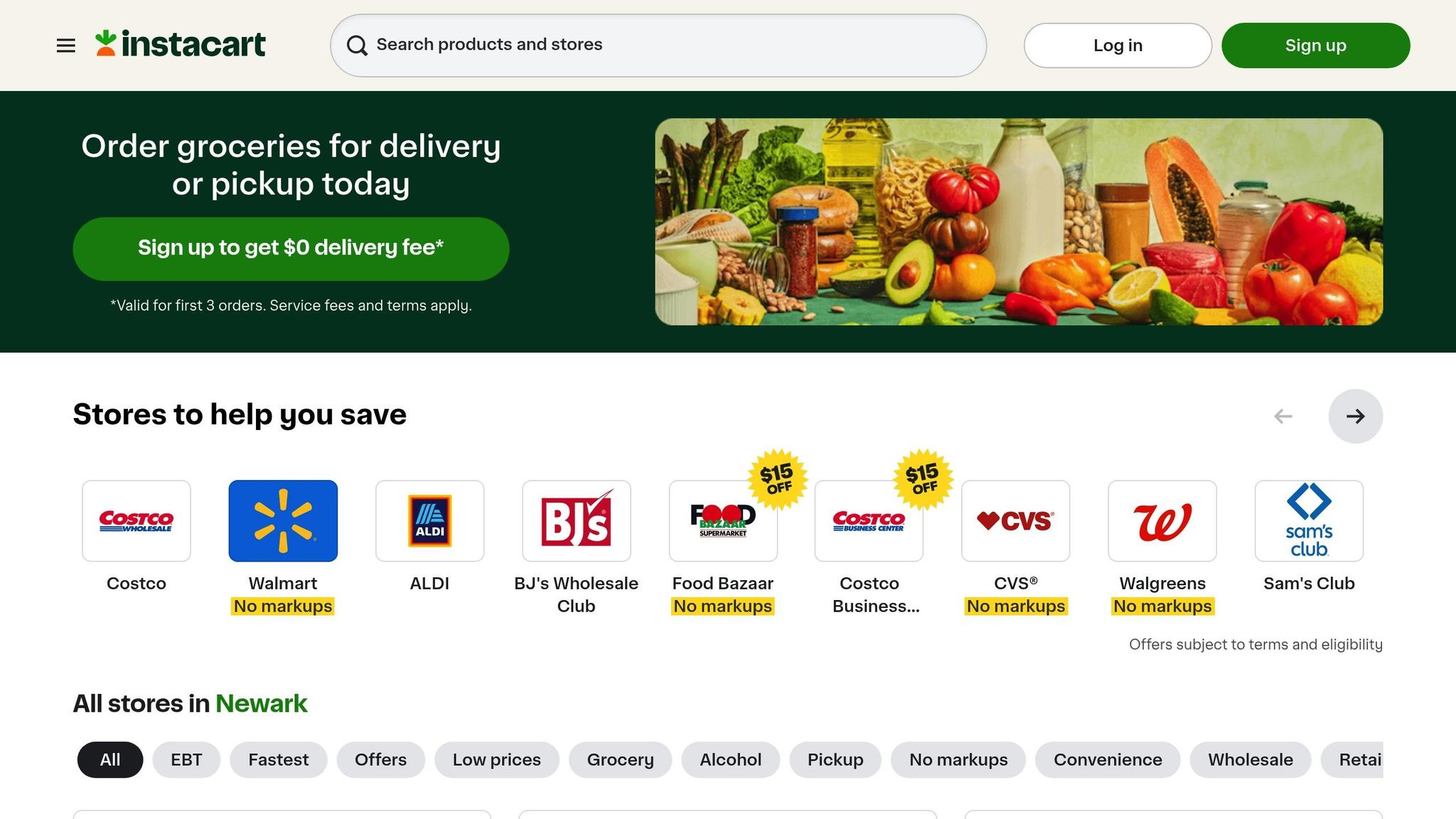
When your list is finalized, you can order everything directly through the app. By tapping "Order via Instacart," Honeydew syncs your grocery list to Instacart, displaying real-time prices in U.S. dollars. You can choose your preferred store - whether it’s Costco for bulk party snacks or Kroger for specialty items - and even apply available coupons automatically.
Groceries can be delivered in as little as an hour, which is perfect if you're short on time or multitasking with other party prep. While Instacart charges a delivery fee starting at about $3.99, the convenience of having themed ingredients - like edible glitter or pirate-themed fruit kabobs - delivered right to your door can be a lifesaver. This process ensures you spend less time shopping and more time enjoying the party.
Step 5: Share Your Menu and Track Nutrition
Share Menus with Family Members
Once your menu is set, sharing it with family members is simple and keeps everyone on the same page. With Honeydew, you can share your entire party menu with up to six family members across devices. Whether your partner wants to add a recipe for pirate-themed fruit kabobs or your sister suggests swapping superhero cupcakes for another dessert, they can make edits directly in the app. This shared editing feature allows co-hosts to digitize family recipes, tweak serving sizes, or include dietary notes - all without the hassle of exchanging screenshots. Plus, the synced grocery list updates in real time, so everyone can see which items are already checked off.
View Nutrition Information
Honeydew takes the guesswork out of nutrition by automatically calculating calories and macronutrient details - including protein, fat, carbohydrates, and fiber - for every recipe you import or create. This is a game-changer for planning a balanced menu, especially for kids' parties. Worried about too much sugar from themed treats? You can easily review nutritional info and make ingredient swaps. For example, the "Ask Honey" assistant might recommend almond flour instead of regular flour to reduce carbs in dinosaur cookies. As you add recipes to your party calendar, the app updates daily nutritional totals, giving you a clear snapshot of what your guests will be eating. With this clarity, you can move seamlessly into the cooking phase.
Get Help While Cooking
Honeydew’s AI cooking assistant offers hands-free, step-by-step instructions, making food prep a breeze. Sync your meal plan with voice assistants like Alexa or Google Assistant, and manage timers or follow recipes without needing to touch your phone. The real-time task tracking mode guides you through every step - from mixing volcano cake batter to assembling superhero sandwiches - and even answers specific questions like, "How long do I bake these at 350°F?" This voice-guided feature is a lifesaver when juggling multiple tasks in the kitchen.
Honeydew Free vs. Plus: Which Plan Works for Party Planning?
Feature Comparison
When planning a party, choosing the right Honeydew plan can make all the difference, especially when balancing your event's size and complexity.
Honeydew Recipe Manager offers two options: the Free plan and the Plus plan, which costs $4.17 per month. The Free plan allows you to import up to 10 recipes - perfect for a small birthday party or an intimate gathering. However, if you're organizing a larger event with multiple courses for about 20 guests, this limitation might leave you scrambling for alternatives.
The Plus plan steps in with no recipe limits and a suite of advanced AI tools designed to simplify meal planning. It can automatically create menus tailored to your party theme and personal preferences. Need nut-free desserts or low-sodium appetizers? The Plus plan generates custom recipes to meet those specific needs, eliminating the guesswork of searching through generic options online.
Another standout feature for party hosts is the ability to share the plan with up to six family members, making collaboration effortless. Plus also integrates one-click grocery ordering through Instacart, so you can skip the manual shopping lists and focus on other party details.
Here’s a breakdown of the key differences between the two plans:
| Feature | Free Plan | Plus Plan ($4.17/month) |
|---|---|---|
| Recipe Imports | Up to 10 recipes | Unlimited |
| AI Meal Planning | Basic | Advanced auto-planning with theme customization |
| Custom Recipe Creation | No | Yes – tailored to dietary needs and themes |
| Household Sharing | No | Up to 6 family members |
| Instacart Integration | No | One-click ordering through Instacart |
| Smart Substitutions | Limited | Full access |
| Ad-Free Experience | No | Yes |
If you're unsure, the Plus plan offers a 7-day free trial, giving you a chance to explore its features. For those who host events regularly, Plus can save time and money by precisely calculating ingredient needs, helping reduce food waste. On average, Americans waste about $125 per month on unused food. With Plus, you can avoid overbuying and cut back on leftovers.
Whether you're hosting a casual dinner or an elaborate celebration, there's a Honeydew plan to match your needs and make party planning a breeze.
AI plans a dinner party
Conclusion
Honeydew takes the stress out of planning a themed kids' party menu by simplifying what used to be a time-consuming process. No more scouring the internet for recipes, struggling with portion calculations, or managing multiple shopping lists. With its AI-powered tools, Honeydew Recipe Manager does the hard work for you - whether that's importing fun recipes straight from TikTok or Instagram or adjusting servings to fit your guest list.
The app's AI assistant also makes it easy to accommodate dietary needs. From nut-free desserts to gluten-free snacks, it tailors recipes instantly. Plus, with streamlined grocery ordering, you can spend more time focusing on decorations and party games instead of spreadsheets or store runs.
"Letting AI help me make the most of what I already have saves our family of four roughly $100 a week." - Abby Brody, Digital Parenting Expert
Honeydew is free to download on iOS and Android - no credit card required. The free plan includes up to 10 recipe imports, perfect for a small gathering. Need more? The Plus plan, priced at $4.17 per month, offers unlimited recipes, advanced AI features, and household sharing for up to six people.
Whether you're hosting a superhero adventure or a whimsical tea party, Honeydew turns party menu planning into a breeze. Download it today and let AI handle the details so you can focus on celebrating!
FAQs
How do I make a themed menu that kids will actually eat?
AI tools like Honeydew Recipe Manager can make planning kid-friendly themed menus a breeze. They suggest dishes that are not only fun and colorful but also tailored to specific dietary needs. Think about including foods that are easy to eat, like finger foods or playful, visually appealing dishes. By offering a variety of options, you can cater to different tastes and dietary restrictions, ensuring every child enjoys the menu while staying true to the party's theme.
Can Honeydew handle allergies and special diets for a whole party?
Honeydew can handle allergies and special diets for an entire group with ease. Its AI-powered tools can tweak recipes to fit different dietary requirements, spot hidden allergens, and recommend ingredient swaps. This makes managing dietary restrictions far simpler and more efficient.
How accurate is the grocery list when I scale recipes for more guests?
When it comes to scaling recipes, the grocery list stays spot-on. AI-powered tools take the guesswork out by adjusting portions and calculating ingredient amounts with precision. This helps you avoid buying too much or too little, cutting down on waste and ensuring you have exactly what you need - whether you're hosting an intimate dinner or a large gathering.



