5 Steps to Plan Party Menus with AI
• Updated
Planning a party menu doesn't have to be overwhelming. With AI tools like Honeydew Recipe Manager, you can simplify the entire process - saving time, reducing waste, and creating a personalized menu that fits your event perfectly. Here's how it works:
- Set Party Details: Enter event specifics, guest count, and dietary needs for tailored menu suggestions.
- Import Recipes: Pull recipes from TikTok, Instagram, or even handwritten notes with AI-powered imports.
- Adjust Recipes: Scale portions, swap ingredients, or calculate nutrition effortlessly.
- Organize Shopping: Generate grocery lists sorted by store aisles and sync with Instacart for easy ordering.
- Cook and Share: Access ad-free, offline recipes and share tasks with co-hosts for a stress-free event.
With features like portion calculators, ingredient substitutions, and real-time collaboration, Honeydew transforms menu planning into a quick, efficient process. Whether you're hosting a casual gathering or a formal event, AI ensures everything runs smoothly.
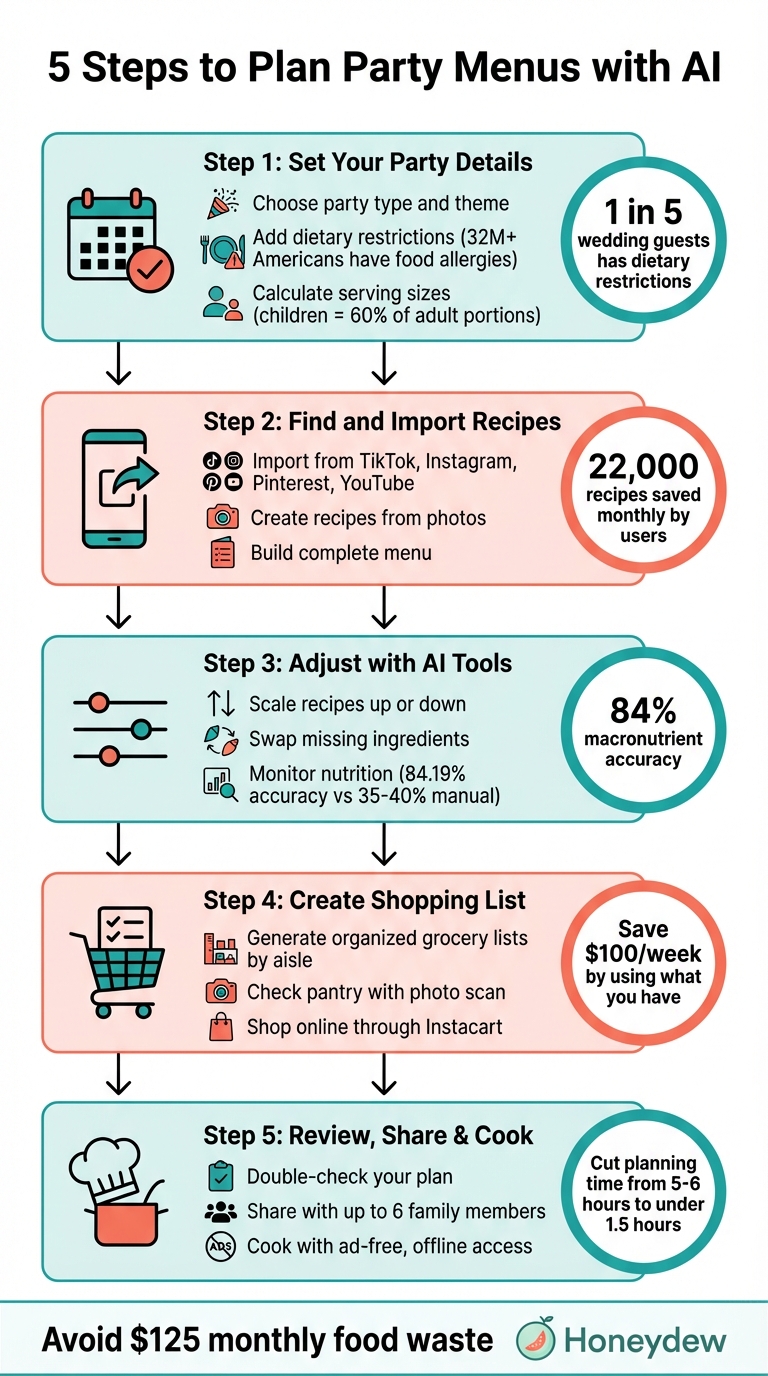
5 Steps to Plan Party Menus with AI - Complete Workflow Guide
Step 1: Set Your Party Details and Guest Requirements
Start by entering all the details about your party to create a menu tailored to your event. Providing clear and specific information helps ensure that every step afterward aligns with your needs.
Choose Your Party Type and Theme
Define the type of event, its theme, and key details like timing and style. These factors play a big role in shaping the menu. For instance, events scheduled between 11:00 AM and 1:00 PM or 5:00 PM and 7:00 PM typically call for full meals. On the other hand, parties outside these hours might work better with a snack-focused menu, offering about 5–7 bite-sized items per person per hour. Using Honeydew Recipe Manager, you can easily input these details to receive tailored suggestions.
Add Dietary Restrictions and Preferences
Be sure to include any dietary restrictions or preferences your guests may have. This could range from food allergies - like nuts, shellfish, or gluten - to lifestyle choices such as Vegan, Keto, or Paleo. Did you know that over 32 million Americans have food allergies, and nearly 1 in 5 wedding guests has some form of dietary restriction? Honeydew Recipe Manager simplifies this process by filtering recipes to fit these needs and can even tweak existing recipes on the fly. Including allergy-related questions in RSVPs is a smart way to ensure everyone’s safety, allowing you to label dishes correctly and avoid potential issues.
Calculate Serving Sizes
Portion planning is critical to avoid running out of food - or having too much leftover. By entering the number of guests and their age mix, the AI can calculate exact quantities. For example, children typically consume about 60% of an adult portion. If you’re hosting a 2-hour party for 50 guests with a 50/50 split of kids and adults, you might need around 125 pizza slices and 100 juice boxes. Experts suggest buying approximately 40% more snacks and 20% fewer main dishes. The AI incorporates these insights, ensuring your menu matches your guests’ appetites perfectly.
Step 2: Find and Import Party Recipes
With your party details locked in, the next step is curating recipes that will make your event stand out. Honeydew Recipe Manager simplifies this process by letting you import recipes effortlessly - no need for manual entry.
Import Recipes from Social Media
Browse platforms like TikTok, Instagram (including Reels), YouTube, Facebook Reels, Pinterest, or recipe websites, and import recipes directly into Honeydew. Just tap the "Share" button in the app you're using, select Honeydew, and the recipe is instantly imported. This feature is a lifesaver when dealing with viral recipes that often skip detailed instructions.
"Honeydew pulls recipes from Instagram, TikTok, Pinterest, YouTube, and virtually any recipe website. Share a link or post directly to the app, and its AI extracts ingredients, measurements, and step-by-step instructions automatically." – Honeydew News
With users collectively saving around 22,000 recipes each month, you'll be in good company. The free plan gives you 10 AI imports per month, while Honeydew Plus offers unlimited imports for $6.99 monthly or $39.99 annually (just $4.17 per month).
Create Recipes from Photos
Great party recipes can come from anywhere - a family heirloom written on a notecard, a screenshot from a cooking show, or even a dish you loved at a restaurant. With Honeydew's Copycat recipe generator, you can snap a photo, and the app will create a home-cook-friendly version. You can also digitize handwritten notes or cookbook pages; the AI converts them into structured, usable recipes. This photo-to-recipe feature is exclusive to Honeydew Plus and is ideal for building a menu that blends cherished classics with new ideas.
Build a Complete Menu
Once you've imported your recipes, use Honeydew's AI meal planner to design a cohesive menu. Organize appetizers, main courses, and desserts that work well together and meet your guests' preferences. Drag and drop recipes onto a planning calendar to map out your party timeline, or categorize them with tags like "Quick & Easy" or "Vegetarian" for variety. After finalizing your menu, all recipes are stored offline, so you can access them in the kitchen without needing Wi-Fi. With your menu ready, you're set to move on to fine-tuning it with AI-driven adjustments.
Step 3: Adjust Your Menu with AI Tools
Once your menu is set, you’ll likely need to tweak it - whether it’s scaling recipes to fit your guest count, swapping out unavailable ingredients, or checking nutritional details. Honeydew’s AI tools make these tasks effortless, saving you from tedious manual calculations. These updates ensure your menu aligns perfectly with your needs, while also simplifying your grocery planning.
Scale Recipes Up or Down
Got a recipe for 4 but hosting 20 guests? Honeydew recalculates ingredient quantities in seconds. Whether it’s teaspoons or cups, the app adjusts every measurement for the desired serving size. It even handles conversions between Imperial and Metric units, which comes in handy for international recipes or tools marked in grams instead of ounces. Just type a simple prompt like, “Scale this recipe for 15 guests and convert to metric,” and Honeydew takes care of the rest. The updated ingredient amounts automatically sync with your shopping list, so you only buy what you need - no more guessing and no more waste.
Swap Missing Ingredients
Missing an ingredient at the last minute? Honeydew’s AI suggests tailored substitutions that keep the dish’s flavor and texture intact. For example, it might recommend coconut cream for a dairy-free sauce or Greek yogurt as a lighter alternative. You can also use Pantry Mode: snap a photo of your fridge, and the AI will identify what’s available while flagging the missing items needed for your recipes. Have dietary restrictions to consider? Ask questions like, “How can I make this gluten-free?” or “What’s a vegan substitute for eggs in this dessert?” to get updated ingredient lists and instructions instantly.
Monitor Nutrition Information
Honeydew calculates calories, protein, fat, carbs, and fiber for every recipe, whether it’s from TikTok, a website, or even a photo of a handwritten recipe card. As you add dishes to your event calendar, the app updates the nutritional totals in real time, helping you create a balanced menu that works for guests with specific health goals. With AI-driven tools achieving 84.19% macronutrient accuracy - compared to the 35–40% accuracy of manual calculations - you can trust the numbers. If a dish doesn’t align with your targets, ask the AI for healthier swaps, like using almond flour instead of regular flour to lower carbs. It’ll adjust the recipe while keeping the flavors and textures intact.
With your menu fine-tuned to perfection, you’re ready to move on to generating your shopping list in the next step.
Step 4: Create and Manage Your Shopping List
Turning your carefully planned menu into a smooth grocery shopping experience starts with an organized shopping list. Honeydew Recipe Manager makes this process effortless by scanning your chosen dishes, calculating exact ingredient amounts, and ensuring nothing is overlooked. It even sorts ingredients by store sections - like produce, dairy, or pantry - so you can shop efficiently, aisle by aisle.
Generate Organized Grocery Lists
After finalizing your menu, Honeydew generates a neatly categorized list that updates automatically if you tweak recipes - whether you're adjusting portions for more guests or switching to gluten-free options. Ingredients are grouped for convenience, making it easy to locate everything, from fresh produce to pantry staples. Before heading to the store, double-check your pantry to avoid buying items you already have.
Check What You Already Have
Take a moment to review your pantry before finalizing the list. With Pantry Mode, you can snap a photo of your shelves, and Honeydew will automatically remove items you don’t need to buy.
"Letting AI help me make the most of what I already have saves our family of four roughly $100 a week." - Abby Brody, Digital Parenting Expert
For big gatherings, you can share the grocery list with up to six family members or co-hosts in real time, keeping everyone on the same page.
"The smart grocery lists save me hundreds of dollars a month. I love how it suggests recipes based on what I already have!" - Verified user James L.
Once your list is finalized, you can send it directly to Instacart for an easy online shopping experience.
Shop Online Through Instacart
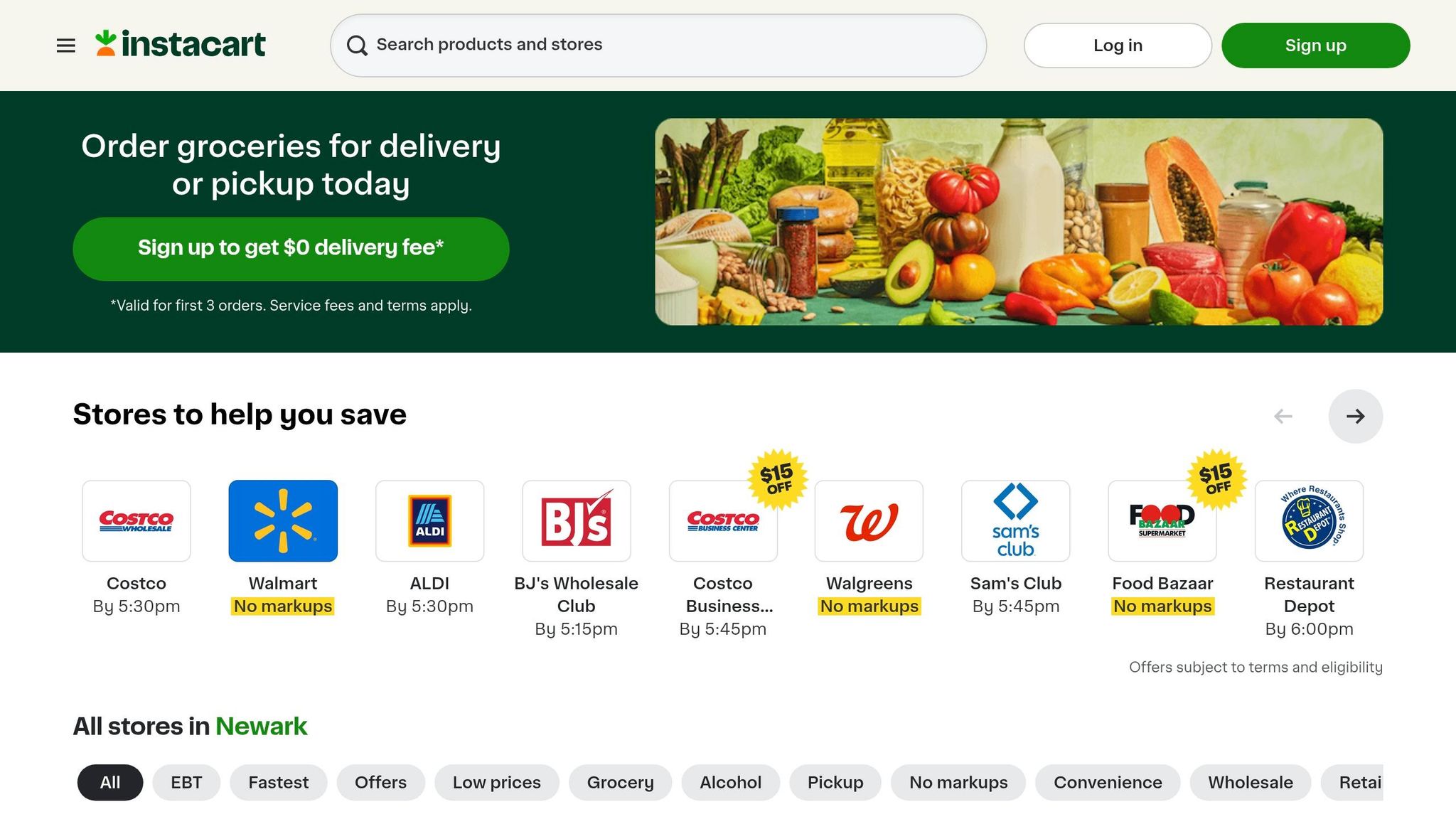
With your list ready, you can send it to Instacart for delivery or pickup with just one click. The app keeps the aisle organization intact in your digital cart, making it easy to review your selections before checkout. You can also set brand preferences and manage substitutions for out-of-stock items. In November 2025, CNET editor Corin Cesaric tested an AI meal plan for a week and reported eliminating food waste while avoiding the typical $125 monthly loss many U.S. households face.
Step 5: Review, Share, and Cook
With your menu finalized and groceries ready, it's time to pull everything together for a smooth and stress-free event. Honeydew's AI tools help you fill in any gaps, coordinate tasks with others, and cook without the usual kitchen chaos.
Double-Check Your Plan
Take a moment to review your menu and ensure everything is in place - recipes, portions, and any dietary considerations. If something needs adjusting, the "Ask Honey" tool can step in to help. For instance, you can quickly modify ingredient lists to accommodate a gluten-free guest or swap almond flour for regular flour if plans change at the last minute.
Share with Family or Friends
Once your plan is good to go, share it with up to six family members or friends who can pitch in with shopping or cooking. Everyone gets real-time access to the same recipes, grocery lists, and schedule. You can even assign tasks through built-in notes, like putting someone in charge of appetizers while you focus on the main course.
In June 2023, Misha Leybovich and his partner Ava hosted AI-powered dinner parties in New York City for eight guests. They used Honeydew to provide each helper with a personalized, interactive recipe view on their phones. This approach made instructions easier to follow and kept everyone on track. They also used AI to organize ingredients into categories like "House has", "Guest buys", and "Borrow/Lend", which cut down on unnecessary purchases and reduced food waste.
"My family of five uses Honeydew for all our meal planning. The household sharing feature keeps everyone organized." - Alex P., User
Once everyone knows their role, you're ready to hit the kitchen.
Seamless Cooking
When it's time to cook, Honeydew's ad-free interface ensures you won't be interrupted by pop-ups or distractions. The app includes a handy "No Screen Lock" feature that keeps your phone screen on while a recipe is displayed, so you won't have to fumble with messy hands. Recipes are also available offline, so you can keep cooking even if your internet connection drops. And if you run into any hiccups, "Ask Honey" is there for quick solutions.
Conclusion
Planning party menus doesn’t have to be a time-consuming, stressful ordeal. Forget endless recipe searches, messy handwritten lists, or scrambling to make last-minute changes. With AI-powered tools like Honeydew Recipe Manager, you can cut meal planning time from the usual 5–6 hours per week to under 1.5 hours. That means less time worrying about logistics and more time enjoying your event.
Honeydew simplifies everything - from organizing recipes to cooking. You can import dishes with a single tap, create shopping lists organized by aisle, order groceries through Instacart, and even use the "Ask Honey" feature to swap ingredients in seconds. Plus, household sharing ensures everyone stays on the same page. In a November 2025 test by CNET editor Corin Cesaric, an AI-generated meal plan resulted in zero food waste, helping avoid the $125 monthly loss many U.S. households typically face.
By connecting all the dots - from recipe selection to grocery shopping - Honeydew eliminates the stress of event planning. The app offers a free tier with smart imports and a Plus plan that unlocks unlimited storage, household sharing, and an ad-free experience.
Want to host your next party without the hassle? Download Honeydew Recipe Manager from the Apple App Store and let AI handle the details. From menu creation to shopping, Honeydew has you covered so you can focus on making your event unforgettable.
FAQs
What party info should I enter first?
When planning your menu, begin by identifying the theme or type of party you're hosting. Whether it’s a festive holiday gathering, a birthday bash, or a casual backyard cookout, this step helps shape the food choices to fit the occasion. Don’t forget to factor in the setting - formal or relaxed - and your guests’ preferences, like dietary needs or favorite cuisines. These thoughtful details make sure the menu not only complements the event but also leaves your guests happy and satisfied.
How do I handle guests with allergies?
To make your party friendly for guests with allergies, consider using AI tools like Honeydew Recipe Manager. This app simplifies the process by letting you:
- Import recipes effortlessly
- Filter out allergens
- Find ingredient substitutions
- Generate grocery lists without problematic items
With its AI-driven capabilities, this tool helps you customize menus to meet dietary restrictions, ensuring everyone can enjoy the event safely and comfortably.
Can Honeydew send my list to Instacart?
Honeydew works seamlessly with Instacart, allowing you to send your grocery list directly for convenient online shopping. This integration connects your meal plans and shopping lists to Instacart, making it possible to order everything you need with a single click.



