How to Use AI for Leftover Meal Planning
• Updated
Tired of tossing out leftovers? AI tools like the Honeydew Recipe Manager can help you turn forgotten fridge items into meals, cutting food waste by up to 40% and saving you about $125 each month. Here's how it works:
- Snap photos of your leftovers using the app's Pantry Mode. The AI identifies ingredients, tracks expiration dates, and suggests recipes.
- Get tailored recipes based on what you already have. Honeydew even suggests ingredient swaps if you're missing something.
- Plan meals and shop smarter with automatic grocery lists organized by store sections.
With features like recipe imports from social media, serving size adjustments, and nutrition tracking, Honeydew makes meal planning simple, efficient, and waste-free. Download it for free on iOS or Android to get started.
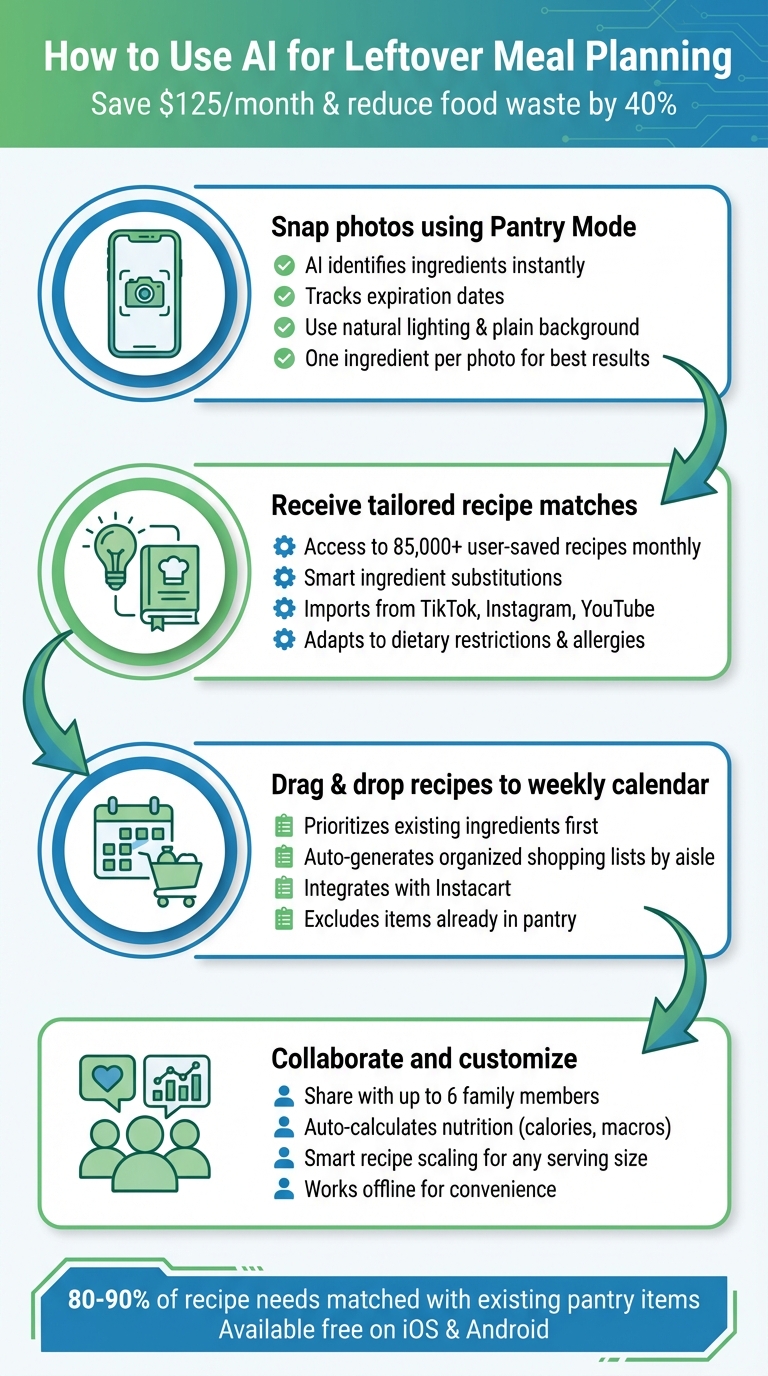
4-Step Guide to AI-Powered Leftover Meal Planning with Honeydew
How to use AI for meal planning and recipes
Step 1: Take Photos of Your Leftovers with Honeydew Recipe Manager
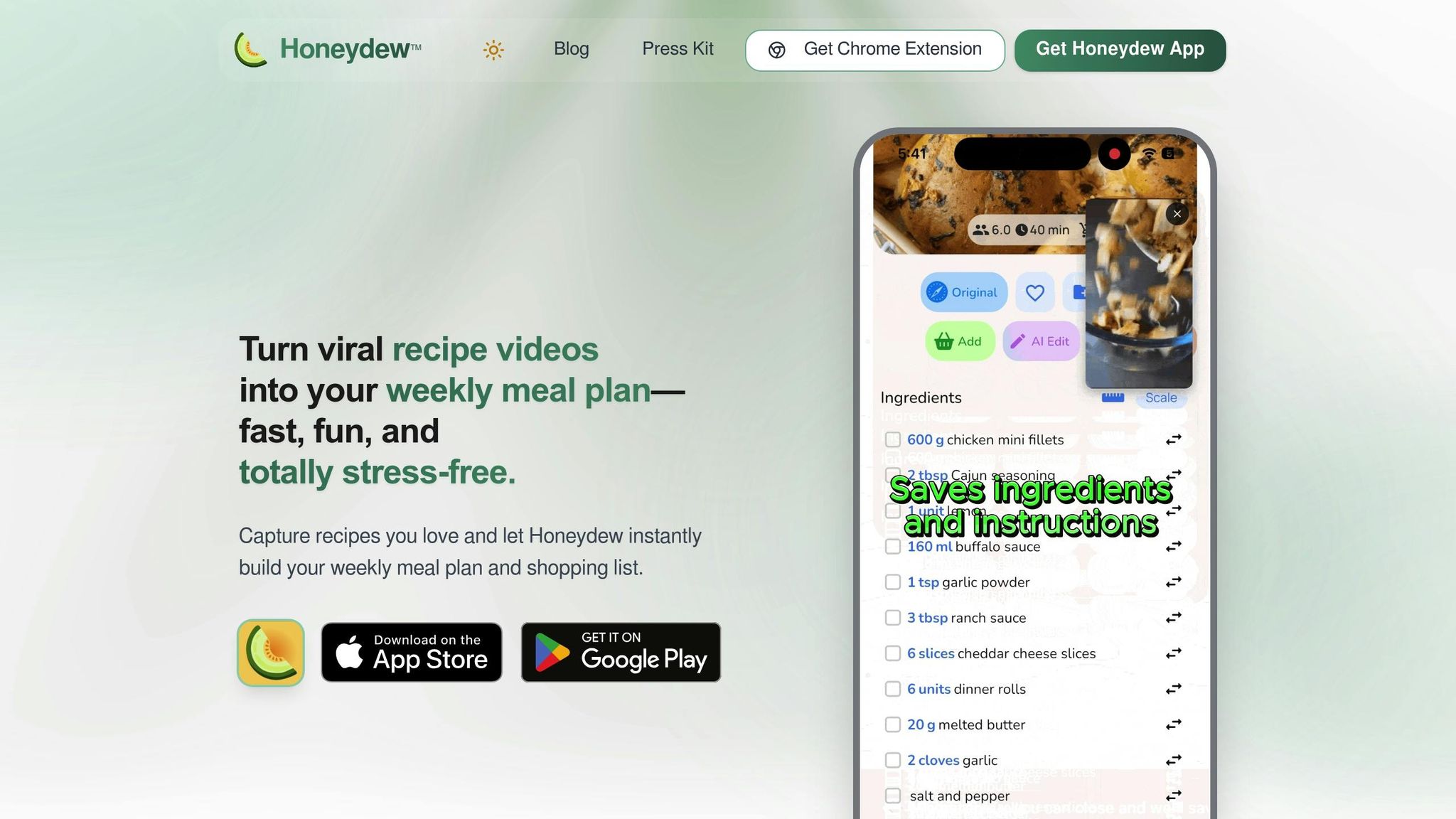
Open up the Honeydew Recipe Manager, hit the camera icon, and snap pictures of your leftovers. The app's AI will instantly analyze and identify the ingredients, laying the groundwork for tailored recipe suggestions.
How Pantry Mode Works
Honeydew uses visual recognition to scan your photos and identify ingredients like leftover produce, cooked proteins, and pantry basics. It can recognize fresh items (like a partially used bell pepper or leftover rotisserie chicken) as well as pantry staples (such as flour, canned beans, or breadcrumbs). For the best results, focus on one ingredient per photo.
To improve accuracy, use natural lighting and a plain background. Make sure the ingredient fills most of the frame. If the AI gets something wrong, you can manually correct it using the text-entry option, ensuring the recipe suggestions are spot-on.
Why Photographing Leftovers Helps
Taking photos doesn’t just identify ingredients - it also simplifies kitchen management and inspires creative cooking. Instead of relying on memory to track what’s in your fridge, you can catalog everything, including overlooked items like feta cheese or mushrooms. Plus, the AI tracks expiration dates, helping you use up ingredients before they spoil.
This visual approach makes meal planning much easier. For instance, instead of staring at a random mix of mushrooms and feta, the AI might suggest turning them into veggie patties. By factoring in pantry staples like eggs and flour, the app delivers practical recipes that save you from unnecessary grocery trips. With just a few quick photos, Honeydew helps you turn leftovers into delicious meals while cutting down on food waste.
Step 2: Get AI Recipe Suggestions
Once Honeydew scans and identifies your leftovers, it jumps into action, matching your ingredients with recipes that make sense. Whether you’ve got rotisserie chicken, wilted spinach, or some pantry staples, the app analyzes what you have and offers ideas that turn those odds and ends into something delicious.
Using your photographed ingredients, Honeydew taps into its recipe library, which boasts about 85,000 user-saved recipes every month. It prioritizes meals that make the most of what’s on hand. For instance, if you’ve uploaded a photo of leftover cooked rice, chicken breast, and bell peppers, the app might suggest fried rice, chicken stir-fry, or stuffed peppers.
Turning Leftovers into Meals
Honeydew’s AI doesn’t just match recipes; it gets creative with what’s available. It pairs ingredients in unexpected ways to craft meals you might not have thought of. For example, got mushrooms, eggs, and breadcrumbs? The app could suggest veggie fritters or a savory bread pudding.
"I love how it suggests recipes based on what I already have!" - James L.
The app’s reach doesn’t stop at its own library. Honeydew also pulls recipes from TikTok, Instagram, YouTube, and other platforms, automatically sorting out which ingredients you already have and which ones you might need.
And if you’re missing something? Honeydew has that covered too.
Ingredient Substitutions Made Easy
When a recipe calls for an ingredient you don’t have, Honeydew’s Smart Ingredient Substitutions feature steps in, offering practical swaps based on what’s already in your kitchen, your dietary needs, or any allergies. For example, if a recipe requires kaffir lime leaves but you only have regular limes, the app might suggest using lime zest instead.
"The ingredient substitution feature is a game-changer for my dietary restrictions. I can adapt any recipe easily!" - Emily C.
This adaptability means you’re not stuck with rigid recipes. Whether you need plant-based alternatives for dairy, gluten-free swaps for wheat, or keto-friendly options for high-carb ingredients, Honeydew adjusts to suit your needs. Plus, it tracks nutrition automatically - breaking down calories, protein, fat, carbs, and fiber - so you can see exactly how your substitutions affect the meal’s nutritional value.
Step 3: Plan Meals and Create Grocery Lists
Once you've used Honeydew's AI to generate recipe suggestions based on your leftover ingredients, organizing your meals for the week becomes a breeze. Simply drag and drop recipes onto a digital calendar to map out your weekly meal plan. The app focuses on utilizing what you already have in your fridge and creates a shopping list for any missing items. From there, Honeydew turns your plan into a seamless shopping experience.
Adding Leftovers to Your Weekly Meal Plan
Honeydew's AI takes a smart approach by prioritizing recipes that use your current ingredients before suggesting meals that require additional items. For example, if you've uploaded photos of leftover chicken, rice, and broccoli, the app incorporates those into your plan first. This method not only helps reduce household food waste - potentially cutting it by up to 40% - but can also save you around $125 a month on groceries.
You can easily customize your plan by selecting the recipes you like and assigning them to specific days. Plans are flexible, too - if your Wednesday dinner plans change, you can swap out meals with just a few taps. The AI adjusts accordingly, ensuring your leftovers are used efficiently and nothing goes to waste.
Automatic Grocery Lists by Store Section
Once your meal plan is set, Honeydew makes shopping easier by generating a grocery list that's organized by store aisle. It automatically excludes items you already have in your pantry, helping you avoid buying duplicates. The list is sorted into categories like produce, dairy, meat, and pantry staples, making your shopping trip faster and more efficient.
Prefer to skip the store altogether? Honeydew integrates with Instacart, allowing you to send your organized list directly to the platform with a single tap. Shopping has never been this effortless.
Step 4: Share Recipes, Track Nutrition, and Adjust Serving Sizes
Once you've mapped out your leftover meals for the week, Honeydew helps you take things to the next level by making meal planning a team effort. With features designed to share, track, and customize, it ensures everyone at your table is on the same page. Here's how these tools turn meal planning into a seamless process.
Sharing Meal Plans with Your Household
Honeydew's household sharing feature allows you to sync meal plans and grocery lists with up to six family members. Say you've whipped up a recipe using leftover chicken and veggies - this recipe gets added to a shared calendar that everyone can see. This way, you’re not just reducing waste but also avoiding duplicate grocery purchases and meal confusion. To unlock this feature, you’ll need Honeydew Plus, which starts at just $4.17 per month.
Keeping Tabs on Nutrition
The app’s built-in AI takes the guesswork out of tracking calories and macros. It automatically calculates the nutritional profile of your leftover meals, so you know exactly what’s on your plate. You can even scan nutrition labels to uncover hidden details like added sugars or sodium in packaged foods. Got specific dietary goals, like hitting a protein target? The app tracks those too, making it easier to stay on course while enjoying your meals.
Scaling Recipes to Fit Your Needs
Cooking for fewer (or more) people than your recipe serves? Honeydew’s smart scaling feature adjusts ingredient quantities in seconds. If your leftover recipe feeds four but you’re only cooking for two, just tweak the serving size, and the app recalculates everything - including nutrition details. Plus, it handles unit conversions effortlessly, letting you switch between cups and grams without the hassle. This ensures you use your leftovers efficiently, avoiding both waste and shortages.
Tips for Better Leftover Meal Planning
Take your meal planning to the next level with these ideas, designed to make the most of Honeydew's features while reducing food waste.
Import Recipes from Social Media and Use Leftovers
Ever see a recipe on Instagram or TikTok that you just have to try? With Honeydew Recipe Manager, you can bring those viral dishes straight into your kitchen. Simply copy the recipe link, paste it into Honeydew's import feature, and let the app do the heavy lifting. It pulls all the ingredients and steps for you. Then, by switching to Pantry Mode, you can add your leftovers and let the AI suggest smart swaps. For example, it might recommend using leftover rotisserie chicken instead of fresh chicken breast for a stir-fry. This little trick could save you $5 to $10 per meal on groceries, all while turning trendy recipes into practical, waste-free meals.
Access Recipes Anytime with Offline Mode
Don’t let a lack of internet stop your meal plans. Honeydew’s Offline Mode stores your imported recipes, meal plans, and AI suggestions directly on your device. Whether you’re dealing with a power outage or shopping in an area with poor reception, you can still view instructions and ingredient substitutions. The AI even continues to suggest clever swaps, like using yogurt instead of sour cream. This way, you’ll always have your leftover meal ideas at your fingertips, helping you stay on track with reducing food waste.
Optimize Ingredient Substitutions
Honeydew’s AI goes a step further by fine-tuning ingredient substitutions. It adjusts measurements automatically and even creates a custom Instacart shopping list for any missing items. Measurements are displayed in cups and ounces, making it easy to follow recipes. Plus, since the tool matches 80 to 90% of your recipe needs with what’s already in your pantry, you’ll save time and money by avoiding unnecessary grocery trips. This feature ensures you use up perishables before they spoil, transforming leftovers into delicious meals without breaking the bank.
Conclusion
Using AI for leftover meal planning doesn’t have to be complicated. With Honeydew, you can go from snapping a photo of your leftovers to receiving tailored recipes, creating meal plans with automated grocery lists, and even sharing those plans with your family for added convenience.
This approach can make a big difference: AI-powered meal planning has the potential to cut household food waste by up to 40%. Instead of throwing out that half-eaten rotisserie chicken or those slightly limp broccoli florets, you can turn them into meals your family will actually enjoy.
Honeydew fits seamlessly into your routine. It lets you import recipes from social media, works offline, and matches 80–90% of your recipe needs with ingredients you already have. That means less guesswork and fewer frustrations when trying to use up leftovers.
Whether you’re new to cooking or a busy parent managing a packed schedule, Honeydew makes things easier. It’s not just about reducing waste - it’s about saving time, cutting costs, and making cooking more enjoyable. Download the app for free on iOS or Android and start turning your leftovers into meals you’ll love.
FAQs
What leftovers work best with Pantry Mode photos?
Leftovers that are perfect for Pantry Mode photos tend to be easy-to-recognize ingredients that spark meal ideas. Think of items like tortillas, cheese, veggies (onions, carrots, tomatoes, cilantro), or cooked proteins like chicken and rice. These staples are incredibly versatile - great for whipping up something like quesadillas. The app scans your photos, identifies these ingredients, and offers recipe suggestions based on what’s already in your kitchen.
How do I make AI suggestions match my diet or allergies?
To customize AI recommendations for your diet or allergies, consider using tools like Honeydew Recipe Manager. With this tool, you can set your dietary preferences, highlight allergies, and outline nutritional goals. The AI then works to filter recipes, tweak ingredients for specific diets like Keto or Vegan, and even suggest alternatives for allergens or items that don’t fit your restrictions. Plus, you can scan food labels to check for compatibility, making it easier to find meal ideas that align with your needs.
Can I plan meals for the week without buying extra groceries?
Yes, apps powered by AI, like Honeydew Recipe Manager, make meal planning easier by using ingredients you already have at home. These tools assess what’s in your pantry and recommend recipes that match your supplies. This means you can create weekly meal plans without needing additional trips to the store. It’s a smart way to cut down on food waste, save money, and still enjoy a diverse range of meals throughout the week.



