← Back to Blog

Top 7 Meal Planning Apps for Families 2026

• Updated

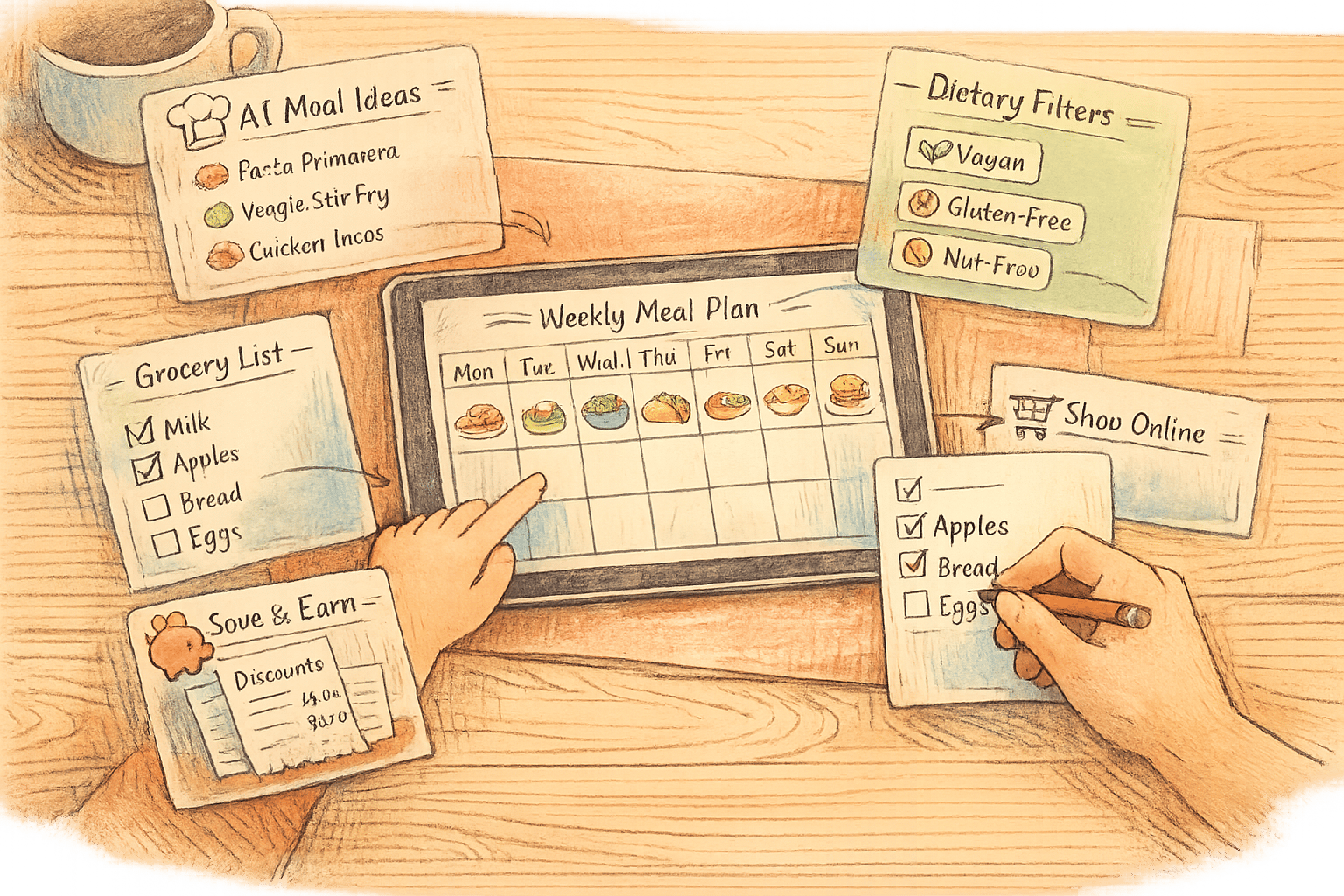
Planning meals for your family just got easier. These 7 meal planning apps can save you time, cut grocery bills, and reduce food waste. With features like AI-generated meal plans, shared shopping lists, and dietary customization, these apps simplify the daily "What's for dinner?" question. Here's a quick overview:

  • Honeydew Recipe Manager: AI-driven plans, voice commands, and Instacart integration. Premium: $4.17/month.
  • Plan to Eat: DIY recipe organization and drag-and-drop calendar. Costs $5.95/month or $49/year.
  • Prepear: 300,000+ recipes, serving adjustments, and Walmart integration. Premium: $19.99/month.
  • eMeals: Weekly curated menus with grocery delivery options. Starts at $4.99/month (billed annually).
  • Cozi: Combines meal planning with a shared family calendar. Premium: $79.99/year.
  • Mealime: Quick 30-minute meals with extensive dietary filters. Pro version: $2.99–$5.99/month.
  • Paprika: One-time fee for recipe storage and pantry tracking. $4.99 (mobile), $29.99 (desktop).

Quick Comparison

App Pricing Best For Key Features Grocery Integration
Honeydew Free; $4.17/month (Premium) AI-driven meal planning Voice commands, shared calendar Instacart
Plan to Eat $5.95/month or $49/year DIY planners Drag-and-drop calendar Manual list creation
Prepear Free; $19.99/month (Premium) Recipe customization Serving adjustments, Cook Mode Walmart
eMeals $4.99/month (billed annually) Ready-made weekly menus Dietitian-approved plans Major retailers
Cozi Free; $79.99/year (Premium) Family scheduling + meal planning Shared calendar, Recipe Box Basic list sharing
Mealime Free; $2.99–$5.99/month (Pro) Quick meals + dietary filters 30-min recipes, hands-free mode Amazon Fresh, Instacart, Walmart
Paprika $4.99 (mobile); $29.99 (desktop) Recipe collectors Pantry tracking, Cloud Sync Manual list creation

These apps cater to different needs, from AI-powered suggestions to manual recipe organization. Whether you're managing a tight schedule, specific diets, or simply want to save time and money, there's an app for every family.

Meal Planning Apps Comparison: Features, Pricing & Best Use Cases 2026

Meal Planning Apps Comparison: Features, Pricing & Best Use Cases 2026

Meal Planning Apps: Comparing the Best Apps for Family Meal Planning

1. Honeydew Recipe Manager

Honeydew Recipe Manager

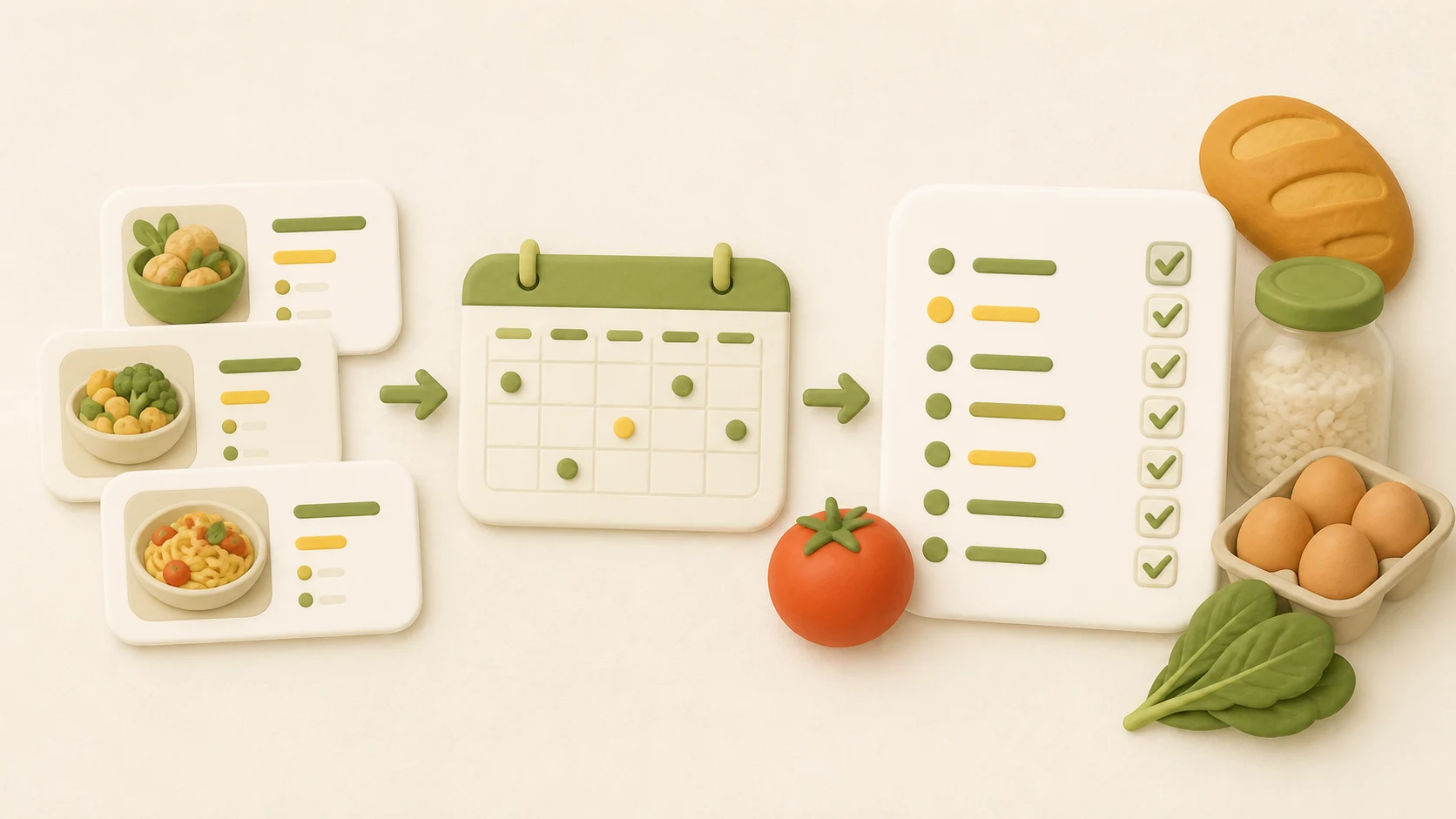
Honeydew Recipe Manager takes family meal planning to a whole new level with its AI-driven approach. Instead of spending time searching for recipes, simply tell the app what you need - whether it’s “quick dinners for a family of 4” or meals tailored to picky eaters - and the AI generates a full meal plan in about 30 seconds. It doesn’t stop there: the app syncs meals with your family calendar and creates a single, organized grocery list. This list combines recipe ingredients, household essentials, and personal requests, making the entire process hassle-free for busy households.

With its voice-first interface, you can plan meals or add items to your grocery list hands-free - even while cooking. The app’s calendar integration keeps everyone in the loop, cutting down on those last-minute “what’s for dinner?” moments. Need to make a change? Adjusting plans is simple with voice or text commands.

Honeydew offers a free plan that covers basic meal planning, but for $4.17/month, the Honeydew Plus subscription unlocks more features. The premium version includes unlimited recipe storage, advanced AI meal planning, and household sharing for up to six members. You can import recipes from websites or social media, or even snap a photo to let the AI create a copycat recipe. Additional perks include integration with Instacart, smart ingredient substitutions, and nutrition tracking, making Honeydew a versatile tool for modern families.

2. Plan to Eat

Plan to Eat puts you in complete control of your recipes and meal planning. Its Recipe Clipper makes it easy to import recipes directly from websites, digitize handwritten recipe cards, or even snap photos of cookbook pages to preserve cherished family favorites. Once added, recipes can be neatly organized with tags like course, cuisine, main ingredient, or even custom labels such as "Family Faves" or specific family members’ names. This makes finding the perfect recipe for any occasion quick and hassle-free. With these tools, planning meals for the week becomes a breeze.

The app’s drag-and-drop calendar simplifies scheduling meals, adjusting serving sizes, planning leftovers, and even tracking freezer meals. It also generates aisle-organized shopping lists, combining similar ingredients to avoid waste and unnecessary purchases. Plus, the Notes feature is perfect for assigning cooking duties or flagging nights when quick meals are a must. These thoughtful features not only save time but also help cut down on food costs.

A survey of 2,568 users highlighted the app's impact:

  • Meal planning time decreased by 47.5%, dropping from 140 to 73 minutes per week.
  • Monthly food costs per person fell by 23%, from $199 to $152.
  • Shared family dinners increased from 3.6 to 5.6 times per week.

"This tool has transformed what used to be a burden into a simple, quick and easy task I can tackle in less than 30 minutes on the weekend – including building my online grocery order for the week's pick-up!" – Jaemi

Plan to Eat offers a 14-day free trial (no credit card required). After that, it’s $5.95 per month or $49 per year. With a 4.7/5 star rating on Google Play from over 3,230 reviews and more than 100,000 downloads as of February 2026, it’s clear this app has earned its popularity. It’s an excellent fit for families who enjoy creating their own meal plans rather than relying on automated suggestions.

3. Prepear

Prepear combines recipe storage, meal planning, and grocery shopping into one app designed to simplify family meal prep. With access to over 300,000 recipes and a community of 50,000+ home cooks, families can explore new dishes or save their own favorites from any website. The app makes it easy to create personalized digital cookbooks by organizing saved recipes, offering a user-friendly way to keep everything in one place.

A standout feature is the drag-and-drop calendar, which allows quick customization of weekly meal plans. You can easily add, adjust, or swap recipes, and the app automatically recalculates ingredient amounts when serving sizes change. As Courtney S. explains:

"You can also change the amount of servings and it will adjust the recipe for you, given I usually need to make recipes smaller as a single mom this is very useful".

Prepear also integrates with Walmart, enabling families to order groceries for delivery or curbside pickup directly through the app. The Cook Mode feature is particularly handy - it prevents your screen from timing out while you’re cooking and allows you to check off ingredients as you go. This feature is especially useful for families who share kitchen responsibilities.

For those with dietary restrictions, Prepear offers search filters for specific needs like gluten-free options. Victoria T. highlights this feature:

"You can search for special diets, including gluten-free. Each recipe has the option of generating a shopping list".

The app works across iOS, Android, and desktop devices, ensuring everyone in the household can access recipes and meal plans from their preferred device.

Prepear offers a free version with unlimited recipe storage, basic meal planning, and automatic grocery lists. For those looking for more, the Full Access subscription costs $19.99/month (billed annually) and includes premium meal plans and cookbooks. A 14-day free trial is available to explore the premium features. Features like Walmart integration, Cook Mode, and community support make Prepear a great option for families who want a collaborative and efficient approach to meal planning.

4. eMeals

eMeals

eMeals is another handy solution for streamlining meal planning, especially for busy families. The app delivers curated weekly menus featuring seven new recipes, tailored for households of 2–3 or 4–6 members. With 15 different meal plan styles - like Kid Friendly, Budget Friendly, Keto, Paleo, and Plant Based - you can easily switch plans to suit changing dietary preferences.

One of eMeals' standout features is its grocery shopping integration. It automatically creates a consolidated shopping list and syncs it with major retailers like Walmart, Kroger, AmazonFresh, Instacart, and Shipt. With just one click, your ingredients are added to an online cart, ready for pickup or delivery. As Iris Z., a mom of three, shares:

"If you're anything like me, a mom of three who doesn't 'love' cooking or grocery shopping, this service is a life saver. Saves me so much time!! Streamlined the whole 'family dinner' process."

The app also supports multi-device syncing, so everyone in the family can access the same account on their phones or tablets. This makes it simple to check the weekly menu or shopping list while out and about. Plus, you can upload your favorite family recipes or save ideas from the web, keeping all your meal inspiration in one convenient spot.

eMeals has already helped over 2,000,000 users, who report saving an average of 2 hours per week on meal planning and shopping. Additionally, users save $1,000 to $2,000 annually by cutting down on impulse purchases and food waste.

New users can try eMeals free for 14 days. Subscription plans start at $4.99 per month when billed annually ($59.99 total). Three-month plans range from $29.99 to $39.99, depending on whether you include breakfast and lunch options. The app holds a 3.8/5 star rating on Google Play from 15,000 reviews, with users appreciating its convenience despite occasional technical hiccups.

5. Cozi

Cozi

Cozi stands out by combining family scheduling with meal planning, offering a practical solution for busy households juggling appointments and dinner prep.

This app integrates meal planning directly into a shared family calendar, so you can see what's for dinner alongside soccer practice or dentist appointments. Its Recipe Box feature allows you to save recipes from any website by pasting a URL or adding your own favorites. Once a recipe is scheduled for a specific date and time, you can instantly transfer the ingredients to a shared shopping list. The list syncs in real time across all family members' devices, making it easy to split shopping duties or grab last-minute items.

In 2026, Cozi introduced Cozi Max, a premium upgrade priced at $79.99 per year. This version includes an AI-powered meal planner that suggests meals based on your preferred proteins and cuisines while fitting them into your schedule. Another handy feature is Cooking Mode, which keeps your screen awake while you follow recipes - no more fumbling to unlock your phone mid-prep.

Cozi has earned accolades like the 3-time Mom's Choice Award and a 9.0/10 rating from Top10.com. The TODAY Show even called it a "must-have app". However, some users mention that the app leans more toward family coordination than culinary creativity. For families already using Cozi for calendars and to-do lists, adding meal planning feels like a seamless extension rather than learning a whole new system.

The free version includes essential features like the shared calendar, recipe box, and shopping lists - making it perfect for families who need straightforward coordination without extra costs.

6. Mealime

Mealime simplifies meal planning with recipes that take 30 minutes or less, making it a go-to for busy families. By late 2025, the app had attracted over 7,000,000 users, earning a reputation for taking the stress out of getting dinner on the table.

One of Mealime's standout features is its extensive personalization. With over 200 customization options, you can tailor your meal plans to fit your preferences. Choose from eight diet types - Classic, Flexitarian, Pescetarian, Low Carb, Paleo, Keto, Vegetarian, and Vegan - and filter out allergens like gluten, dairy, shellfish, or tree nuts. Plus, if there are ingredients you’d rather avoid, the app lets you exclude up to 119 items. Hate mushrooms or olives? You’ll never see them in your recipes. Once you’ve selected your meals, Mealime generates a well-organized shopping list sorted by store aisle, which you can sync with services like Amazon Fresh, Instacart, or Walmart Grocery for seamless online ordering.

The free version provides essentials such as personalized meal plans, automated grocery lists, and quick recipes. For those looking for more, Mealime Pro - priced between $2.99 and $5.99 per month - adds nutritional information, exclusive recipes, and a personal notes feature. The app enjoys high ratings, with 4.6/5 on Google Play (26,500+ reviews) and 4.8/5 on the Apple App Store (53,000+ ratings). Users frequently highlight the grocery list feature and recipe quality. Danielle, a satisfied user, shared:

"Mealime has gotten me back in the kitchen, eating good and healthy foods and saving money in the process!! LOVE IT!!"

Mealime also helps reduce food waste by reusing ingredients across multiple meals, saving families hundreds of dollars annually. Its hands-free cooking mode keeps your screen active with built-in timers, and shareable meal plans and grocery lists make coordination a breeze - even if live syncing isn’t available. With these features, Mealime is a practical choice for families juggling busy schedules.

7. Paprika

Paprika

Paprika stands out with its straightforward pricing: a one-time fee of $4.99 for mobile and $29.99 for desktop, with no recurring charges. While you’ll need to purchase separate versions for different platforms, the app includes Paprika Cloud Sync at no additional cost. This service ensures your recipes, grocery lists, and meal plans stay updated across all your devices.

As a recipe organizer, Paprika shines with its built-in browser that lets you save and standardize recipes with just one tap. Once recipes are added to your meal calendar, the app generates grocery lists that combine duplicates - for instance, "1 egg" and "2 eggs" become "3 eggs" - and organizes items by grocery aisle, making shopping much easier.

The pantry management feature is another standout. It tracks your food inventory by quantity and expiration date, automatically removing items you already have on hand. Gabriel Zamora from PCMag sums up Paprika’s strengths perfectly:

"Paprika is the workhorse of cooking apps. The recipe manager may not be a visual powerhouse, but its excellent customization, pantry system, and meal-planning features are second to none".

With a 4.0/5 rating and PCMag's Editors' Choice award, Paprika has earned a solid reputation.

For iOS users, Family Sharing allows up to five people to share meal plans and grocery lists using the same Cloud Sync account. The app also includes a Cook Mode, which keeps your screen active while you follow recipes. This mode lets you cross off ingredients as you go and even detects timers embedded in recipe instructions.

Unlike AI-driven meal planners, Paprika is designed for those who enjoy curating their own recipe collections manually. While it doesn’t offer automatic meal suggestions or integrate with grocery delivery services, it excels at helping families organize and plan meals on their own terms. For anyone seeking a reliable, one-time purchase tool packed with thoughtful features, Paprika is a strong choice in the meal-planning space. Its hands-on approach offers a refreshing alternative to other solutions.

App Comparison Table

Check out the table below to compare pricing, standout features, and grocery integration options to find the best fit for your family.

App Pricing Best For Key Family Feature Grocery Integration
Honeydew Recipe Manager Free; Premium $4.17/month Organized meal planning with AI assistance Shared family calendar with AI meal ideas and voice planning Instacart integration
Plan to Eat $5.95/month or $49/year DIY planners with personal recipe collections Shared recipes and drag-and-drop family calendar Manual list creation
Prepear Free; Full Access $19.99/month (billed annually) Flexible recipe customization for households Shared meal calendars to simplify coordination Grocery lists sorted by aisle
eMeals $4.99/month (billed annually at $59.99) Families preferring ready-made, dietitian-approved menus Curated weekly menus tailored for families Direct-to-cart with major retailers
Cozi Free (ad-supported); Max $79.99/year Managing household schedules and logistics Combined family calendar with shared grocery lists and Recipe Box Basic list sharing
Mealime Free; Pro $2.99–$5.99/month Quick, easy 30-minute meals Over 200 dietary filters with shared plans and lists (Pro version) Grocery lists sorted by aisle
Paprika $4.99 for mobile; $29.99 for desktop (one-time) Collectors building long-term recipe libraries Cloud sync across devices with shared recipe database Manual list creation

Key Takeaways

  • Save on groceries: Families sticking to app-generated meal plans can cut grocery bills by 15% to 30% monthly, often balancing out subscription costs.
  • Real-time syncing: Features like real-time updates prevent duplicate purchases and keep everyone on the same page.
  • Integrated calendars: Apps like Honeydew Recipe Manager stand out for combining meal planning with family schedules. With AI-driven suggestions and voice commands, it simplifies busy days packed with sports, school, and errands.

This breakdown highlights the strengths of each app, helping you pick the one that makes meal planning smoother and stress-free for your family.

Conclusion

Honeydew Recipe Manager offers a practical solution for families overwhelmed by the daily "what's for dinner" question. For just $4.17 per month, this app simplifies meal planning with AI-powered features like voice commands and Instacart integration. It’s designed for busy households managing tight schedules, dietary preferences, and budgets - all in one easy-to-use platform.

The app covers everything: recipe storage, meal suggestions tailored to your needs, automated grocery lists, and delivery integration, all synced with your family calendar. Whether you’re whipping up quick dinners or accommodating specific dietary restrictions, Honeydew Recipe Manager eliminates the need for juggling multiple tools.

With the meal planning app market projected to reach $2.71 billion by 2026, users are already saving an average of 3 hours per week on planning and shopping while cutting grocery costs. Honeydew Recipe Manager transforms the chaos of daily food decisions into a smooth, stress-free process. Start small - try planning just three days of meals - and see how it turns dinnertime into a hassle-free routine.

FAQs

How does Honeydew’s AI build a meal plan?

Honeydew’s AI takes the guesswork out of meal planning by tailoring plans to your specific dietary needs, food preferences, and schedule. It doesn’t stop there - this smart tool also creates detailed grocery lists, recommends recipes, and even offers ingredient swaps to match your lifestyle seamlessly.

Can my family share the same grocery list in real time?

Honeydew allows your family to share and update a grocery list instantly. Whether someone’s adding items or marking them as bought, everyone stays in sync.

Will Honeydew work with picky eaters or dietary restrictions?

Honeydew Recipe Manager is designed to make cooking easier for everyone, including those with dietary restrictions or picky eaters in the family. With features like ingredient substitution and personalized meal planning, it helps you tailor recipes to fit your household's specific preferences and needs. Whether you're swapping out allergens or adjusting for taste, Honeydew ensures your meals work for everyone at the table.

Never Lose a Recipe Again

Tired of messy screenshots and lost links? Honeydew is an AI-powered recipe keeper. Save recipes from websites, videos, cookbooks, or even grandma's handwritten notes.

  • Save from any source, in any format.
  • AI automatically formats and organizes for you.
  • Create meal plans and shopping lists in seconds.

Get the app, it's free!

Honeydew app screenshot
Honeydew logo