Use ChatGPT as a Recipe Organizer and Meal Planner
Honeydew is now in ChatGPT. Connect your saved recipes, organize your cookbook, plan a week of dinners, and send the ingredients to your shared grocery list.
 By Chris HabibUpdated 8 min read

The bottom line
Connect Honeydew Cook in ChatGPT’s plugin directory to organize your saved recipes, plan meals, and update a shared grocery list. Set up a Honeydew homegroup for meal planning and groceries.
Use ChatGPT as a recipe organizer and meal planner with Honeydew. Connect your cookbook, find recipes you've saved, plan dinners for the week, and add ingredients to a shared grocery list through a conversation.
Honeydew Cook is now available in ChatGPT’s official plugin directory. This guide shows how to connect it and gives you prompts for recipe organization, weekly meal planning, and grocery shopping. Your recipes stay in Honeydew, ready to open when it's time to cook.
Connect Honeydew Cook in ChatGPT ↗
Your cookbook, in the conversation
“What can I make tonight?” is easier to answer when you start with the recipes you already wanted to try. With Honeydew connected, ask ChatGPT to search your cookbook, suggest a meal, and help you follow through.
The examples below show finding dinner, building a meal plan, adding groceries, and organizing breakfast recipes. Choose an example to read the full conversation, or use Replay to watch it unfold.
Find dinners in my Honeydew cookbook that take 30 minutes or less.
Here are two saved recipes that fit tonight:
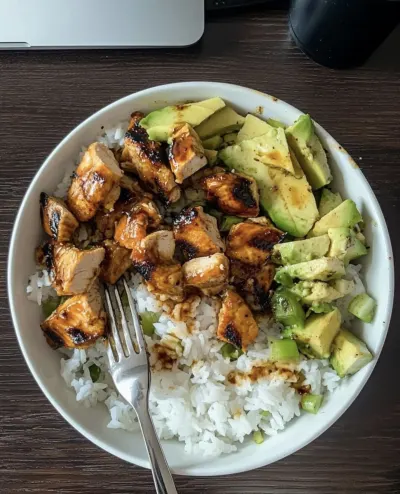

Perfect. Add the teriyaki bowl to Friday’s dinner plan.
Friday dinner is sorted: teriyaki rice bowl. You’ll see it in your Honeydew meal plan.
Pick three dinners from my saved recipes. Keep Wednesday quick. Show me the plan first.
How does this sound for the week?

Looks good. Add all three to our meal plan.
All three dinners are on your shared Honeydew meal plan. Wednesday stays nice and easy.
Add the ingredients for my teriyaki rice bowl to our Honeydew grocery list.
Added these ingredients to your shared Honeydew list:
- Chicken breastMeat & seafood1 lb
- RiceGrains & pasta1 cup
- Teriyaki sauceSauces & condiments¼ cup
- AvocadoProduce1
- MilkDairy & eggsJust added
- EggsDairy & eggsJust added
We also need milk and eggs.
Milk and eggs are on the list too. Your household can see the updated list in Honeydew.
Find my saved breakfast recipes. I want to put a few in a Weekend Breakfast folder.
These two look perfect for a slow morning. Want me to add both?
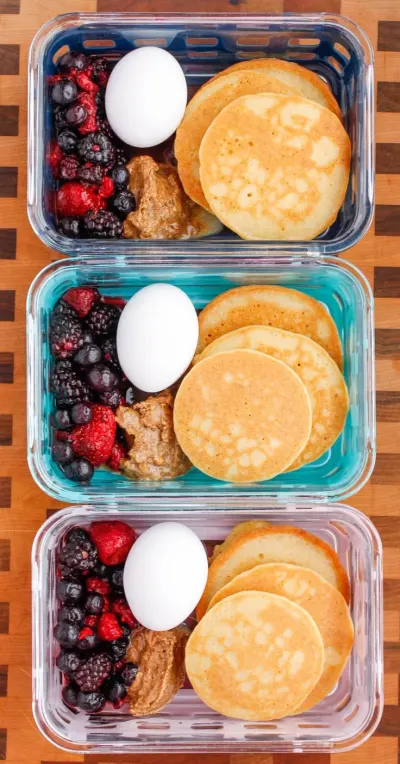

Yes, both. And favorite the pancakes.
Both are in Weekend Breakfast, and the pancakes are a favorite. Ready for Saturday.
Illustrative conversations with sample recipes. Your recipes and ChatGPT’s responses will vary.
How to connect Honeydew to ChatGPT
Start with the official listing and choose Install plugin. The walkthrough below shows the path from that listing to your first recipe request. Sign in to ChatGPT first if prompted.
Connect Honeydew, step by step
Open Honeydew Cook. Click Install plugin.
Open the official listing below. The Install plugin button is at the top right, beside the Honeydew Cook name.
Open the Honeydew listing ↗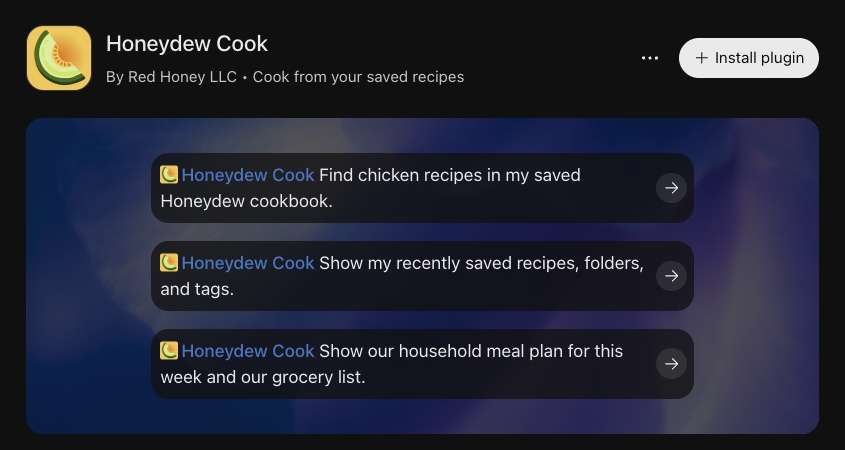
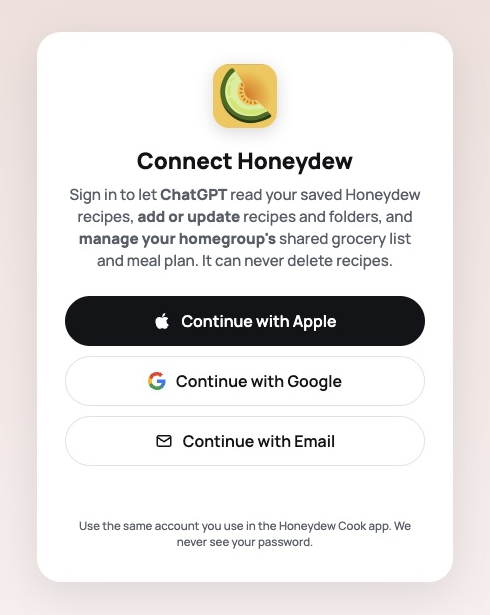
Sign in with your Honeydew account.
The Connect Honeydew screen opens. Read the access summary, then choose Continue with Apple, Continue with Google, or Continue with Email.
Use the same sign-in method and account you use in the Honeydew app so ChatGPT connects to your cookbook.
Try a starter prompt.
After completing sign-in, return to ChatGPT. Choose a suggested prompt on the Honeydew listing, or start a chat and ask: “Use Honeydew to show me my recently saved recipes.”
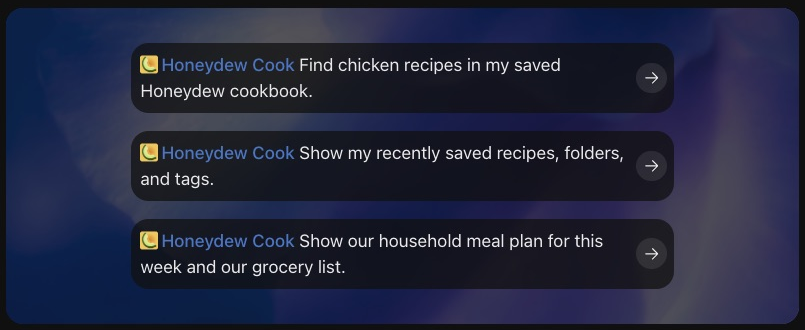
Screenshots captured November 4, 2026, cropped to the relevant panels. Screens may vary by account and version.
The official directory listing is the starting point. You don't need to copy an MCP server URL for this connection. For the setup walkthrough and a short video of Honeydew inside ChatGPT, visit our ChatGPT and MCP page.
If your cookbook looks empty after connecting, check which sign-in method you used. Apple, Google, and email are separate Honeydew account types, so use the one that holds your recipes.
Use ChatGPT as a recipe organizer
Honeydew gives your saved recipes a home. ChatGPT gives you another way to search and organize that collection: describe what you want to cook or how you want to arrange your cookbook.
Start by asking for a small set of recipes. A useful request includes the type of meal, an ingredient, or the time you have available:
“Search my Honeydew cookbook for vegetarian dinners that take 30 minutes or less. Show me the recipe names and cooking times.”
Then organize the results you want to keep together:
“Put the first two recipes in a Weeknight Dinners folder and mark the second one as a favorite.”
You can also add a note after cooking:
“Add a note to the second recipe: we liked it with extra lemon, and I want to make it again next week.”
Folders help you group recipes by occasion, while tags and favorites give you more ways to find them later. The connection can also save a new recipe or update recipe details when you ask. These changes appear in your Honeydew cookbook.
If you're choosing a home for your collection, our recipe organizer app comparison explains how different recipe apps handle saving, organizing, and planning.
Meal planning with ChatGPT and your saved recipes
For a useful ChatGPT meal plan, give it the practical details of your week: which nights you want to cook, how much time you have, and the ingredients or kinds of meals you prefer. Ask it to choose from your Honeydew recipes so the plan points back to meals in your cookbook.
- Set up your planner. Create or join a homegroup in Honeydew under Settings → Homegroup. The connection uses this homegroup for meal planning and groceries, even if you cook just for yourself.
- Ask for a draft. Tell ChatGPT the days, number of people, and timing preferences. Ask to see the choices before it adds anything.
- Choose the meals. Review the recipe names and swap a suggestion if another saved recipe sounds better.
- Save the plan. Ask ChatGPT to add the selected recipes to the dates you want in Honeydew. Use specific dates when you want to make the week unambiguous.
Try this prompt:
“Use my Honeydew recipes to suggest dinners for Monday, Wednesday, and Friday for two people. Keep Wednesday under 20 minutes and include one vegetarian dinner. Show me the recipes and dates before adding them to our meal plan.”
After reviewing the suggestions, follow up:
“Add those three recipes to the dates we agreed on in our Honeydew meal plan.”
You can ask to see the saved plan again before shopping. If you're planning meal prep, describe which nights you want to cook and which meals you intend to use for leftovers, then review the recipe servings as you choose the meals.
Turn your ChatGPT meal plan into a grocery list
Once you've picked your meals, ask ChatGPT to add the ingredients from those Honeydew recipes to your shared grocery list. You can work with one recipe first or ask it to go through the recipes selected for the week.
“Show me our Honeydew meal plan for the dates we just planned. Add the ingredients for those recipes to our shared grocery list, then show me the list.”
Review what you already have in the kitchen before shopping. You can also ask for everyday items that aren't part of a recipe:
“Add milk and eggs to our Honeydew grocery list too.”
The list lives in your Honeydew homegroup, so members of your household can open it in the app. That makes the conversation useful beyond deciding what to eat: the ingredients are available where you shop, and the recipes are available where you cook.
A reusable ChatGPT meal-planning prompt
Replace the brackets with your own details:
“Use the recipes saved in my Honeydew cookbook to plan [number] dinners for [dates], for [number of people]. Keep cooking time under [minutes] on [busy days]. Include [ingredient or meal preferences]. Show me your suggested recipes and dates first. After I approve the plan, add those recipes to our Honeydew meal plan and add their ingredients to our shared grocery list.”
For a smaller task, try “Find three breakfasts I've saved” or “Show me my recently saved recipes.” You can start with a single meal and build from there.
ChatGPT recipe organization and meal-planning questions
Can I use ChatGPT as a recipe organizer?
Yes. Connect Honeydew Cook to ChatGPT, then ask it to search your saved recipes, organize folders and tags, mark favorites, or add cooking notes. Honeydew stores the cookbook, and ChatGPT uses the connection to make the changes you request.
How do I make a meal plan in ChatGPT using my saved recipes?
Connect your Honeydew account and tell ChatGPT which days to plan, how many people you are cooking for, and any timing or ingredient preferences. Ask it to suggest meals from your saved recipes, review the choices, then ask it to add the selected recipes to your Honeydew meal plan. Shared meal planning requires a Honeydew homegroup.
Can ChatGPT add recipe ingredients to a shared grocery list?
Yes. With Honeydew connected and a homegroup set up, ask ChatGPT to add a saved recipe’s ingredients to your shared Honeydew grocery list. You can also ask it to add individual items such as milk or eggs, and review the resulting list in Honeydew.
Do I need to paste all my recipes into ChatGPT?
No. Once you connect your Honeydew account, ChatGPT can use Honeydew’s tools to search and read the recipes saved there. Sign in with the same Apple, Google, or email account you use for your cookbook.
Can I use Honeydew meal planning if I cook just for myself?
Yes. Create a homegroup in Honeydew under Settings → Homegroup, even if you are the only member. The ChatGPT connection uses that homegroup for the meal plan and grocery list.
You're in control of the connection
You sign in to Honeydew and approve access before ChatGPT can work with your account. The permissions you grant determine which information and actions are available.
The connection can make the recipe, grocery-list, and meal-plan changes you request. It cannot delete recipes. You can disconnect Honeydew from your AI client's settings when you want to stop using it. Our Privacy Policy explains how Honeydew handles the connection and your data.
A big moment for Honeydew
We built Honeydew because saving a recipe should be the start of cooking something good. A video you loved, a family recipe, or a weeknight favorite should be easy to find when it's time to eat.
Today, that cookbook has another way to be useful. Honeydew is in ChatGPT's official plugin directory, so you can start from the listing, connect your account, and bring your own recipes into the conversation.
As Honeydew's founder and developer, this is a milestone I'm excited to share. If you've saved a recipe in Honeydew, told a friend about the app, or sent us feedback, thank you. You've helped us get here.
Keep cooking with Honeydew
Honeydew still works on iPhone and Android, and our MCP connection remains available for Claude and other compatible assistants. ChatGPT gives you another place to use the cookbook you've already built.
Try one recipe first. Find something you've saved, decide when you want to cook it, and get the ingredients onto your list. That's the moment we're excited about: a recipe you meant to try becoming dinner.
Your saved recipes deserve better than a bookmark folder.
Honeydew captures recipes from social media, screenshots, and websites, then turns them into a week of meals and one grocery list.
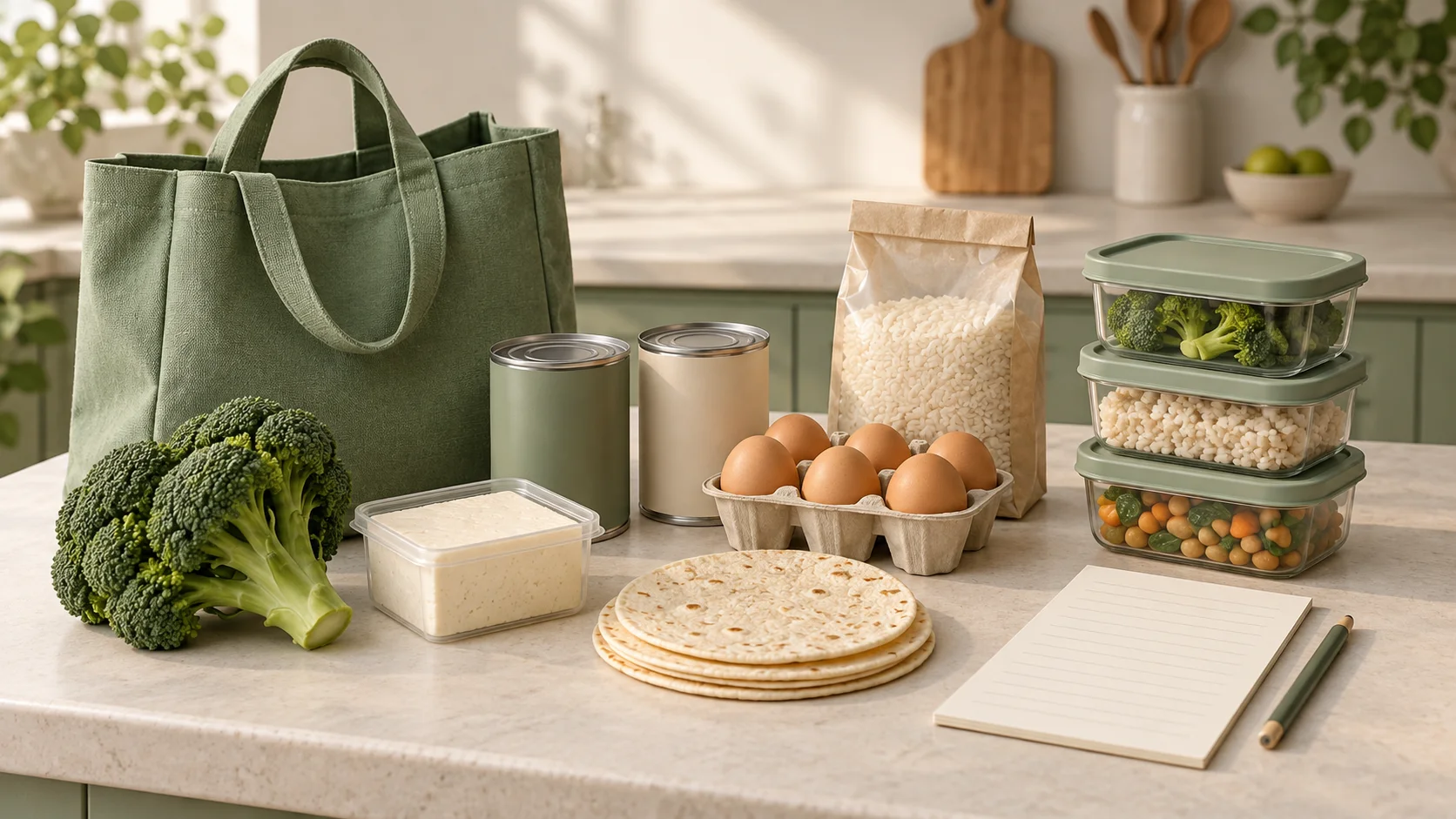 Grocery List for One Person
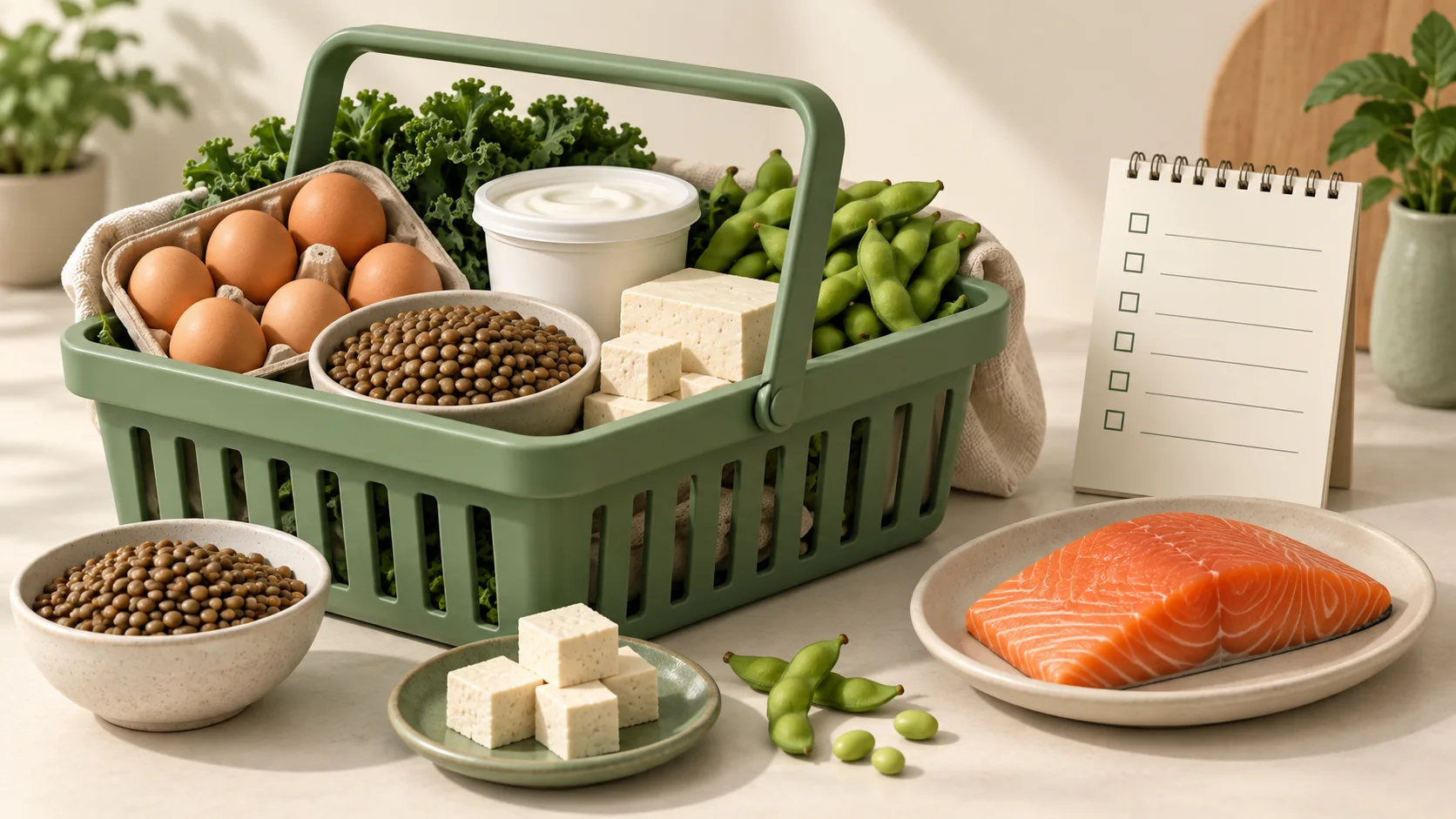 High Protein Grocery List
 Pantry Inventory Template
 Grocery List Ideas